



Curved Flow Diagram with Icons – Business Scope and Operational Plans
RJ0300043_23
- Last Update 04/29/2025
- File Size 3.2MB
- # of Slides 2
- File Format PPTX
- Slide Ratio 16:9
- Color
Keywords
- #Content-Based Slides
- #Design-Based Slides
- #Business Introduction
- #Operational Plan
- #Diagram
- #Business Areas
- #Business Processes
- #Cluster
- #Chain Diagram
- #16:9
- #curved flow diagram PowerPoint
- #icon diagram slide template
- #4-step process slide
- #business operations PowerPoint
- #connected diagram slide download
About the Product
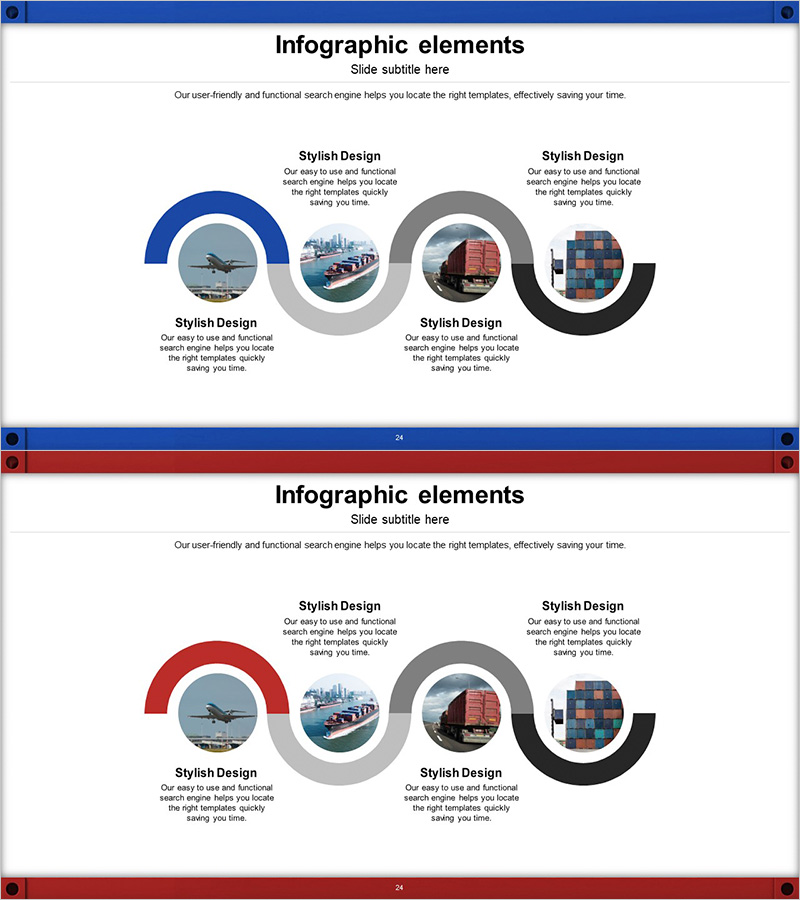
A curved flow diagram PowerPoint slide featuring four sequentially connected nodes with icons and text areas for visualizing business scope, operational processes, and phased planning. The design uses blue, gray, and black arc shapes linked by flowing curves, with dedicated icon insertion areas at each node. Two slide variations are provided: the first with a blue starting point and the second with a red starting point for color flexibility. This presentation template is ready to use in business proposals, operational plans, and strategic presentations.
Usage Points
-
Main Usage
Optimized for presenting business scope, explaining operational processes, and visualizing phased planning. Four nodes connected sequentially through curved lines represent linear workflows, cyclical structures, and step-by-step progress. Icon insertion areas at each node allow visual emphasis of stage characteristics and key elements.
-
How to Use
Apply to company profile presentations (business scope section), business plans (operational planning pages), and proposals (strategy implementation sections). Customize by entering stage names, objectives, and responsible departments in text boxes, and insert relevant images in icon areas. Use two color variations to differentiate sections and maintain visual consistency.
-
Recommended For
Ideal for business planners, marketing managers, operations directors, and consultants creating process explanation materials. Suitable for employee onboarding presentations, organizational restructuring announcements, and new project kickoff meetings where step-by-step progress must be clearly communicated.
-
Slide Structure
Two-slide set. Each slide features four arc-shaped nodes (blue, gray, black, and color-variant) connected by curved lines. Each node includes a circular icon area and text input box, optimized for 16:9 widescreen format with balanced spacing and alignment.
Related Products
-
3D Printing Business Process Diagram – Visualizing Operational Plans
#Business Introduction #Operational Plan #Diagram
-
Flower-shaped Connecting Diagram – Business Vision and Strategy
#Business Introduction #Business Vision and Strategy #Diagram
-

Investment Process Diagram – Visualization of Business Strategy
#Business Strategy #Operational Plan #Diagram
-
Astronomy Business Sector Diffusion Diagram
#Company Introduction #Business Introduction #Diagram
