



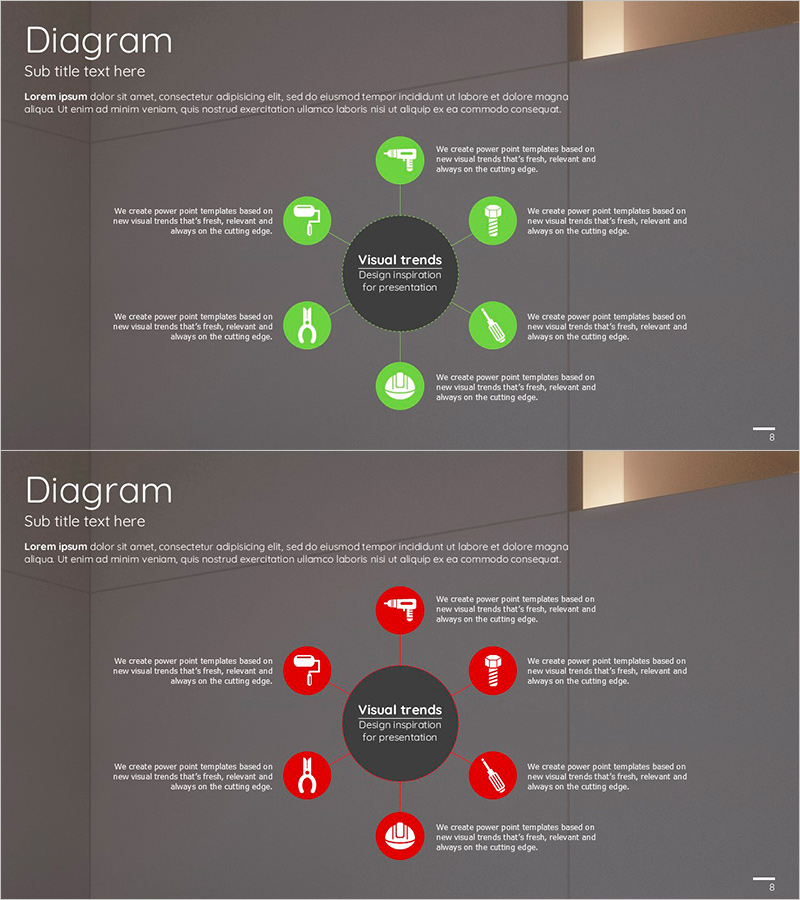
Interior Construction Diffusion Diagram - Visual Trend Representation
RJ0300028_7
- Last Update 04/25/2025
- File Size 2.3MB
- # of Slides 2
- File Format PPTX
- Slide Ratio 16:9
- Color
Keywords
- #Content-Based Slides
- #Design-Based Slides
- #Product/Service Introduction
- #Business Vision and Strategy
- #Diagram
- #Product/Service Introduction
- #Core Competencies
- #Spread
- #Centralized Diagram
- #16:9
- #radial diagram PowerPoint
- #diffusion diagram slide template
- #central node presentation
- #icon diagram PPT
- #business process visualization slide
- #how to create radial diagram in PowerPoint
About the Product
A radial diffusion diagram PowerPoint slide that visualizes ideas expanding from a central concept to surrounding elements. This 2-slide template offers both green and red color versions, with each slide featuring a central circular node surrounded by 6 icon-based nodes arranged in a radial pattern. Each node includes accompanying text areas for detailed descriptions, making it ideal for presenting project phases, core values, service offerings, organizational structures, and strategic initiatives. Available in 16:9 widescreen PPTX format with fully editable elements, perfect for corporate presentations, marketing proposals, and product introduction decks.
Usage Points
-
Main Usage
Effectively communicate how a central concept, strategy, or service expands outward into multiple dimensions. The 6-node radial layout with icons and text areas allows you to present project phases, core value propositions, product features, team structures, or strategic pillars in a visually compelling and easy-to-understand format.
-
How to Use
Enter your main topic or concept in the central node. Populate the 6 surrounding nodes with key subtopics or elements. Customize the icons to match your industry or message, and fill in the text areas with relevant descriptions. Choose the green version to emphasize growth and positivity, or the red version to convey energy and urgency.
-
Recommended For
Marketing strategy presentations highlighting core initiatives, product launch decks showcasing key features, organizational structure and team role explanations, business plan presentations of implementation strategies, educational seminars organizing learning objectives, consulting reports presenting improvement recommendations, and corporate vision statements illustrating strategic pillars.
-
Slide Structure
2-slide template. Each slide features a dark gray central circular node with text input area, surrounded by 6 icon-based circular nodes positioned at top, bottom, left, right, upper-right, and lower-right. Each outer node is paired with a text box for descriptions, connected to the center by dotted lines. The background uses dark gradient shading to emphasize the node hierarchy and create visual depth.
Related Products
-
Farm Service Structure Diagram – Vision and Strategy
#Product/Service Introduction #Business Vision and Strategy #Diagram
-
Differentiation Strategy Blue Orange – Highlighting Business Vision and Core Competencies
#Product/Service Introduction #Business Vision and Strategy #Diagram
-
Core Service Features at a Glance – Business Vision and Strategy
#Product/Service Introduction #Business Vision and Strategy #Diagram
-
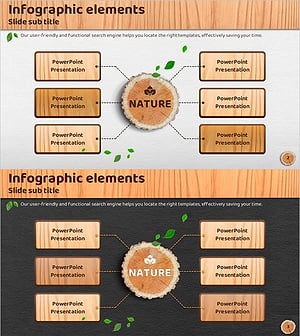
Diffusion Diagram for Introducing Eco-Friendly Business-Related Products and Services
#Product/Service Introduction #Business Vision and Strategy #Diagram
