



Tool Icons and Diffusion Diagrams – Visualizing Technical Processes
RJ0300028_31
- Last Update 04/25/2025
- File Size 2.1MB
- # of Slides 2
- File Format PPTX
- Slide Ratio 16:9
- Color
Keywords
- #Content-Based Slides
- #Design-Based Slides
- #Operational Plan
- #Technical Approach
- #Diagram
- #Production and Technology Development Strategy
- #Service Implementation Plan
- #Spread
- #Decentralized Diagram
- #16:9
- #radial diagram PowerPoint
- #diffusion diagram slide template
- #technical process visualization
- #tool icon diagram
- #operational planning PPT slide
About the Product
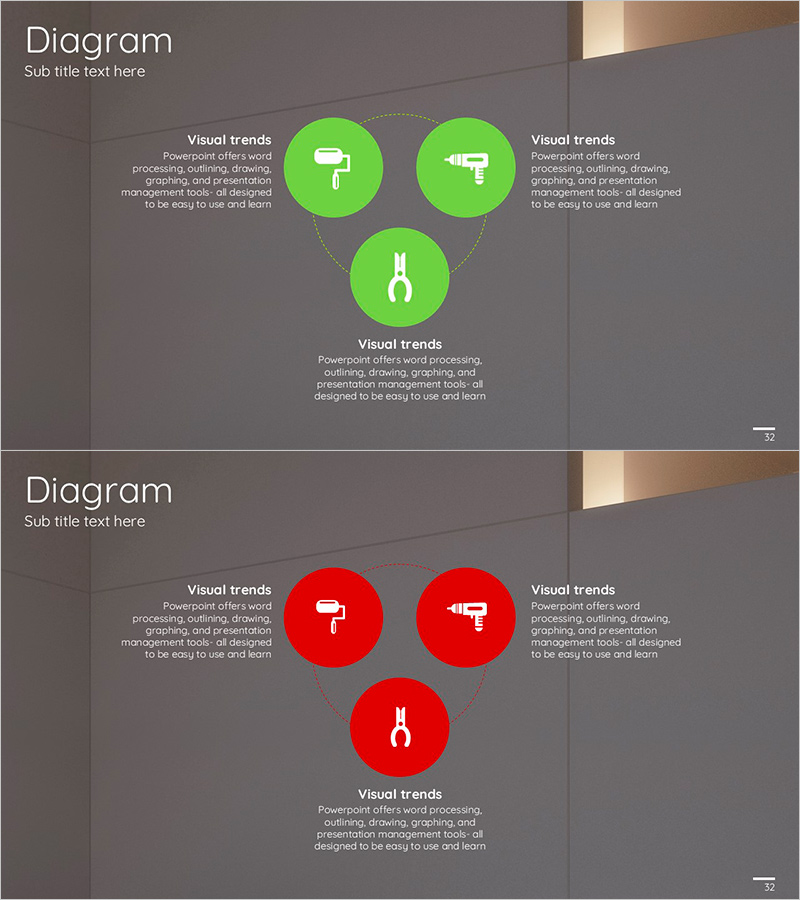
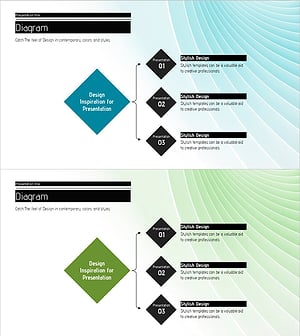
A radial diagram PowerPoint slide with a central node expanding outward to three directional nodes. Available in lime green and red color versions, each node features tool icons (drill, hammer, pliers) to visualize technical processes and operational planning. Delivered as a 2-slide deck in 16:9 widescreen format with dotted connector lines representing relationships between nodes. Ready to use for technology department presentations, system architecture explanations, and operational strategy sessions.
Usage Points
-
Main Usage
Expresses core technical processes through an outward-radiating structure from a central hub. Designed to clarify multi-layered relationships such as system architecture, operational strategy, and technology roadmaps at a glance. Tool icons intuitively communicate technical work domains and responsibilities.
-
How to Use
Enter process names, responsible departments, and timelines in each node's text area for technology presentation slides. Select lime green version for positive growth messaging or red version to emphasize importance and alerts. Fully customizable through color changes and icon replacements for various technical topics.
-
Recommended For
Recommended for IT and software development team technical planning presentations, engineering department system design explanations, operations team process improvement proposals, and technology leader strategy reports. Highly effective for B2B presentations targeting audiences with technical backgrounds.
-
Slide Structure
2-slide deck structure. Each slide features one central main node (pliers icon) with three surrounding sub-nodes (drill, hammer, pliers icons) positioned top, bottom, left, and right. Dotted arrow connectors express relationships radiating from center outward. Dark gray background with lime green or red circular nodes for contrast.
Related Products
-
Visualizing Business Areas with Square Diffusion Diagram
#Business Introduction #Operational Plan #Diagram
-
Strategic Framework of Tech Communication – Innovative Communication Template
#Operational Plan #Technical Approach #Diagram
-
Concrete PPT Strategy Diagram
#Business Vision and Strategy #Operational Plan #Diagram
-
Introduction to Operational Plans and Technology Section – Brief Background and Characteristics
#Operational Plan #Technical Approach #Diagram
