



Introduction of the Seolsan Theme Team – Powerful Team Introduction
RJ0300026_7
- Last Update 04/25/2025
- File Size 2.8MB
- # of Slides 2
- File Format PPTX
- Slide Ratio 16:9
- Color
Keywords
- #Content-Based Slides
- #Design-Based Slides
- #Company Introduction
- #Diagram
- #Manpower
- #Cluster
- #Closed Cluster Diagram
- #16:9
- #team introduction diagram PowerPoint
- #cluster diagram slide template
- #organizational structure presentation
- #team member profile slide
- #how to create team diagram in PowerPoint
About the Product
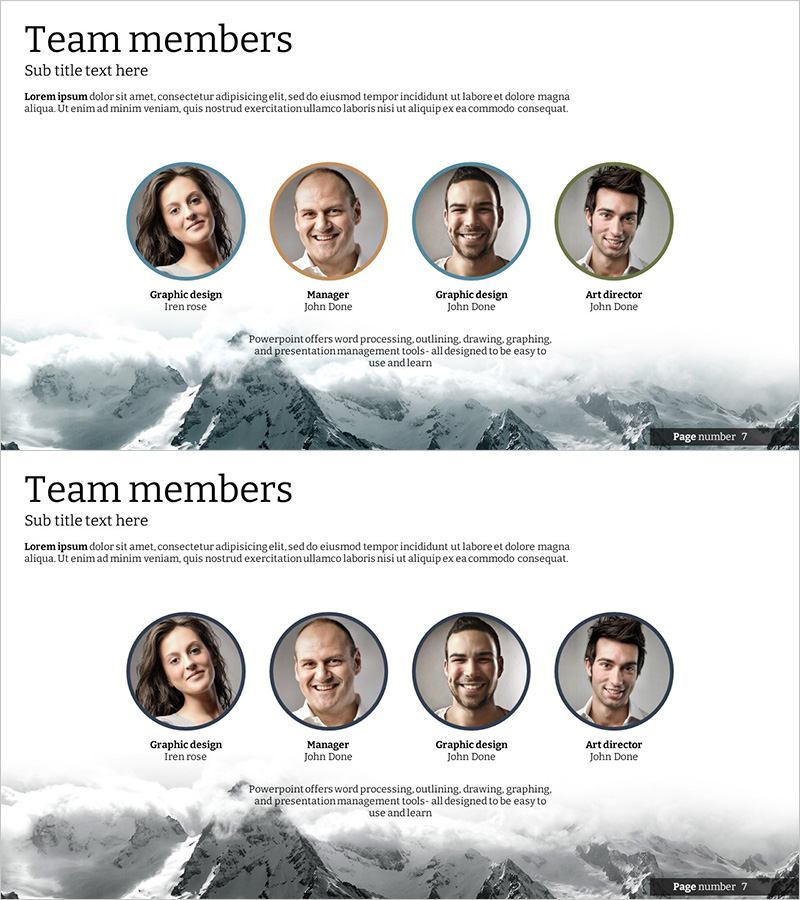
A professional cluster diagram PowerPoint slide featuring four team members arranged in circular frames against a snow-capped mountain background. Each team member's title and name are clearly displayed, with team description text positioned at the bottom center for immediate visual comprehension of organizational structure and roles. This 16:9 widescreen 2-slide presentation template is ready to use for company introductions, team profiles, and organizational presentations.
Usage Points
-
Main Usage
Visually introduce four key team members and clearly communicate their roles and positions within the organization. This cluster diagram is optimized for company introductions, team profile pages, and organizational structure presentations that convey trust and professionalism.
-
How to Use
Insert team member photos into each circular frame and add their titles and names. Write team introduction text in the center-bottom text area to describe the team's vision and responsibilities. The snow mountain background emphasizes professionalism and credibility, making it suitable for corporate presentations, recruitment events, and investment pitches.
-
Recommended For
HR professionals, marketing teams, and executives presenting organizational structure and team culture. Ideal for startup pitches, corporate orientation presentations, team building events, annual reports' organizational sections, and investor relations meetings.
-
Slide Structure
2-slide layout with four circular frames arranged horizontally in a single row. Each frame displays a team member photo with title and name below. Team description text area positioned at bottom center. Snow mountain background provides visual unity across both slides, allowing flexible team member combinations.
Related Products
-

Introduction to the Mobile Network Team Slide
#Company Introduction #Diagram #Manpower
-
Representative Medical Staff Introduction Slide – Trustworthy Visuals
#Company Introduction #Diagram #Manpower
-

Introduction of Medical Personnel - Emphasizing Expertise with Diagrams
#Company Introduction #Diagram #Manpower
-
Internet of Things Developer Team Introduction Illustration
#Company Introduction #Market and Competitor Analysis #Diagram
