



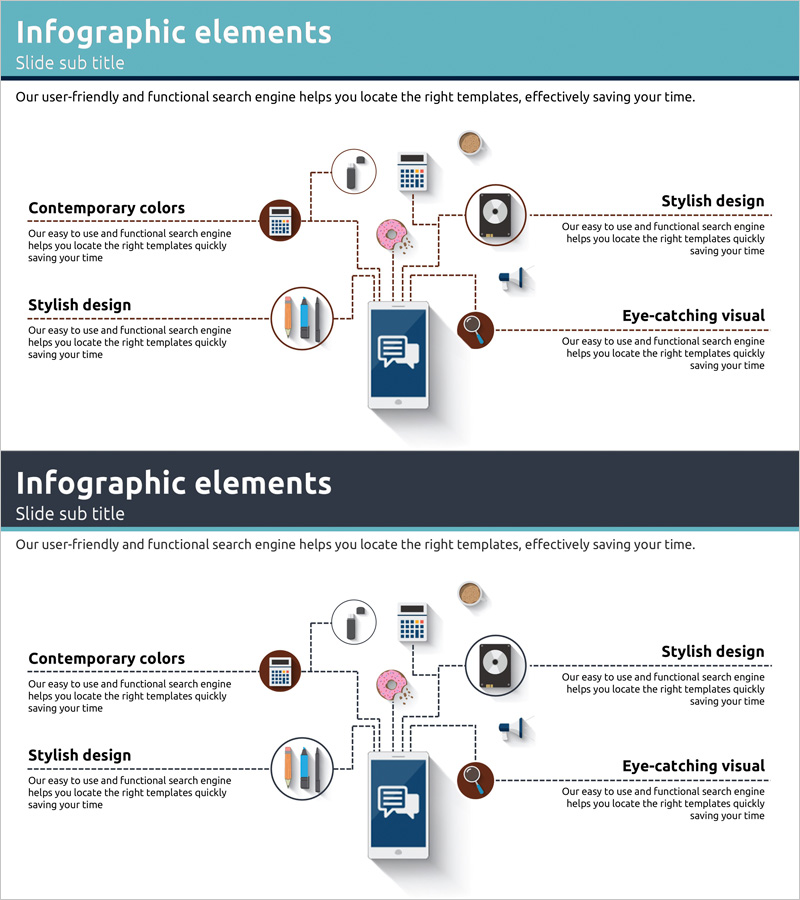
Digital Service Configuration Diagram – Service Structure Spreading from One Point
RJ0300015_19
- Last Update 04/22/2025
- File Size 0.5MB
- # of Slides 2
- File Format PPTX
- Slide Ratio 16:9
- Color
Keywords
About the Product
A PowerPoint slide that visualizes digital service architecture using a radial diagram with a central hub connected to eight service components. Features a turquoise background with white dashed connector lines and functional icons (calculator, storage, voice, chart, mobile, search, user) representing service modules. Includes two slide layouts—turquoise and dark navy versions—ready for immediate use in technology presentations, service overviews, and system architecture discussions. 16:9 widescreen PPTX format compatible with all PowerPoint versions for seamless editing and customization.
Usage Points
-
Main Usage
Communicates complex digital service ecosystems by radiating key functions from a central hub, enabling stakeholders to grasp the complete service structure at a glance. Ideal for technology teams explaining system architecture, marketing teams positioning service offerings, and executives presenting service portfolios to investors and partners.
-
How to Use
Enter the primary service name in the central hub and populate the eight surrounding nodes with specific features, modules, or channels. Replace icons and text labels to adapt the diagram for fintech, e-commerce, SaaS, or other digital platforms. Dashed connector lines clearly indicate hierarchical relationships and functional dependencies.
-
Recommended For
IT professionals, technology architects, product managers, startup founders, digital transformation leaders, management consultants. Use in investor pitch decks, technical seminars, internal training sessions, and client presentations to explain service structure and ecosystem relationships.
-
Slide Structure
Central dark blue box containing primary service name, surrounded by eight circular icon nodes (calculator, storage, voice, chart, mobile, search, user, additional element) connected via dashed lines in radial arrangement. Text description areas positioned on left and right sides. Two color variations—turquoise and dark navy—one slide each, total 2 slides.
Related Products
-
Idea Development Components Diagram - Centralized Spread
#Company Introduction #Technical Approach #Diagram
-
Core Structure of Global Trade Divisions – Multi-Dimensional Overview
#Business Introduction #Technical Approach #Diagram
-
A Key Battle Strategy Slide – Leading to Victory
#Business Introduction #Technical Approach #Diagram
-
Service and System Operation Plan Diagram – Effective Visual Communication
#Technical Approach #Diagram #Service Architecture Diagram
