



Water Resources Diagram Template for Business Success
RJ0200062_11
- Last Update 04/16/2025
- File Size 1.7MB
- # of Slides 2
- File Format PPTX
- Slide Ratio 16:9
- Color
Keywords
- #Content-Based Slides
- #Design-Based Slides
- #Product/Service Introduction
- #Business Introduction
- #Diagram
- #Product/Service Introduction
- #Business Areas
- #Spread
- #Centralized Diagram
- #16:9
- #radial diagram PowerPoint
- #central hub slide template
- #6-item diagram
- #business presentation diagram
- #PowerPoint diagram slide design
About the Product
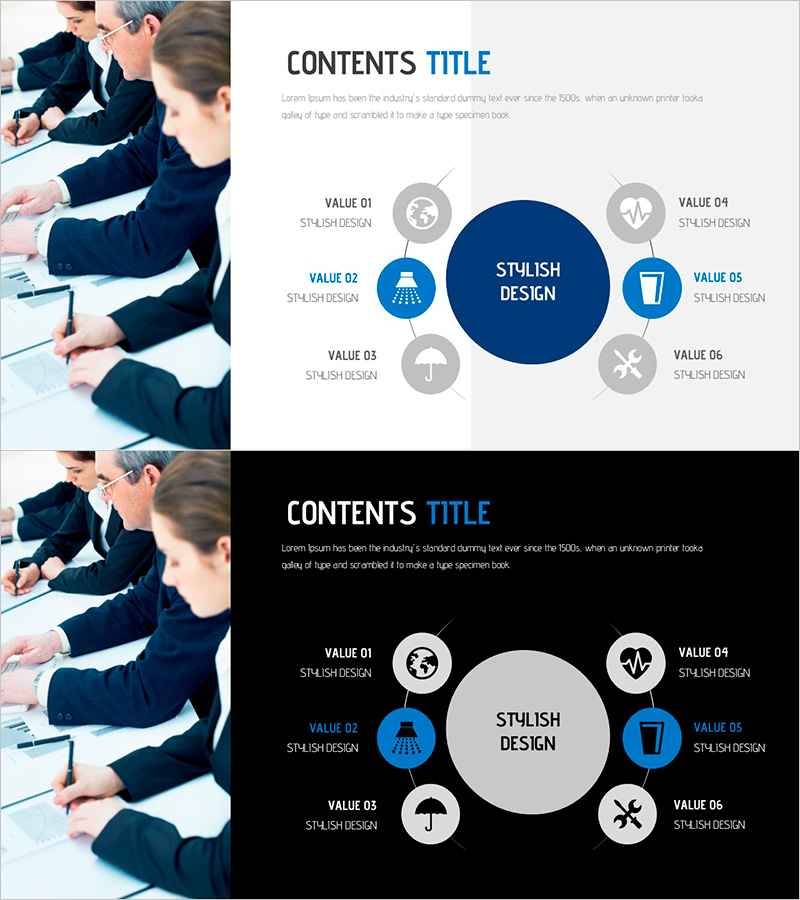
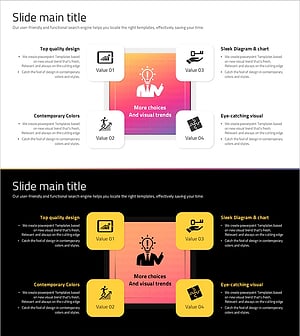
A radial diagram PowerPoint slide featuring a central circle with six satellite nodes radiating outward. The design uses a dark blue central hub and light blue icon nodes to clearly distinguish the core concept from supporting elements. Two slide layouts are provided: a light gray background version and a black background version, allowing you to match your presentation's tone and style. This diagram is ideal for business presentations where you need to visualize a central strategy with six supporting initiatives, a product's core features with additional benefits, or an organization's main division with subsidiary teams. All nodes are fully editable with customizable text and icons, making it immediately applicable across various industries and topics.
Usage Points
-
Main Usage
Designed to express a central concept with six related elements or values simultaneously. Ideal for visualizing strategic goals with execution tactics, product features with added benefits, or organizational structures showing a main division and subsidiary teams.
-
How to Use
Enter your core concept (e.g., business objective, product name, organization name) in the central circle. Distribute six supporting items across the satellite nodes. Customize each node's icon to match your content, and adjust colors to align with your company's brand palette if needed. Use the light background version for standard presentations and the dark background version for premium or formal settings.
-
Recommended For
Executives, strategists, and marketing professionals presenting business strategies, project plans, and product positioning. Commonly used in consulting firms, IT companies, financial institutions, and manufacturing sectors for executive reports and investor presentations.
-
Slide Structure
Two-slide layout: Slide 1 features a light gray background with a dark blue central circle and six light blue icon nodes. Slide 2 uses a black background with a light gray central circle and six white icon nodes. All nodes are circular with connecting lines to the center. Text input areas are positioned inside the central circle and below each satellite node.
Related Products
-
Farming Harvest Business Differentiation Strategy Diagram
#Product/Service Introduction #Business Introduction #Diagram
-
Healthy Food Diffusion Diagram – Organic Connection
#Product/Service Introduction #Business Introduction #Diagram
-
Cloud Service Area Classification – Diagram for Business Introduction
#Product/Service Introduction #Business Introduction #Diagram
-
Social Network Diagram Template – Modern Business Introduction
#Product/Service Introduction #Business Introduction #Diagram
