



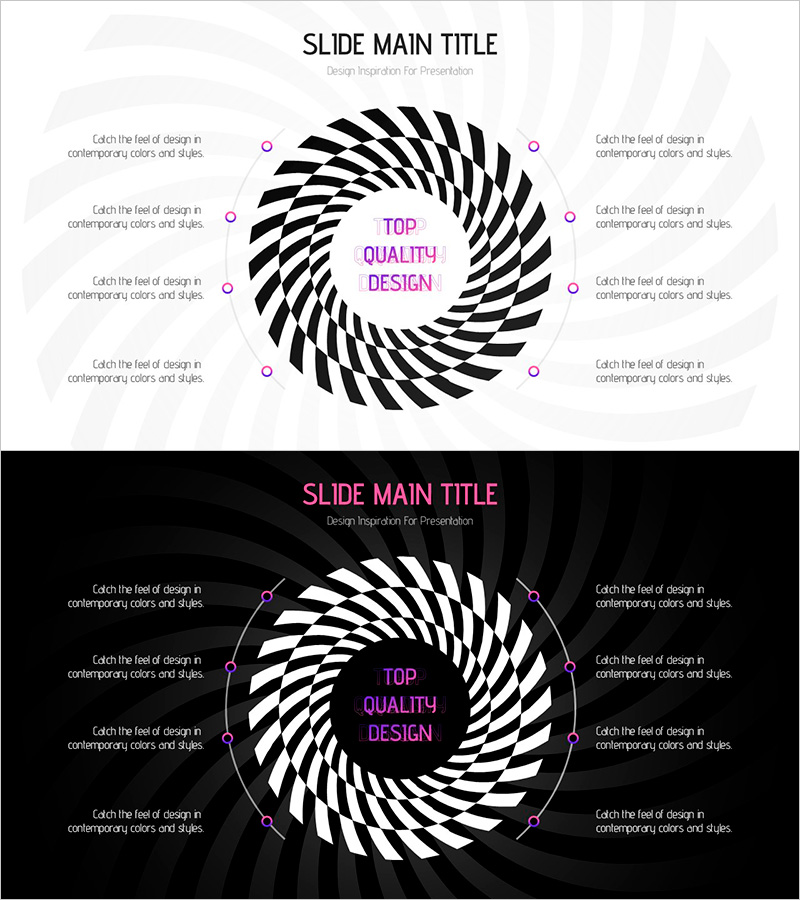
Fantastic Wide PowerPoint Circular Diagram – Product Introduction & Vision
RJ0200049_10
- Last Update 04/12/2025
- File Size 0.7MB
- # of Slides 2
- File Format PPTX
- Slide Ratio 16:9
- Color
Keywords
- #Content-Based Slides
- #Design-Based Slides
- #Product/Service Introduction
- #Business Vision and Strategy
- #Diagram
- #Program Introduction
- #Core Competencies
- #Spread
- #Centralized Diagram
- #16:9
- #radial diagram PowerPoint
- #circular structure slide template
- #8-point diagram
- #product introduction PPT slide
- #vision strategy diagram PowerPoint
About the Product
A radial diagram PowerPoint slide featuring eight points surrounding a central core message with magenta circular text boxes. The black spiral pattern creates visual depth while the magenta accent points clearly express product introduction, vision strategy, and business objectives. Two background versions—light and dark—are provided to suit any presentation environment, with each point offering independently editable text areas. Formatted in 16:9 widescreen with two slides, this template is ready for immediate use in your presentations.
Usage Points
-
Main Usage
Ideal for visualizing multiple elements surrounding a central concept—product introduction, vision strategy, business objectives, or core values. The radial layout ensures all points carry equal visual weight while clearly establishing the relationship between the central message and supporting details.
-
How to Use
Enter your core message (product name, vision, or objective) in the central magenta circle, then populate the eight surrounding text areas with supporting details. Each point is fully editable for color, size, and content. Choose between the light or dark background version based on your presentation environment.
-
Recommended For
Product marketing managers, business strategists, executive report writers, and startup pitch presenters who need to communicate a central concept with multiple supporting elements. Particularly effective when explaining a single topic from multiple perspectives or highlighting diverse product features.
-
Slide Structure
A magenta circular text box anchors the center, surrounded by eight radial points arranged clockwise. Each point features a magenta circular marker and editable text area positioned over a black spiral pattern. Two versions provided: light gray background and black background for versatile presentation contexts.
Related Products
-
Blossoming Ideas – A Diagram Presentation for Business Vision and Strategy
#Business Vision and Strategy #Diagram #Business Strategy
-
Core Competency Diagram – Emphasizing Business Strategy and Vision
#Business Introduction #Business Vision and Strategy #Diagram
-
3 Types of Wave Effects – Product and Service Introduction
#Product/Service Introduction #Business Vision and Strategy #Diagram
-
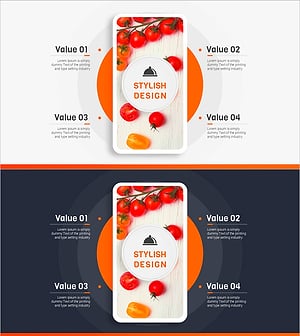
Food App Diagram – Business Vision and Strategy
#Business Vision and Strategy #Technical Approach #Diagram
