



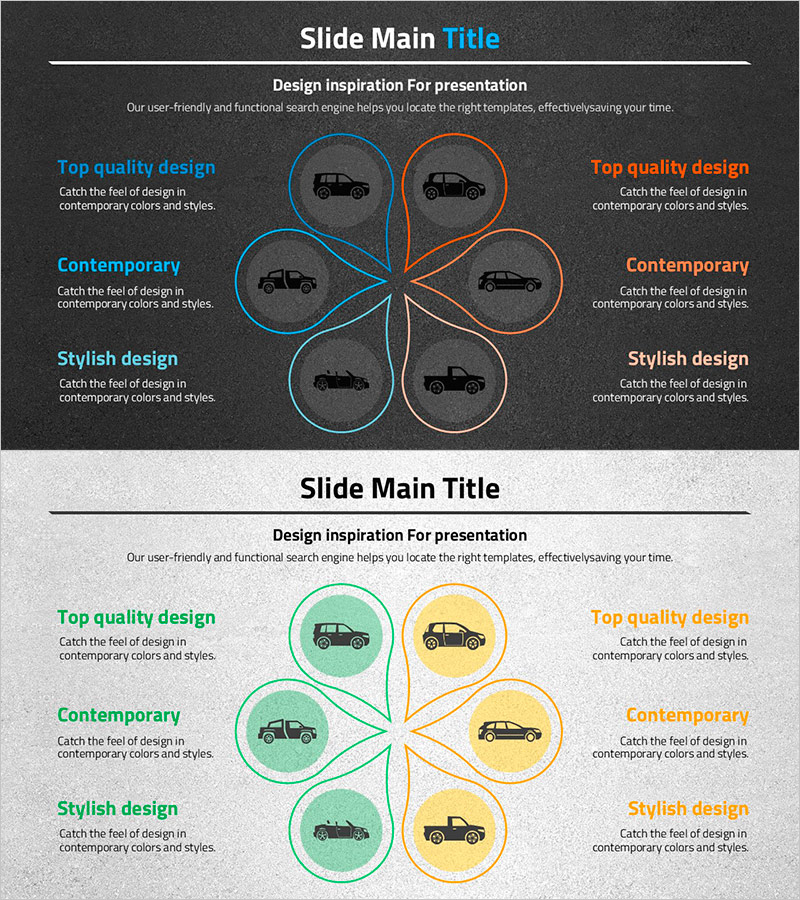
Wide Template Diagram for Cars – A New Way to Present Products
RJ0200044_14
- Last Update 04/10/2025
- File Size 2.8MB
- # of Slides 2
- File Format PPTX
- Slide Ratio 16:9
- Color
Keywords
- #Content-Based Slides
- #Design-Based Slides
- #Product/Service Introduction
- #Business Introduction
- #Diagram
- #Product/Service Introduction
- #16:9
- #product overview PowerPoint slide
- #diagram presentation design
- #six-section comparison slide
- #product features PPT
- #how to present product benefits in PowerPoint
About the Product
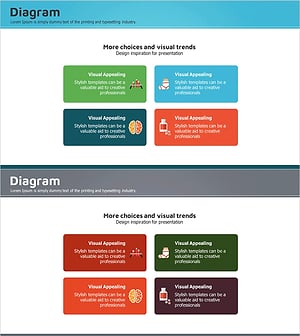
A PowerPoint slide that visually compares product and service features across six sections arranged in a circular diagram. The design features a dark gray background with blue and orange accent colors, creating a two-tone circular layout where icons and text can be placed in each section. This structure is optimized for product presentations to communicate core value propositions, key features, and competitive advantages simultaneously. The two-slide set includes both dark and light background options, allowing you to adapt to different presentation environments. Ready to use for product launches across automotive, technology, consumer goods, and other industries.
Usage Points
-
Main Usage
Designed to categorize and compare six key product attributes—such as quality, design, performance, price, reliability, and innovation—in a single visual. Effectively communicates multiple product strengths to investors, customers, and partners simultaneously.
-
How to Use
Enter product features or benefits in each section's text area, and replace icons to match your industry or product category. Choose between dark or light background versions based on your presentation environment and screen conditions.
-
Recommended For
Ideal for B2B and B2C product presentations in automotive, electronics, software, financial services, and related industries. Particularly effective for new product launches, product improvement explanations, and competitive analysis sections. Recommended for investor presentations, customer pitches, and internal meetings where clear product positioning is essential.
-
Slide Structure
Central circular diagram with six evenly-distributed sections. Each section contains three input areas: icon, title, and descriptive text, arranged in a left-right symmetrical layout for visual balance. Two background options (dark gray and light gray) provided across two slides.
Related Products
-
Visualizing Business Structure with Tree Structure Figure Diagram – Refreshing Design
#Product/Service Introduction #Business Introduction #Diagram
-
Introducing Cloud Smart System Service – Innovation and Future
#Product/Service Introduction #Business Introduction #Diagram
-
Space Industry Description Diagram – Innovation and Vision
#Product/Service Introduction #Business Introduction #Diagram
-
Medical Field Illustration Closure Diagram – Enhancing Visual Understanding
#Product/Service Introduction #Business Introduction #Diagram
