



Origami Presentation Template Diagram – Multi-direction Flow
RJ0200041_9
- Last Update 04/09/2025
- File Size 0.2MB
- # of Slides 2
- File Format PPTX
- Slide Ratio 16:9
- Color
Keywords
- #Content-Based Slides
- #Design-Based Slides
- #Technical Approach
- #Diagram
- #Service Configuration Plan
- #Service Implementation Plan
- #Flow
- #Multidirectional Flow
- #16:9
- #multi-direction diagram PowerPoint
- #flow chart presentation slide
- #3-step process diagram
- #interactive structure PPT
- #how to create flow diagram in PowerPoint
About the Product
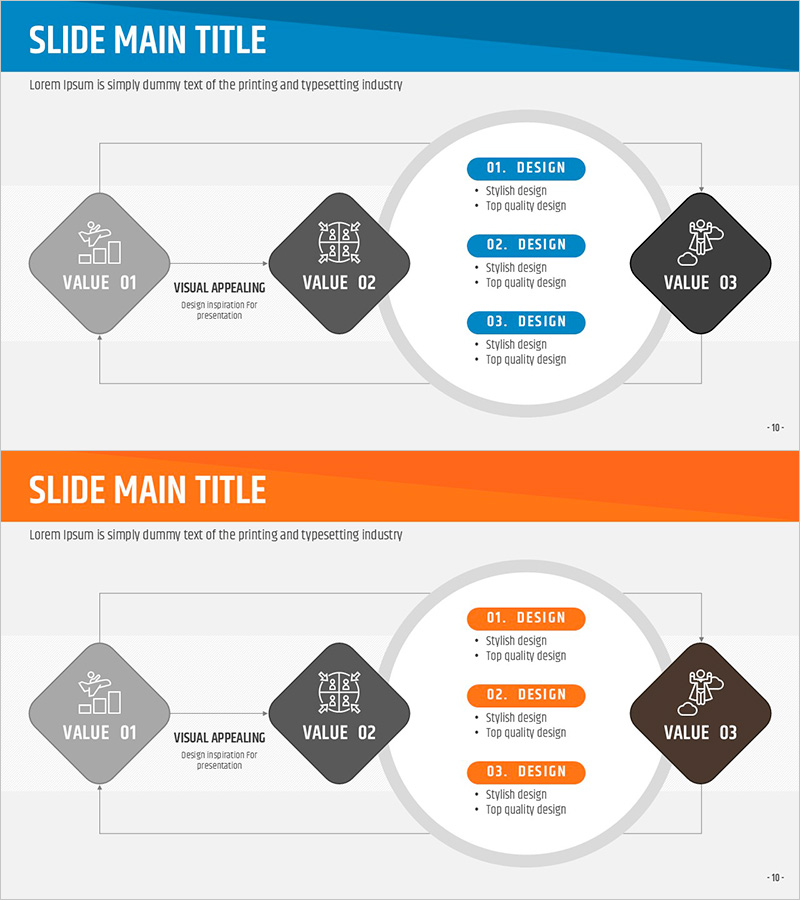
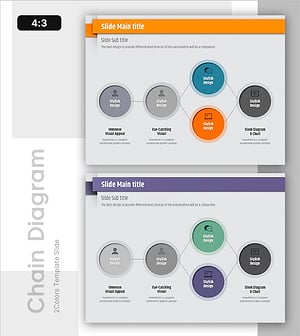
A multi-directional flow diagram PowerPoint slide featuring three diamond-shaped nodes arranged in a circular connection structure. Bidirectional arrows and circular connecting lines visualize interactive relationships between left, center, and right nodes. The combination of blue and gray node colors provides clear hierarchical distinction, while three explanation boxes positioned in the right circular area allow detailed content input for each stage. This presentation template is optimized for service composition, process flow, and interdependency explanations.
Usage Points
-
Main Usage
Visually represents interaction, circular relationships, and multi-directional connections among three elements. Effectively explains service components, business process flows, inter-organizational collaboration structures, and system interactions.
-
How to Use
Enter stage or element names in the left, center, and right nodes. Fill the three boxes in the right circular area with detailed descriptions, characteristics, and effects for each stage. Edit node colors and text to match your company brand before inserting into presentations.
-
Recommended For
Business strategy presentations, service introduction decks, organizational structure explanations, process improvement proposals, system architecture descriptions, and marketing campaign composition presentations that emphasize interconnectedness.
-
Slide Structure
2-slide set. Slide 1: Blue header background with three diamond nodes (left gray, center dark, right black), bidirectional arrows, and circular connecting lines. Slide 2: Orange header background with identical structure. Three explanation boxes (labeled 01, 02, 03) positioned in right circular area. 16:9 widescreen format.
Related Products
-
Business Infrastructure Diagram – Effective Resource Navigation
#Business Introduction #Technical Approach #Diagram
-
Strategy for Structuring and Executing Lessons – Effective Multidirectional Flow Design
#Business Vision and Strategy #Technical Approach #Diagram
-
Rhombus Presentation Template Infographic – Visualizing Risk Management Strategies
#Technical Approach #Risk Management and Regulatory Compliance #Diagram
-
Effective Presentation Slides Highlighted with Stylish Design and Infographics
#Technical Approach #Diagram #Service Implementation Plan
