



Modern Blue Presentation Step Diagram
RJ0200035_25
- Last Update 04/07/2025
- File Size 5.7MB
- # of Slides 2
- File Format PPTX
- Slide Ratio 16:9
- Color
Keywords
- #Content-Based Slides
- #Design-Based Slides
- #Business Strategy
- #Business Management
- #Diagram
- #Step-by-Step Schedule Plan
- #Implementation Plan
- #Cluster
- #Closed Cluster Diagram
- #16:9
- #4-step diagram PowerPoint
- #sequential flow presentation slide
- #step-by-step process diagram
- #business strategy PPT
- #arrow diagram slide template
About the Product
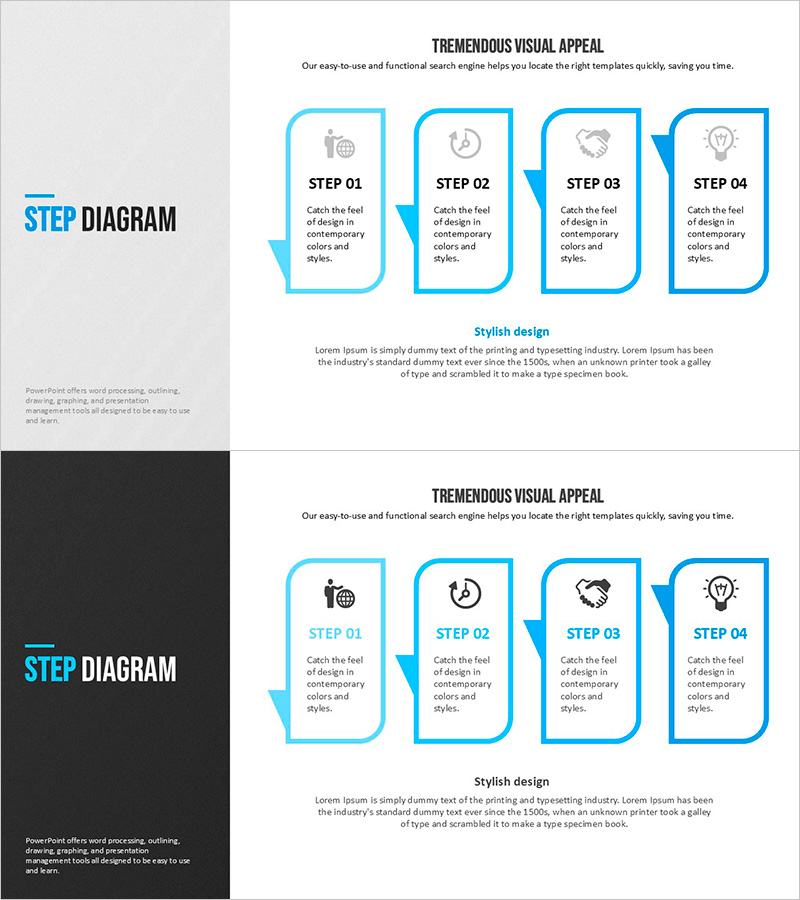
A PowerPoint slide template that visualizes a left-to-right 4-step sequential process flow. Each step is represented by a light blue-bordered rounded rectangle box with icons and text areas, connected by blue directional arrows. Ideal for business strategy presentations, project progression, process explanations, and workflow documentation. The 2-slide set includes both light and dark background versions in 16:9 widescreen format, ready for immediate customization and presentation use.
Usage Points
-
Main Usage
Clearly visualizes left-to-right sequential progression across four stages. Ideal for business strategy presentations, project management reports, process improvement proposals, customer journey mapping, product development roadmaps, and any workflow requiring four-step visualization.
-
How to Use
Edit the icon and text content in each step box to match your presentation content. The light blue borders and blue arrows remain consistent, though colors can be customized if needed. Choose between the light background or dark background slide version depending on your overall presentation design theme.
-
Recommended For
Business strategists, project managers, marketing professionals, training coordinators, and operations managers presenting business initiatives, project timelines, process improvements, customer onboarding flows, product development stages, or educational content requiring sequential step visualization.
-
Slide Structure
2-slide set featuring identical 4-step diagrams on contrasting backgrounds: light gray and dark gray/black versions. Each slide contains a logo area on the left and four light blue-bordered rounded rectangles arranged horizontally, connected by blue directional arrows. Each box includes an icon placeholder and text input area for customization.
Related Products
-
Phase-by-Phase Infrastructure Roadmap
#Business Strategy #Business Management #Diagram
-
Mountain Climbing Aftercare and Maintenance Plan
#Business Strategy #Business Management #Diagram
-
Maple Leaf Business Promotion Plan – Step-by-Step Strategy
#Business Strategy #Business Management #Diagram
-
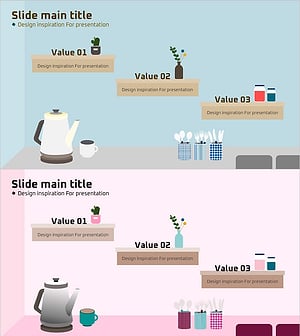
Stairline Shelf Diagram – Business Strategy Visualization
#Business Strategy #Business Management #Diagram
