



Plotting Paper Presentation Template Diagram4 – Product/Service Introduction and Business Vision Strategy
RJ0200023_24
- Last Update 04/03/2025
- File Size 3.3MB
- # of Slides 2
- File Format PPTX
- Slide Ratio 16:9
- Color
Keywords
- #Content-Based Slides
- #Design-Based Slides
- #Product/Service Introduction
- #Business Vision and Strategy
- #Diagram
- #Differentiation Strategy for Products/Services
- #Core Competencies
- #Spread
- #Centralized Diagram
- #16:9
- #radial diagram PowerPoint
- #central diagram slide template
- #6-node expansion slide
- #business strategy visualization
- #how to create radial diagram in PowerPoint
About the Product
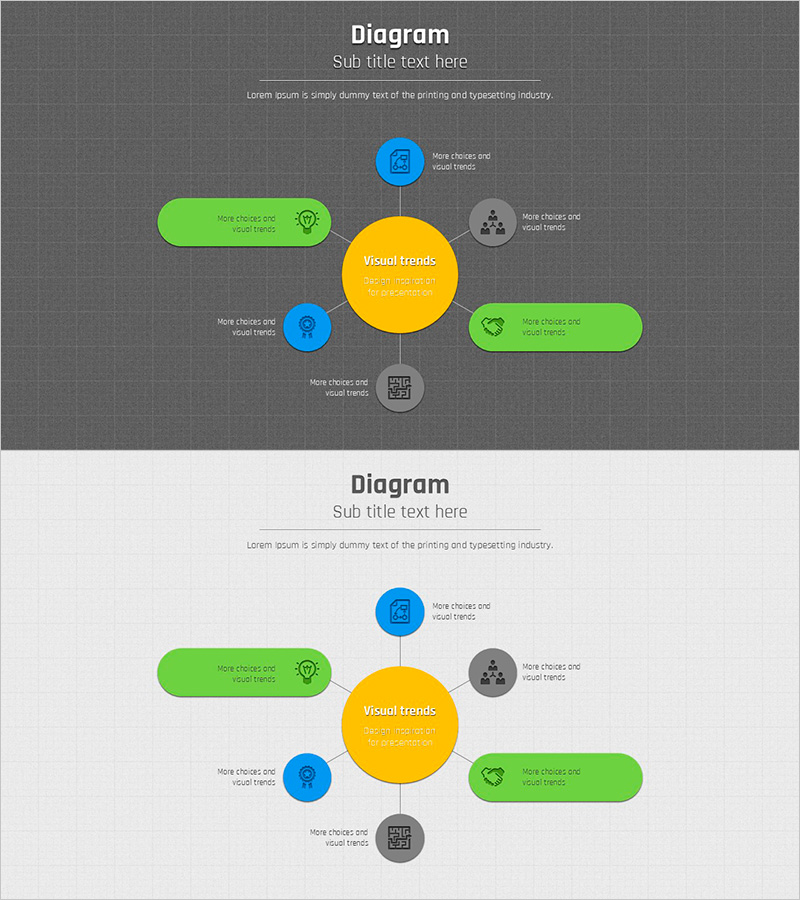
A radial diagram PowerPoint slide featuring a central yellow circular node with six directional branches extending outward. Blue, green, and gray circular nodes combined with rounded rectangular text boxes create a hierarchical structure that visualizes expansion from core concept to detailed strategies. This 2-slide presentation (16:9 aspect ratio) is optimized for product introductions, business vision statements, and strategic planning presentations. Each node accommodates icons and text for immediate customization. The dark gray background with bright color contrast ensures excellent readability in projector environments.
Usage Points
-
Main Usage
This radial diagram places a core concept or strategy at the center and expands related details across six directional branches. It effectively communicates product/service core values with supporting strategies, business vision with execution plans, or organizational objectives with departmental roles.
-
How to Use
Enter your core topic in the central yellow circle and arrange related items across the six surrounding nodes. Customize each node's icon to match your category, and add detailed descriptions in the rounded rectangular text boxes. Maintain the existing color palette or adapt it to your corporate brand colors.
-
Recommended For
Product planning team service introductions, executive business strategy reports, marketing team campaign strategy meetings, new employee orientation on organizational structure and roles, and consulting firm strategic proposal presentations.
-
Slide Structure
Two identical slides provide consistent layout. Each slide contains one central yellow circle (core), six surrounding circular nodes (2 blue, 2 green, 2 gray), six rounded rectangular text boxes, and connecting lines, all optimized for 16:9 widescreen format.
Related Products
-
Fruit Smoothie Diagram – Product/Service Differentiation Strategy
#Product/Service Introduction #Business Vision and Strategy #Diagram
-
Electric Vehicle Charging Service Slide – Innovation and Future
#Product/Service Introduction #Business Vision and Strategy #Diagram
-
Tech Differentiation Slide – 4-Feature Dark Green & Red
#Product/Service Introduction #Business Vision and Strategy #Diagram
-
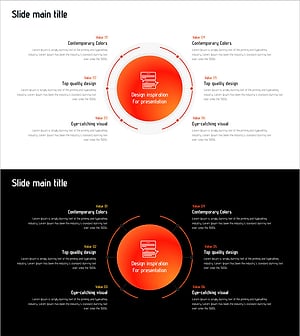
Design Inspiration for Presentation Slide
#Product/Service Introduction #Business Vision and Strategy #Diagram
