Structure Presentation Template Cover – A Stylish Start for Professionals
RJ0200018
- Last Update 04/02/2025
- File Size 1.6MB
- # of Slides 2
- File Format PPTX
- Slide Ratio 16:9
- Color
Keywords
About the Product
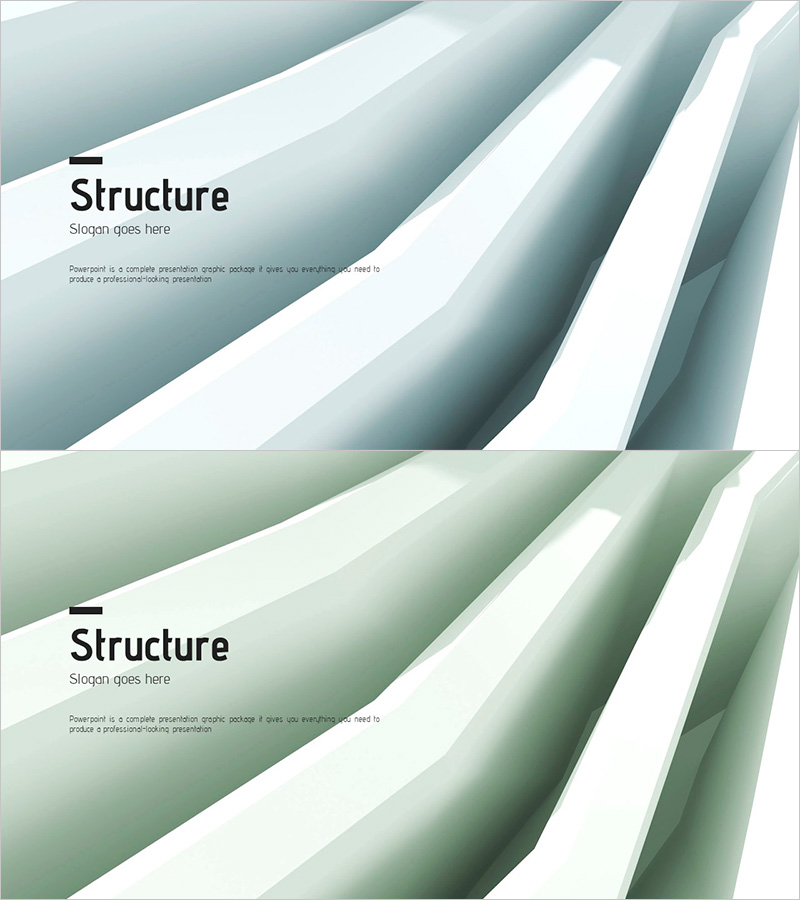
A professional cover slide PowerPoint template that establishes credibility from the first frame of your business presentation. The contrasting gray and white layered structure conveys stability and innovation simultaneously, with two color variations (gray tone and green tone) to adapt to different presentation contexts. Title, subtitle, and description text areas are clearly defined for immediate use in company profiles, business plans, proposals, and investment pitches. Optimized for 16:9 widescreen format and delivered as editable PPTX, allowing full customization of logos and text content. The minimalist geometric composition ensures professional appearance across all business document types.
Usage Points
-
Main Usage
Establishes brand credibility and professional tone at the opening of corporate presentations. The gray-white layered structure visually communicates organizational stability and innovation, creating a positive first impression for investor pitches, partner meetings, and client presentations.
-
How to Use
Edit the title, subtitle, and description text fields in the slide master to match your presentation topic and company information. Select either the gray-tone or green-tone version based on your corporate brand colors, then place your company logo in the designated upper-right area.
-
Recommended For
Ideal as opening slide for company profiles, business plans, proposals, investment pitches, marketing strategies, and product presentations. Particularly suited for finance, consulting, IT, and manufacturing sectors where professional credibility is essential.
-
Slide Structure
2-slide set: Slide 1 features gray-tone layered structure; Slide 2 offers green-tone variation. Each slide contains three functional areas—title field (upper left), subtitle area (center), and description text zone (lower section)—with reserved logo placement in the upper right corner.