



Emphasize Business Vision and Goals with Simple Circle Template
RJ0200013_18
- Last Update 04/01/2025
- File Size 1.5MB
- # of Slides 2
- File Format PPTX
- Slide Ratio 16:9
- Color
Keywords
- #Content-Based Slides
- #Design-Based Slides
- #Business Vision and Strategy
- #Diagram
- #Text Box
- #Business Vision
- #Business Goals
- #Cluster
- #Closed Cluster Diagram
- #Rectangle Text Box
- #16:9
- #three-column rectangle text box PowerPoint
- #business vision goals slide
- #three-item comparison presentation
- #text box PowerPoint slide template
- #strategic planning slide design
About the Product
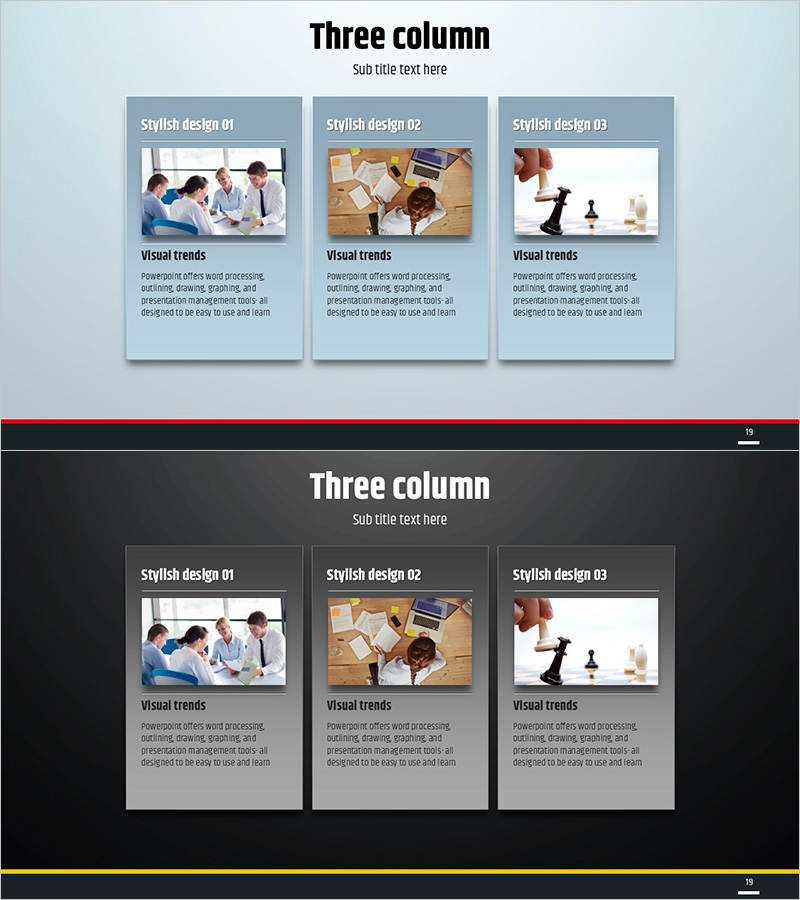
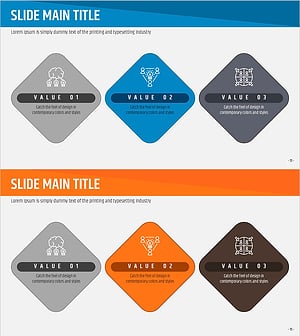
A professional three-column rectangle text box PowerPoint slide designed to clearly communicate business vision, goals, and strategy. The layout features three gray rectangular boxes arranged horizontally on a light blue background, with dedicated image areas at the top and text input spaces at the bottom of each box. This balanced composition allows equal emphasis on three key messages while maintaining visual hierarchy. The 16:9 widescreen format includes 2 slides ready for immediate use in corporate presentations, strategic planning meetings, organizational goal-sharing sessions, and executive briefings.
Usage Points
-
Main Usage
Presents organizational vision, goals, and strategy across three distinct perspectives simultaneously, with each rectangle box maintaining visual balance while emphasizing equal importance of all three elements. Ideal for leadership communications and strategic alignment.
-
How to Use
Insert relevant images or icons in the top image area of each rectangle, then add vision, goals, and strategy content in the text areas below. Deploy in company vision presentations, strategic planning meetings, quarterly goal-sharing sessions, and executive communications to effectively convey core organizational messages.
-
Recommended For
Executives, strategic planning teams, organizational development managers, and marketing leaders presenting organizational direction. Suitable for new employee orientation, team building workshops, quarterly business reviews, business plan presentations, and corporate strategy communications.
-
Slide Structure
Two slides with light blue background featuring three gray rectangle text boxes arranged horizontally with equal spacing. Each box divides into image input area (approximately 40% upper section) and text input area (approximately 60% lower section), with title and subtitle areas positioned at the top of each slide.
Related Products
-
COVID-19 Prevention Goals PPT Slide – Business Vision and Strategy
#Business Vision and Strategy #Business Strategy #Diagram
-
Artificial Intelligence Core Vision Diagram
#Business Vision and Strategy #Diagram #Business Vision
-
Business Vision and Goals Slide – Cluster Diagram
#Business Vision and Strategy #Diagram #Business Vision
-
Origami Presentation Template Diagram4 – Business Vision and Strategy
#Business Vision and Strategy #Diagram #Business Vision
