



Simple Circle Presentation Template Diagram – Business Strategy
RJ0200013_14
- Last Update 04/01/2025
- File Size 0.4MB
- # of Slides 2
- File Format PPTX
- Slide Ratio 16:9
- Color
Keywords
- #Content-Based Slides
- #Design-Based Slides
- #Business Strategy
- #Operational Plan
- #Text Box
- #Business Direction
- #Business Processes
- #Arrow
- #16:9
- #arrow diagram PowerPoint slide
- #3-step process flow diagram
- #business strategy presentation template
- #how to make a process flow in PowerPoint
- #workflow diagram PowerPoint design
About the Product
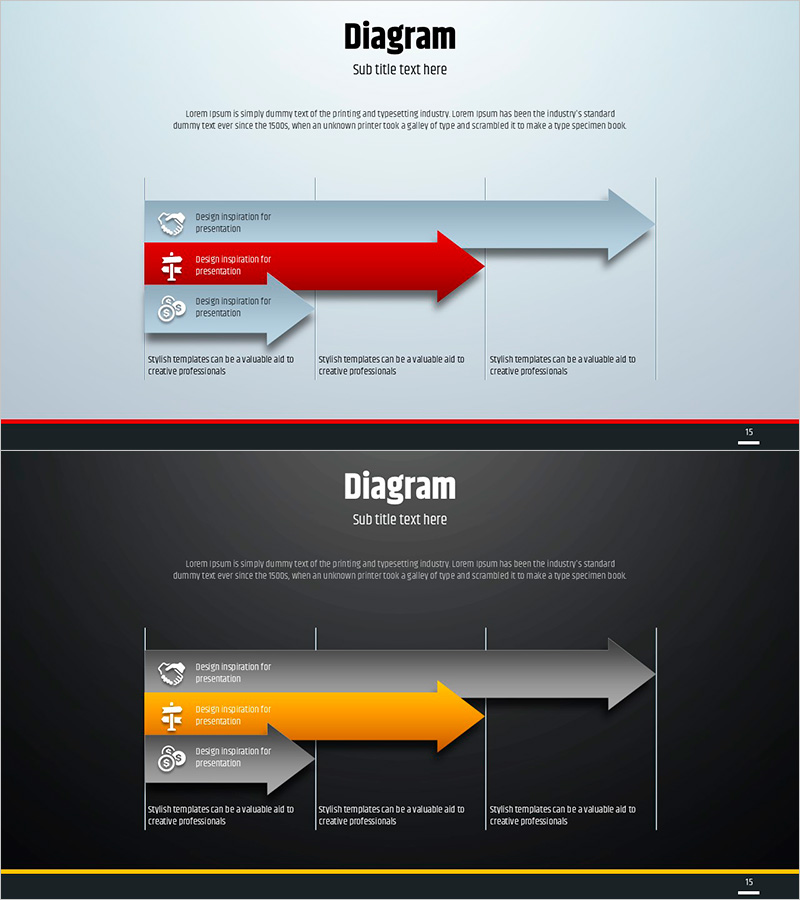
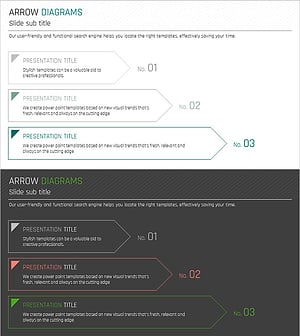
A 3-step arrow diagram PowerPoint slide designed to visualize business strategy and operational planning. The slide features a light blue background with a prominent red arrow and supporting gray arrows, creating a clear process flow. Each step includes an icon placeholder and text input area for customization. The light and dark tone variants (2 slides total) adapt to different presentation environments, while the 16:9 widescreen format ensures modern compatibility. Use this diagram to communicate sequential business initiatives, project phases, or departmental workflows with directional clarity and visual hierarchy.
Usage Points
-
Main Usage
Communicate business strategy, operational plans, and workflow processes across three sequential stages. The directional arrows and color differentiation guide stakeholders through priority order and execution timeline, making complex initiatives easy to understand at a glance.
-
How to Use
Insert business objectives, implementation tasks, or expected outcomes into each arrow step. Add department names, responsible parties, or timeline milestones in the icon areas. Choose between light or dark background variants depending on your presentation theme and venue lighting conditions.
-
Recommended For
Ideal for executives, strategy teams, and project managers presenting business plans, organizational restructuring, or process improvements. Effective in investor presentations, employee training sessions, and departmental meetings where step-by-step planning clarity is essential.
-
Slide Structure
Each slide contains a title and subtitle area at the top, three horizontally aligned arrow blocks in the center (each with icon and text input zones), and descriptive text space at the bottom. Vertical alignment guides between arrows emphasize hierarchical relationships, with independent text boxes for each stage.
Related Products
-
Flowchart of the Construction Propulsion System
#Business Strategy #Operational Plan #Diagram
-
Sequential Steps with Folders
#Business Strategy #Operational Plan #Diagram
-
Process Flow Diagram with Steps – Business Strategy Direction
#Business Strategy #Operational Plan #Diagram
-
Flow Diagram of Arrow Layered Structure – Business Strategy
#Business Strategy #Operational Plan #Diagram
