



Global Business PowerPoint Template – Wide Overlapping Diagram
RJ0200004_4
- Last Update 03/29/2025
- File Size 0.9MB
- # of Slides 2
- File Format PPTX
- Slide Ratio 16:9
- Color
Keywords
- #Content-Based Slides
- #Design-Based Slides
- #Company Introduction
- #Business Vision and Strategy
- #Diagram
- #Core Values, Vision, and Mission
- #Business Goals
- #Cluster
- #Combination Diagram
- #16:9
- #overlapping diagram PowerPoint
- #circular diagram slide template
- #3-circle Venn diagram
- #business strategy presentation
- #relationship diagram PPT download
About the Product
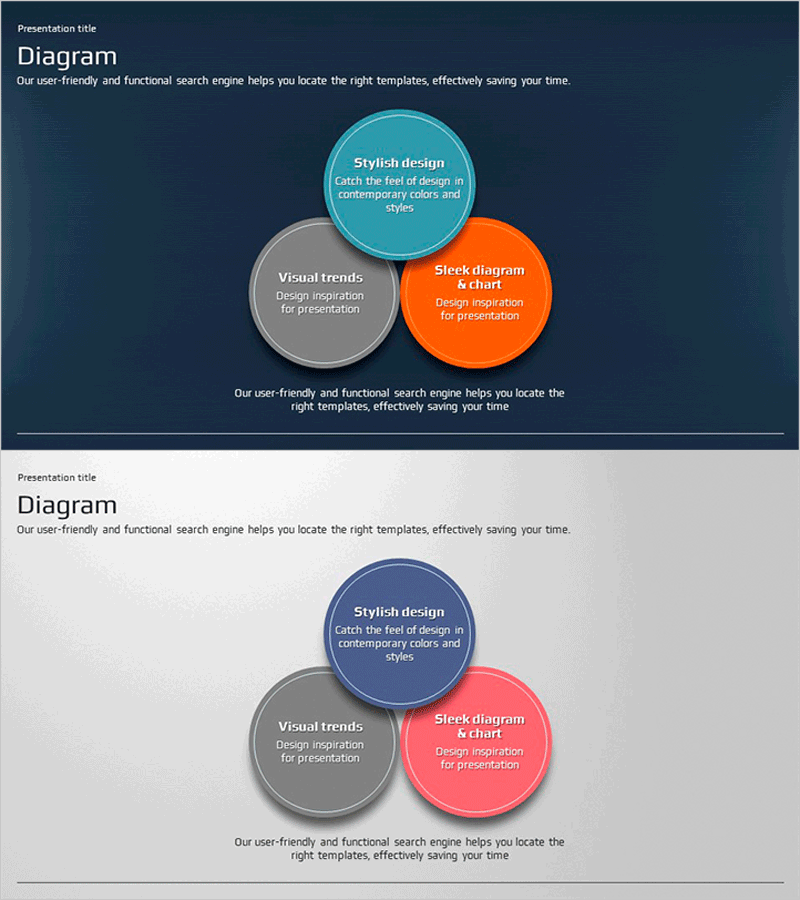
A PowerPoint slide featuring three overlapping circular nodes that visualize relationships and intersections for business presentations. Set against a dark navy background, the circles in cyan, gray, and orange allow you to input title and description text within each node. This slide deck effectively communicates the connections between three business elements, making it ideal for strategy presentations, company introductions, and vision statements. Composed of 2 slides in 16:9 widescreen format, colors and text are fully editable to match your presentation needs.
Usage Points
-
Main Usage
This diagram visualizes the relationships, intersections, and commonalities between three business elements. It effectively communicates core company values, vision-strategy connections, product-service-customer relationships, and organizational structures or project team responsibilities in a clear, visual format.
-
How to Use
Click the text boxes within each circle to input your title and description. Modify circle colors through the Design tab and adjust background colors as needed. Insert this slide into company overview sections, vision and strategy presentations, business model explanations, and other key presentation segments.
-
Recommended For
Ideal for executives, planners, and marketing professionals presenting business strategies and organizational structures. Perfect for investor pitch decks, company introduction presentations, new business proposals, organizational restructuring explanations, and educational seminars where concept relationships need clear visualization.
-
Slide Structure
The 2-slide set features three circular nodes on each slide. The first slide displays cyan, gray, and orange circles on a dark navy background, while the second slide shows the same structure on a light gray background. Each circle is independently editable with clearly defined text input areas for maximum flexibility.
Related Products
-

Key Elements Explained Through 3D Frames
#Business Vision and Strategy #Diagram #Business Goals
-
Seminar Goal Setting Diagram – Business Vision and Marketing Strategy
#Business Vision and Strategy #Marketing Plan and Strategy #Diagram
-
Business Goal Diagram for Energy Saving
#Business Vision and Strategy #Diagram #Business Strategy
-
Renewable Energy Business Marketing Goals – Green Mint
#Business Vision and Strategy #Marketing Plan and Strategy #Diagram
