



Folder Template Tree Structure – Effective Design for Visualizing Organization Charts
RB0800029-1_4
- Last Update 03/24/2025
- File Size 0.4MB
- # of Slides 2
- File Format PPTX
- Slide Ratio 4:3
- Color
Keywords
- #Content-Based Slides
- #Design-Based Slides
- #Company Introduction
- #Diagram
- #Organizational Chart
- #Structure
- #Cluster
- #Tree Diagram
- #Closed Cluster Diagram
- #4:3
- #tree diagram PowerPoint
- #organizational chart slide template
- #hierarchical structure diagram
- #organization structure presentation
- #folder tree diagram slide
About the Product
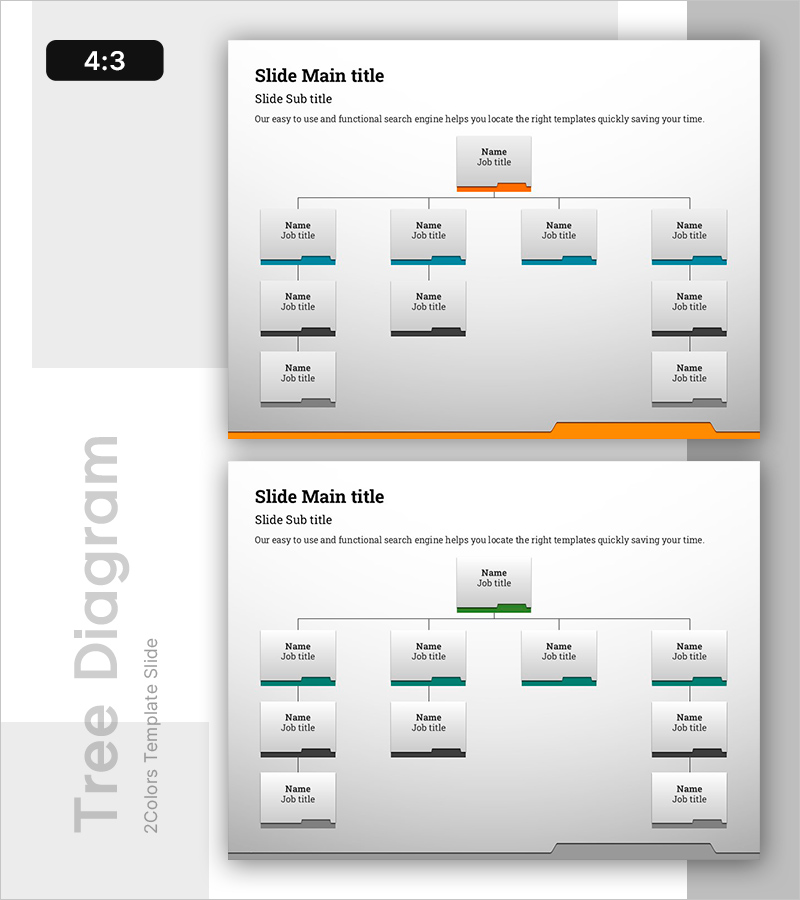
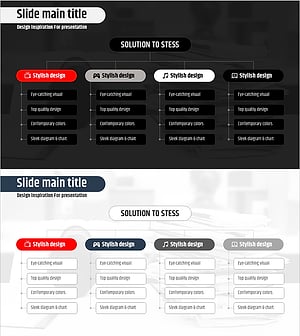
A tree diagram PowerPoint slide that clearly visualizes organizational hierarchies using folder icons and hierarchical structure. This presentation template effectively displays organizational charts, department systems, and team compositions with intuitive visual representation. The structure features a top-level node branching into four departments, with additional team or staff information fields below each department. Orange accent bars and blue/black connecting lines clearly distinguish hierarchical relationships. The 4:3 aspect ratio with 2-slide composition accommodates various organizational sizes. Ready to use in company presentations, corporate profile decks, and HR-related slideshows.
Usage Points
-
Main Usage
Visualizes organizational hierarchies and departmental relationships clearly. Used to represent company organizational charts, team structures, decision-making systems, and reporting lines through folder icons and connecting lines, enabling audiences to understand organizational structure at a glance.
-
How to Use
Enter company name or executive information in the top-level node, then add department names and staff details in the four sub-branches. Duplicate text boxes to expand additional hierarchy levels as needed. Customize colors and lines by department to enhance visual clarity and distinction.
-
Recommended For
HR professionals, executives, organizational restructuring presenters, new employee trainers, and consulting firms explaining organizational structures. Ideal for corporate profile presentations, organizational restructuring reports, HR policy announcements, team building seminars, and various business communication scenarios.
-
Slide Structure
2-slide composition featuring the first slide with orange accent bar and blue connecting lines in a 5-level folder-based tree structure, and the second slide with green accent bar and black lines in identical structure. Each node includes name and job title input fields, with vertical connecting lines and horizontal branch lines representing hierarchical relationships.
Related Products
-
Rounding Box Organization Chart – Emphasis on Structural Expertise
#Company Introduction #Diagram #Organizational Chart
-
Organizational Chart Color Box for Company Introduction
#Company Introduction #Diagram #Organizational Chart
-
Check Pattern Template Organization Chart – Clear Structure and Efficient Information Delivery
#Company Introduction #Diagram #Organizational Chart
-
Stress Organization Chart – Effective Team Structure Visualization
#Company Introduction #Technical Approach #Diagram
