



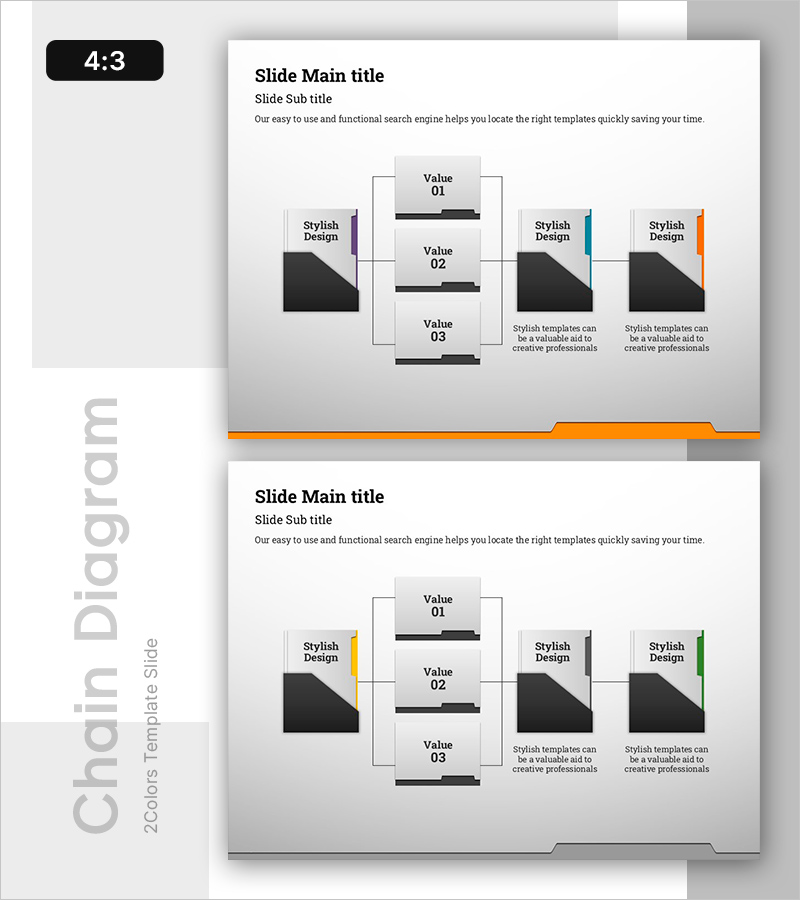
Visualizing the Folder Hierarchy and Structure – The Beginning of an Efficient Organization
RB0800029-1_31
- Last Update 03/24/2025
- File Size 0.4MB
- # of Slides 2
- File Format PPTX
- Slide Ratio 4:3
- Color
Keywords
- #Content-Based Slides
- #Design-Based Slides
- #Technical Approach
- #Diagram
- #Service Architecture Diagram
- #System Architecture Diagram
- #Structure
- #Spread
- #Tree Diagram
- #4:3
- #tree diagram PowerPoint
- #organizational hierarchy slide
- #folder structure diagram
- #system architecture PPT
- #hierarchical chart template
- #tree structure presentation slide
About the Product
A tree diagram PowerPoint slide that visually represents organizational folder hierarchies and structural relationships. The design features black rectangular nodes connected by gray lines to clearly express a 3-level hierarchical structure, with color-coded bars on the left (purple, blue, orange) distinguishing each branch. The 2-slide set provides identical layouts with varied color combinations, ready for immediate use in presentations, system architecture diagrams, and service structure explanations. Fully editable PPTX format allows you to customize text labels and adjust node quantities as needed.
Usage Points
-
Main Usage
Clearly express hierarchical relationships such as organizational folder structures, system architectures, and service hierarchies. The tree structure branching from parent to child nodes enables intuitive explanation of organizational systems, data structures, and process flows.
-
How to Use
Use in organizational chart or structure sections of presentations to explain company departments, IT system architectures, and product category classifications. Edit node text to reflect actual department names, system names, or category labels, and adjust node quantities or colors as required.
-
Recommended For
Ideal for IT and technical department system explanations, executive reports on organizational structures, consulting proposals for implementation planning, educational materials for concept classification, and project management documents for work breakdown structure (WBS) visualization.
-
Slide Structure
2-slide set providing identical 3-level tree structures. Each slide features color-coded bars on the left (purple, blue, orange) distinguishing branches, with three black rectangular nodes in the center connected by gray lines expressing hierarchical relationships. A description text area on the right allows adding detailed information for each item.
Related Products
-
Sustainable Operation System Diagram – Efficiency and Innovation
#Technical Approach #Diagram #Service Architecture Diagram
-
Pet Template Tree Structure – Optimized Visual for Service Diagram
#Technical Approach #Diagram #Service Architecture Diagram
-
Trial Tree Structure – Legal and Service Overview
#Technical Approach #Diagram #Service Architecture Diagram
-
Business Service and System Configuration Diagram – Integrated Approach
#Technical Approach #Diagram #Service Architecture Diagram
