Elevator Button PPT Cover – Professional and Sleek Design
RB0800026
- Last Update 03/23/2025
- File Size 6MB
- # of Slides 2
- File Format PPTX
- Slide Ratio 4:3
- Color
Keywords
About the Product
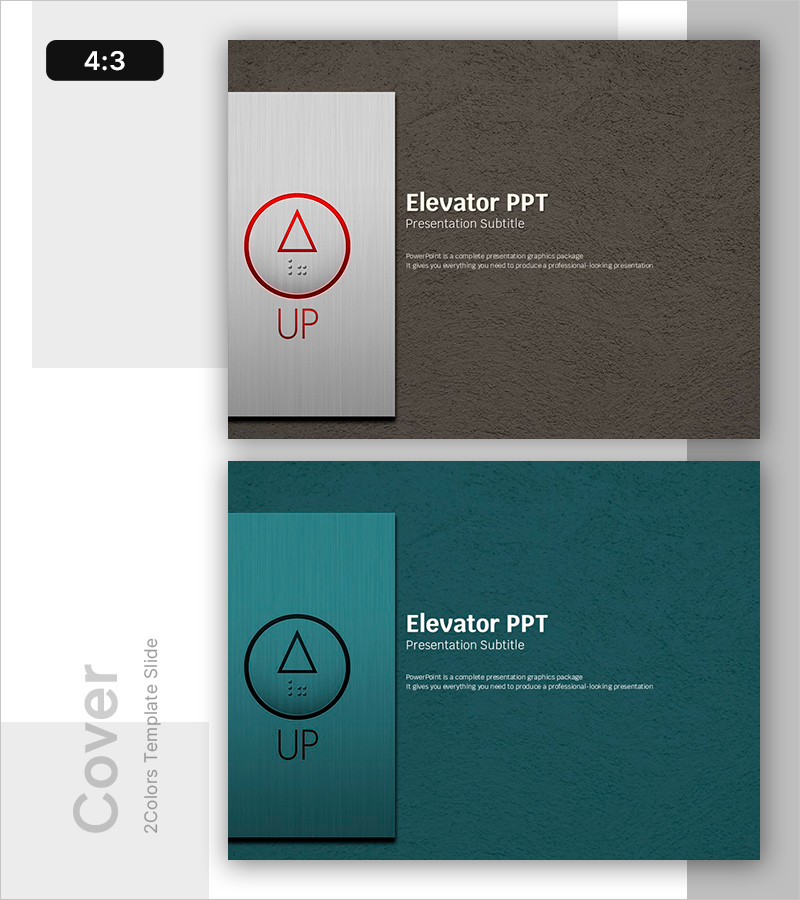
A professional 2-slide cover design for your PowerPoint presentation. The layout features a white left panel with a red and black circular elevator button icon, paired with a dark gray and teal right panel containing title and subtitle text areas. This 4:3 ratio presentation slide is ready to use for corporate pitches, project proposals, educational seminars, and business meetings. The geometric icon and color contrast create a modern, professional opening that captures audience attention immediately.
Usage Points
-
Main Usage
This cover slide serves as the opening page of your presentation, designed to make a strong first impression on your audience. The elevator button motif, rendered as a geometric icon, conveys professionalism and modernity. Ideal for corporate presentations, business proposals, project kickoffs, and educational seminars.
-
How to Use
Customize the white left panel by replacing the icon with your company logo or custom graphic. Add your presentation title, subtitle, presenter name, and date in the right text area. The dark gray and teal backgrounds can be adjusted to match your corporate brand colors. The 4:3 aspect ratio ensures compatibility with all standard projectors and displays.
-
Recommended For
Perfect for executive presentations, business proposals, project kickoff meetings, educational seminars, consulting presentations, and product launch events. Especially suited for professionals in technology, finance, manufacturing, and IT sectors who need to establish credibility and professionalism in formal presentations.
-
Slide Structure
Two-slide set with the first featuring a dark gray background and the second a teal background. Each slide uses a two-column layout: a white left panel for icons or logos, and a right panel with dark background for text content. Text input areas number 2-3 per slide, providing a clean yet information-rich structure.