



Simple Schedule – Effective Schedule Management
RB0800002_16
- Last Update 03/17/2025
- File Size 0.1MB
- # of Slides 2
- File Format PPTX
- Slide Ratio 4:3
- Color
Keywords
About the Product
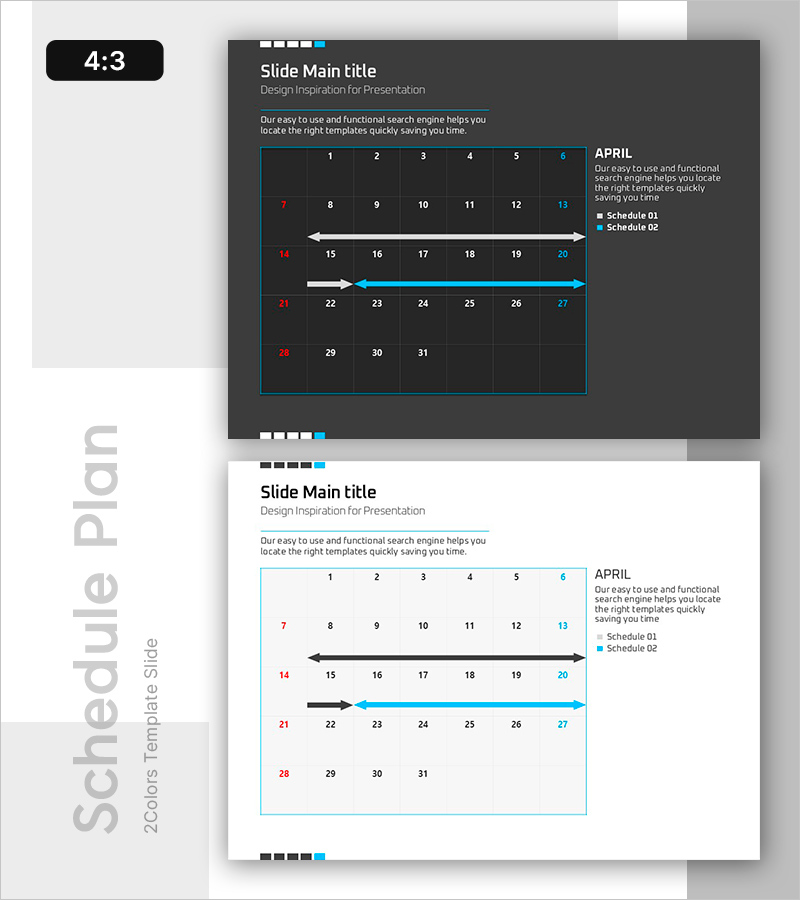
A two-slide PowerPoint template featuring an arrow-based schedule diagram for project planning and meeting preparation. The dark background with light blue accents displays a monthly calendar grid (7 columns × 4 rows) with bidirectional arrows indicating timeline ranges and schedule flow. Each row represents a separate schedule item (Schedule 01, 02, etc.), allowing teams to visualize multiple concurrent timelines. The design includes ample text input areas for project names, milestones, and team assignments, making it immediately applicable to presentations on project management, marketing campaigns, conference planning, and team coordination.
Usage Points
-
Main Usage
Visualize team-based project schedules, marketing campaign timelines, and meeting preparations using a calendar-grid format with arrow indicators. The design enables stakeholders to quickly identify schedule duration, overlapping tasks, and priority milestones at a glance.
-
How to Use
Place the monthly calendar grid on the dark background slide, then drag the arrow endpoints to indicate schedule start and end dates. Edit the text boxes to add project names, responsible parties, and key milestones. Modify the legend (Schedule 01, 02) to match your team structure and share with stakeholders.
-
Recommended For
Project managers, marketing coordinators, meeting facilitators, and team leads presenting monthly or quarterly schedules. Ideal for situations requiring simultaneous comparison of multiple project timelines or departmental schedules in executive presentations.
-
Slide Structure
Two-slide set in 4:3 aspect ratio, each featuring a 7-column × 4-row monthly calendar grid with three bidirectional arrows. Dark background with light blue borders and cyan arrow accents, white typography for contrast. Legend area accommodates two schedule items with color-coded indicators.
Related Products
-
Product Business Area Diagram Slide – Visualization and Efficiency
#Product/Service Introduction #Business Introduction #Diagram
-
4 Expected Future Effects of Adventure Business
#Product/Service Introduction #Diagram #Product/Service Introduction
-
Target Strategy Planet Shape Diagram – Setting Marketing Objectives
#Marketing Plan and Strategy #Diagram #Marketing Objectives
-
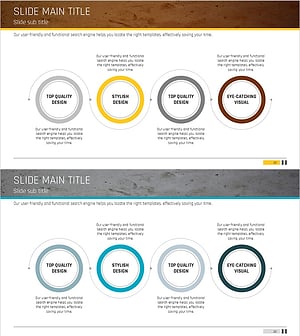
Diagram Slide Visualizing Propulsion Systems and Plans – Clear Strategies and Implementation Guidance
#Business Strategy #Technical Approach #Diagram
