



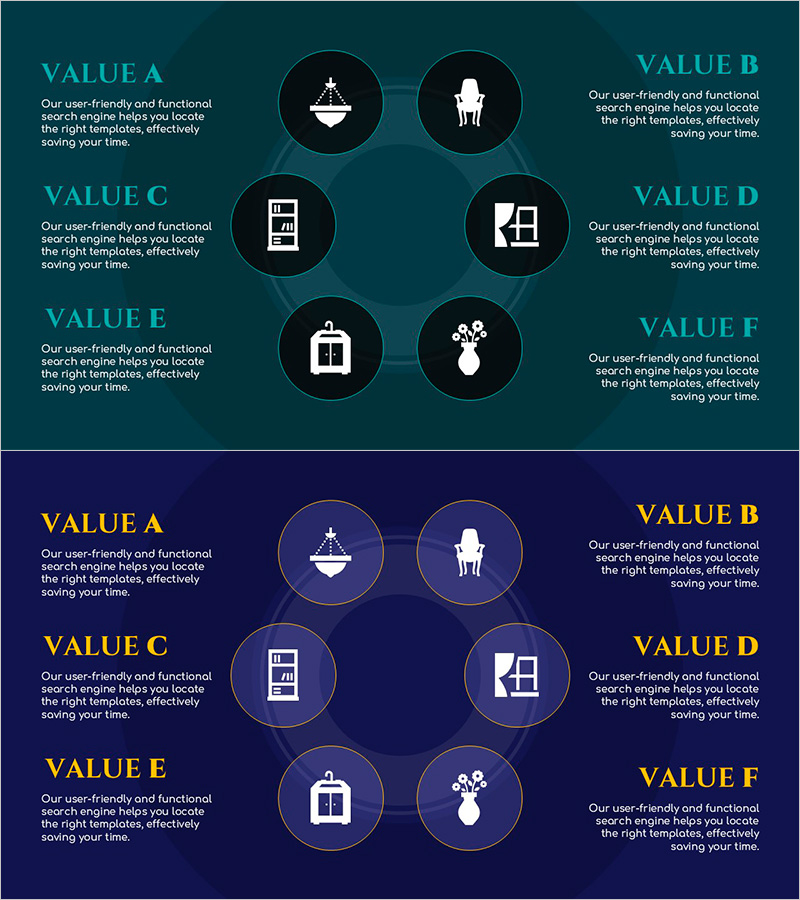
Product Business Area Diagram Slide – Visualization and Efficiency
RJ0900034_25
- Last Update 08/26/2025
- File Size 0.3MB
- # of Slides 2
- File Format PPTX
- Slide Ratio 16:9
- Color
Keywords
- #Content-Based Slides
- #Design-Based Slides
- #Product/Service Introduction
- #Business Introduction
- #Diagram
- #Product/Service Introduction
- #Business Areas
- #Spread
- #Decentralized Diagram
- #16:9
- #radial diagram PowerPoint
- #6-item diagram slide
- #business area diagram template
- #how to create radial diagram in PowerPoint
- #sunburst diagram PowerPoint slide
- #product portfolio presentation
About the Product
A radial diagram PowerPoint slide that organizes product business areas into 6 items radiating from a central concept. Featuring two color versions—teal and navy backgrounds with white icons—each node includes an independent icon and text area for flexible customization. Ideal for visualizing business portfolios, product lineups, service categories, and strategic frameworks in presentations. Provided in 16:9 PPTX format, ready for immediate editing and adaptation to your specific business context.
Usage Points
-
Main Usage
Effectively communicate hierarchical relationships and expansion structures by representing product portfolios, business domains, service categories, organizational functions, and core values radiating from a central concept in a clear, visually organized manner.
-
How to Use
Enter your core concept in the center circular node, then add detailed items and descriptions to the 6 surrounding nodes. Customize icons and adjust colors to match your presentation theme and business context for maximum impact.
-
Recommended For
Product portfolio presentations, marketing strategy sessions analyzing business areas, organizational structure explanations, service lineup introductions, business model descriptions, and strategic planning meetings requiring clear visual hierarchy.
-
Slide Structure
Two-slide set. First slide features teal background with 6 white icons arranged radially around center; second slide uses navy background with identical structure. Each node comprises circular border, icon, and text input area connected to center via lines.
Related Products
-
Eco-friendly Protection Service Introduction Closed Diagram
#Product/Service Introduction #Business Introduction #Diagram
-
Diagram of Beer Types – Easy Product Introduction
#Product/Service Introduction #Business Introduction #Diagram
-
Introduction to Services and Features - Intuitive Diagram Design
#Product/Service Introduction #Diagram #Product/Service Introduction
-
Management Strategy Across Six Key Areas – Social Responsibility and Business Domains
#Business Introduction #Corporate Social Responsibility #Diagram
