



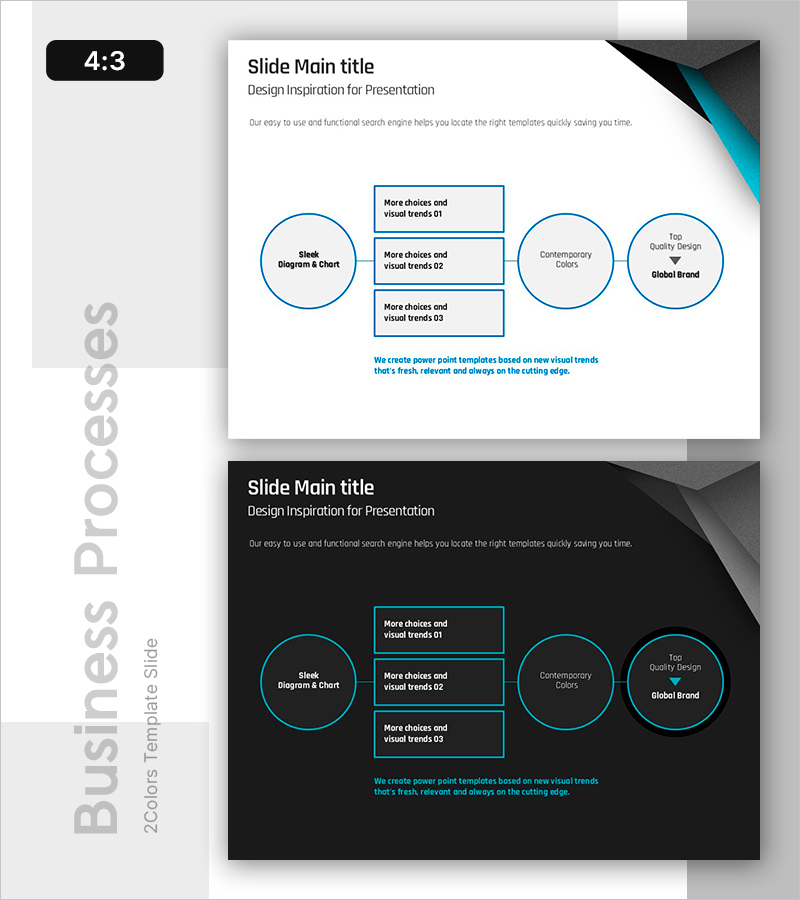
Process Box Diagram – Cluster for Technical Sections
RB0800001_16
- Last Update 03/17/2025
- File Size 0.5MB
- # of Slides 2
- File Format PPTX
- Slide Ratio 4:3
- Color
Keywords
- #Content-Based Slides
- #Design-Based Slides
- #Technical Approach
- #Diagram
- #Service Implementation Plan
- #Cluster
- #Closed Cluster Diagram
- #Chain Diagram
- #4:3
- #cluster diagram PowerPoint
- #connection diagram slide
- #process box diagram template
- #organizational relationship chart
- #PowerPoint diagram slide template
About the Product
A cluster connection diagram PowerPoint slide featuring a central box element with four circular nodes radiating outward. The left circular node connects to the central box area containing three stacked text fields, while two right-side circular nodes and an upper text box complete the information flow structure. The design uses blue borders and white background for clear contrast, making it ideal for expressing technical architecture, service frameworks, organizational relationships, and complex information hierarchies. This 4:3 ratio, 2-slide template is ready for immediate presentation use.
Usage Points
-
Main Usage
Visualizes relationships where a central concept, service, or technology expands to surrounding details, departments, or functions. Designed to present multi-layered information such as technical architecture, service composition, inter-organizational connections, and project structures at a glance.
-
How to Use
Enter the core topic (technology name, service name, or project name) in the central box, then populate the circular nodes with detailed items. Edit node text and colors to adjust emphasis levels. The slide integrates seamlessly into technical presentations, business proposals, and organizational overview decks.
-
Recommended For
IT and technical professionals, system architects explaining technical frameworks, consultants presenting service implementation strategies, project managers illustrating cross-organizational relationships, and creators of technical specifications, business proposals, and product introduction documents.
-
Slide Structure
Left circular node (Sleek Diagram & Chart) connects to central box area with three vertically stacked text fields, then extends to two right-side circular nodes (Contemporary Colors, Top Quality Design Global Brand) plus upper text box. Total of 4 nodes and 3-cell central box connected by blue lines forming a clear hierarchical structure.
Related Products
-
System Architecture Slide – Visuals for Efficient Service Build
#Technical Approach #Diagram #Service Implementation Plan
-
Collaborative Workflow in Construction Project – Effective and Innovative Diagram
#Operational Plan #Technical Approach #Diagram
-
Differentiated Business Objectives – Infographic Slide for Clear Business Goals
#Business Vision and Strategy #Business Strategy #Diagram
-
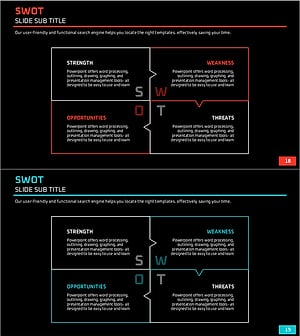
Red Sky SWOT Analysis Slide
#Market and Competitor Analysis #Diagram #SWOT Analysis
