



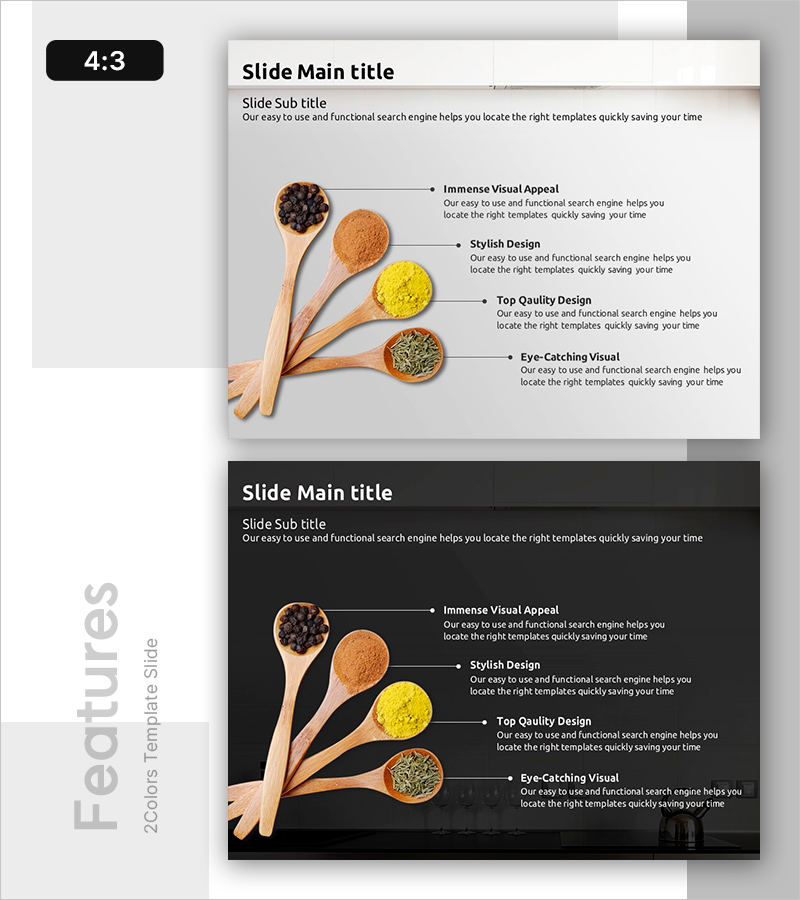
Visual Diagram for Introducing Seasonings
RB0700015_6
- Last Update 03/16/2025
- File Size 1.9MB
- # of Slides 2
- File Format PPTX
- Slide Ratio 4:3
- Color
Keywords
- #Content-Based Slides
- #Design-Based Slides
- #Product/Service Introduction
- #Diagram
- #Product/Service Introduction
- #Composition
- #Cluster
- #Chain Diagram
- #4:3
- #radial diagram PowerPoint
- #connection diagram slide template
- #5-item product presentation
- #food and beverage PowerPoint slide
- #how to create radial diagram in PowerPoint
About the Product
A radial connection diagram PowerPoint slide featuring wooden spoons and spice imagery for multi-point product presentation. The design radiates from a central hub to five surrounding elements, ideal for explaining product features, benefits, applications, and key attributes. Light gray background with black arrows and text ensures clear information hierarchy and visual flow. Includes two slide layouts—light and dark backgrounds—for flexible presentation contexts. Ready-to-use for food & beverage, marketing, and product introduction presentations.
Usage Points
-
Main Usage
Designed to present a product's core concept and five key attributes (features, benefits, uses, properties, composition) in a hierarchical, visually intuitive structure. The center-to-periphery radiation pattern clearly establishes information priority and is particularly effective for food, beverage, health product, and marketing presentations.
-
How to Use
Enter the main product name or core concept in the central circle. Add five supporting details (taste, aroma, benefits, applications, characteristics) in the text boxes at the arrow endpoints. Place product photography in the left image area to enhance visual impact. Easily adjust text-to-image ratio and customize colors to match your brand or presentation theme.
-
Recommended For
Food and beverage marketers, product development teams, sales presenters, culinary educators, retail and distribution managers, and anyone needing to explain multiple product dimensions simultaneously. Ideal when presenting five or more interconnected product attributes or benefits.
-
Slide Structure
Two-slide set with light and dark background versions. Each slide features product imagery on the left and a radial diagram on the right with a central node radiating five arrows to surrounding text boxes. 4:3 aspect ratio, fully editable PPTX format with customizable colors and text.
Related Products
-
Introduction to Drone Components – Core of Product Design
#Product/Service Introduction #Diagram #Product/Service Introduction
-
Camera Usage App Analysis – Innovation and Insight
#Product/Service Introduction #Diagram #Graph
-
Alphabet Box Structure Connection Diagram – Creative Content Delivery
#Product/Service Introduction #Diagram #Product/Service Introduction
-
Retirement Planning Element Diagram – Foundations of Financial Planning
#Product/Service Introduction #Diagram #Product/Service Introduction
