



Nutritional and Functional Summary of Pears – Diagram Template
RB0500004_5
- Last Update 03/13/2025
- File Size 5.6MB
- # of Slides 2
- File Format PPTX
- Slide Ratio 4:3
- Color
Keywords
- #Content-Based Slides
- #Design-Based Slides
- #Product/Service Introduction
- #Business Vision and Strategy
- #Diagram
- #Benefits and Advantages
- #Core Competencies
- #Spread
- #Decentralized Diagram
- #4:3
- #radial diagram PowerPoint
- #center illustration slide template
- #4-direction text connection diagram
- #product feature presentation PPT
- #nutritional information visualization slide
- #diagram PowerPoint template
About the Product
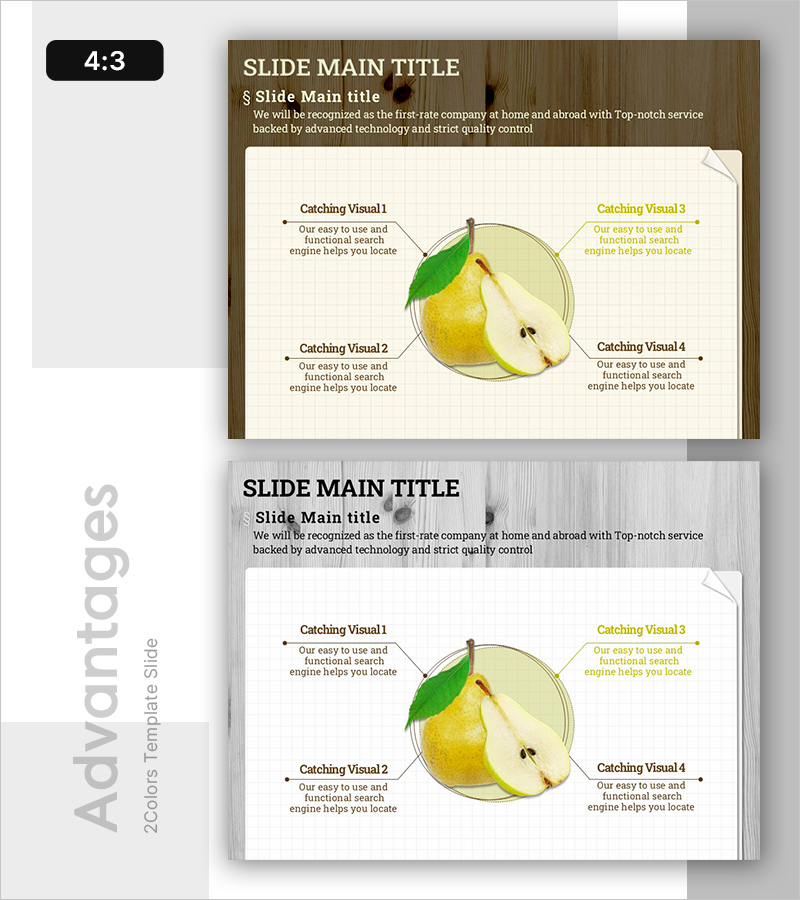
A radial diagram PowerPoint slide that connects four directional text descriptions around a central illustration. The design features a wood-tone background with a cream-colored content area, creating clear visual hierarchy. The central illustration (product, fruit, concept diagram, etc.) serves as the focal point, with four surrounding text boxes expressing features, benefits, or functions simultaneously. Each directional text box is connected to the center with dotted connector lines, with left-side items in brown text and right-side items in golden text for visual balance. The 2-slide set includes color variations (wood-tone and gray-tone), compatible with all 4:3 projector environments. This PowerPoint template is ready to use for nutritional information, product characteristics, functional summaries, usage benefits, and various presentation topics.
Usage Points
-
Main Usage
This diagram simultaneously communicates core product features through a central image and four surrounding descriptive items. It is optimized for expressing four perspectives around a central theme, such as nutritional facts, product benefits, functional summaries, usage applications, or feature comparisons.
-
How to Use
Insert a product image, fruit illustration, or concept diagram in the central area, then enter descriptions (benefits, features, usage instructions, precautions, etc.) in the four surrounding text boxes. Text colors (brown and golden) can be customized by item importance or category, and background colors can be switched between wood-tone and gray-tone to match your presentation style.
-
Recommended For
Ideal for product introductions, nutritional information presentations, marketing plans, educational materials, health food catalogs, and agricultural product showcases. Perfect for professionals in healthcare, food, beauty, agriculture, and environmental sectors, as well as marketing managers, educators, nutritionists, and product planners.
-
Slide Structure
2-slide set with Slide 1 featuring wood-tone background and Slide 2 with gray-tone background. Each slide contains a central circular illustration area (editable), four text boxes positioned at top, bottom, left, and right (each accommodating 100–150 characters), and four dotted connector arrows linking the center to each text box. Formatted in 4:3 ratio PPTX.
Related Products
-
5 Business Strategies Introduction – Effective Diagram
#Product/Service Introduction #Business Vision and Strategy #Diagram
-
Core Competency Enhancement Plan Slide Design – Business Vision and Strategy
#Product/Service Introduction #Business Vision and Strategy #Diagram
-
Layout Design Presentation Template with Infographic Elements
#Product/Service Introduction #Business Vision and Strategy #Diagram
-
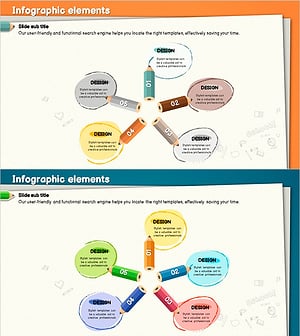
Centerless Diffusion Diagram Using Colored Pencils
#Product/Service Introduction #Diagram #Features
