



Major Fields Expansion Diagram - Effective Visualization for Business Introduction
RB0300022_5
- Last Update 03/10/2025
- File Size 0.4MB
- # of Slides 2
- File Format PPTX
- Slide Ratio 4:3
- Color
Keywords
- #Content-Based Slides
- #Design-Based Slides
- #Company Introduction
- #Business Introduction
- #Diagram
- #Business Areas
- #Business Areas
- #Spread
- #Centralized Diagram
- #4:3
- #radial diagram PowerPoint
- #expansion diagram slide
- #6-node diagram template
- #business introduction slide
- #how to create radial diagram in PowerPoint
About the Product
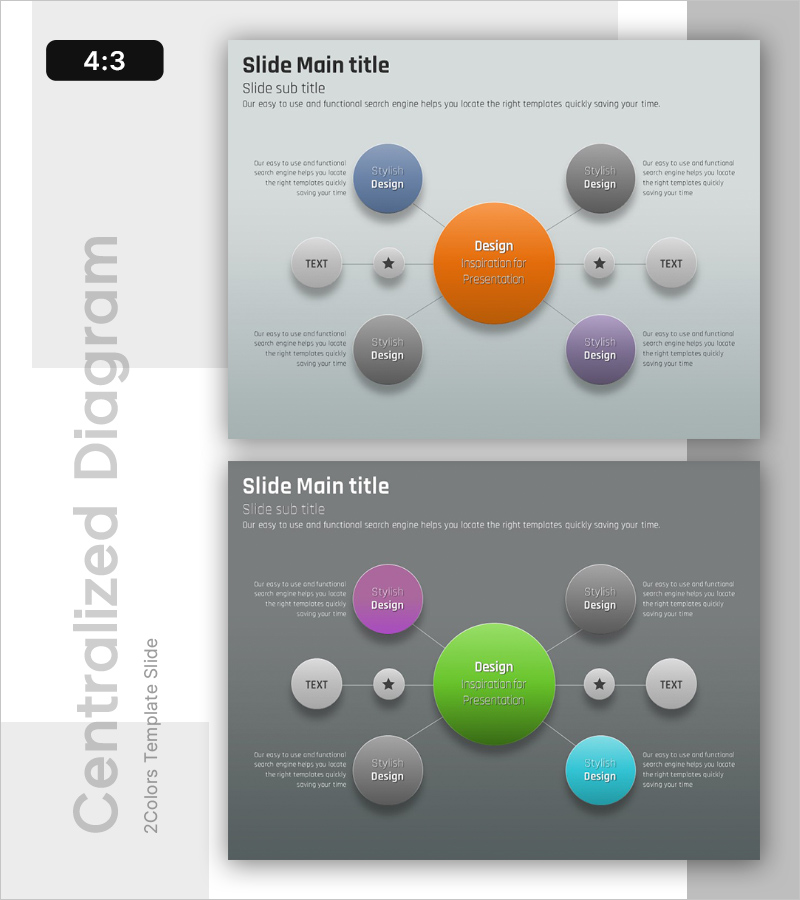
A PowerPoint slide featuring a radial expansion diagram with a central orange node connected to six surrounding nodes in blue, gray, purple, and cyan. This multi-color design effectively visualizes core concepts radiating outward to related topics, making it ideal for business introduction, organizational structure, and field expansion presentations. The 2-slide set includes both light and dark background versions with clear text areas and icon placement for immediate use. Compatible with all PowerPoint versions in 4:3 ratio PPTX format, fully editable for customization.
Usage Points
-
Main Usage
Designed to visualize core concepts or central themes with related subtopics radiating outward in six directions. Ideal for business introduction, company overview, strategic planning, and organizational structure presentations where complex information needs hierarchical visual representation.
-
How to Use
Enter your core concept in the central orange circle and add supporting details in the six surrounding nodes. Each node features distinct colors and dedicated text areas that can be easily edited. The connecting lines and arrows clearly show information flow, allowing audiences to quickly understand relationships between the central theme and supporting elements.
-
Recommended For
Business strategy presentations, organizational structure explanations, product portfolio introductions, educational program overviews, and marketing strategy presentations. Suitable for executives, marketing teams, planning departments, and educators who need to communicate complex information effectively to diverse audiences.
-
Slide Structure
Two-slide set with identical radial structure: first slide features light gray background with orange central circle and six colored nodes (blue, gray, purple, cyan) arranged in radial pattern with text input areas. Second slide uses dark gray background with the same layout for enhanced color contrast and visual impact.
Related Products
-
Financial Management Services Area Diagram – Visualizing Business Areas
#Company Introduction #Business Introduction #Diagram
-
Business Area Circular Diagram – Enhancing Corporate Presence
#Company Introduction #Business Introduction #Diagram
-
Sketch Icon Business Area Diagram – Visualizing Business Introduction
#Company Introduction #Business Introduction #Diagram
-

Equipment and Marketing Strategy Diagram – Visualizing Business Structure
#Company Introduction #Business Introduction #Diagram
