



Mobile App Service Goals – Effective Business Strategy
RB0200016_5
- Last Update 03/08/2025
- File Size 4.3MB
- # of Slides 2
- File Format PPTX
- Slide Ratio 4:3
- Color
Keywords
- #Content-Based Slides
- #Design-Based Slides
- #Business Vision and Strategy
- #Marketing Plan and Strategy
- #Diagram
- #Business Goals
- #Marketing Objectives
- #Cluster
- #Closed Cluster Diagram
- #4:3
- #closed cluster diagram PowerPoint
- #4-item circular diagram slide
- #mobile app strategy presentation
- #business goals visualization PPT
- #speech bubble text box diagram
About the Product
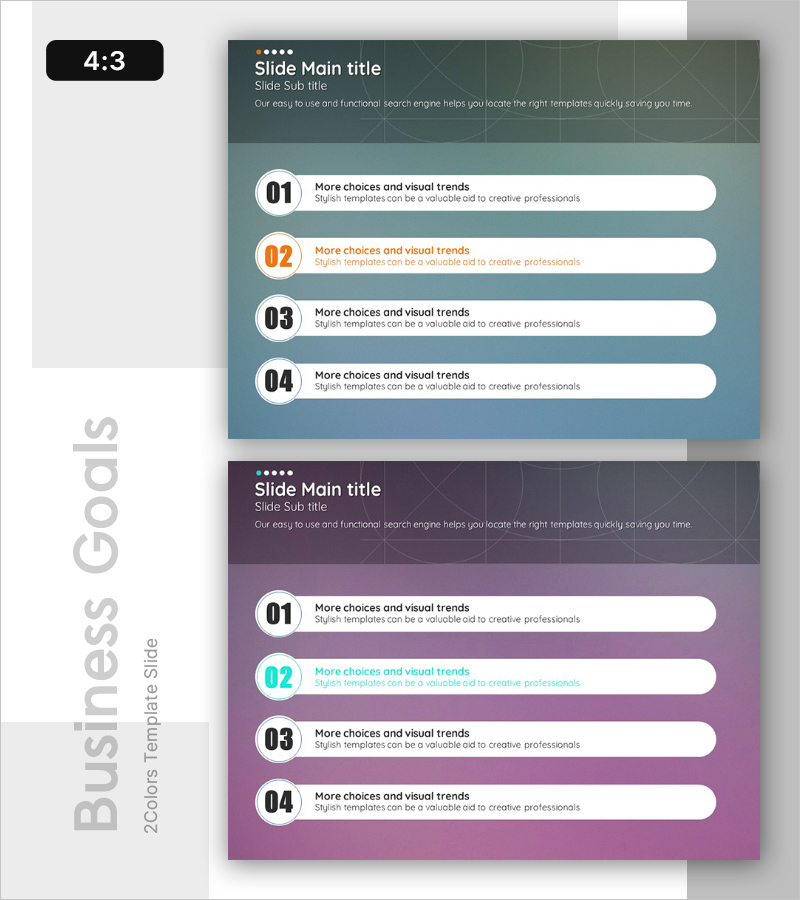
A 4-item closed cluster diagram PowerPoint slide designed to visualize mobile app service goals and business strategy. The slide features a teal green and purple dual-tone background with four white speech bubble input areas arranged in a circular layout, each paired with a numbered circular badge (01–04) and orange accent color highlights. The 2-slide set provides identical layouts with color variations, enabling flexible use across different sections of your presentation. All elements are fully editable in PPTX format, allowing instant text input, color adjustment, and layout modification to match your specific messaging and branding requirements.
Usage Points
-
Main Usage
Visualizes four core mobile app service goals with equal emphasis, expressing relationships and integration among objectives. Perfect for business strategy presentations where you need to clearly structure service direction, core values, implementation goals, and performance metrics in a unified framework.
-
How to Use
Enter service goal names, strategy items, or key messages into each speech bubble area. Adjust numbered badge colors and background tones as needed. Use the 2-slide set for section transitions, comparative analysis, or emphasis effects. Edit text size and font to align with your presentation flow and corporate style guidelines.
-
Recommended For
Ideal for mobile app startups and IT companies presenting business plans, investment pitches, and product introductions. Effective in marketing strategy decks for explaining service positioning, target customer segments, and competitive differentiation. Also suitable for internal strategy meetings and team goal-sharing sessions.
-
Slide Structure
2-slide set. Each slide contains a header area (title, subtitle, descriptive text) and a content area with four speech bubble input boxes. Speech bubbles are arranged in a circular pattern with numbered badges (01–04). Slide 1 features a teal green background; Slide 2 uses a purple background, providing color variation options.
Related Products
-
Visualize Business Goals and Strategies with Cloud Shape Closure Diagram
#Business Vision and Strategy #Marketing Plan and Strategy #Diagram
-
Setting Goals for Business Growth – Vision and Marketing Strategy
#Business Vision and Strategy #Marketing Plan and Strategy #Diagram
-
Three-dimensional Pyramid Box for Goal Setting Presentation
#Business Vision and Strategy #Marketing Plan and Strategy #Diagram
-
Business Goals Diagram – Clear Strategy Development
#Business Vision and Strategy #Marketing Plan and Strategy #Diagram
