



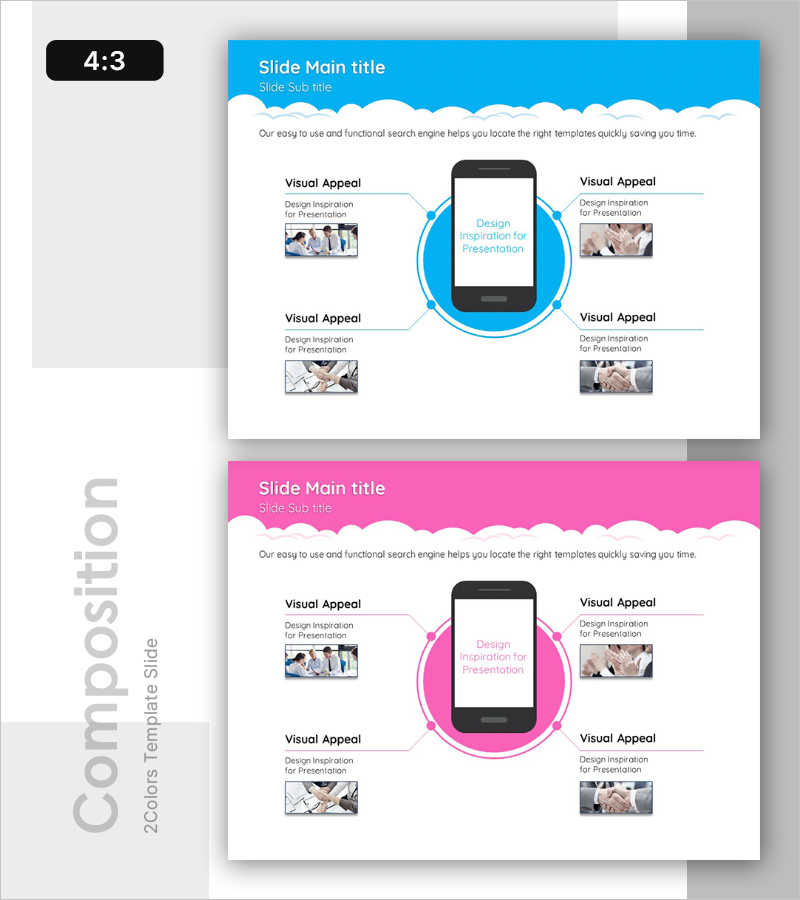
Diagram Slide Visualizing Mobile App Service Configuration Contents
RB0200013_5
- Last Update 03/08/2025
- File Size 1.1MB
- # of Slides 2
- File Format PPTX
- Slide Ratio 4:3
- Color
Keywords
- #Content-Based Slides
- #Design-Based Slides
- #Product/Service Introduction
- #Diagram
- #Composition
- #Product and Service Overview
- #Spread
- #Centralized Diagram
- #4:3
- #radial diagram PowerPoint
- #mobile app architecture slide
- #center mockup diagram
- #app service visualization PPT
- #how to create radial diagram in PowerPoint
About the Product
A PowerPoint slide featuring a radial diagram that visualizes the core components of a mobile app service. The design centers on a smartphone mockup with four key elements connected in a circular arrangement, effectively illustrating service architecture, feature integration, and user experience flow. The slide incorporates bright blue circular nodes, connecting lines, and image placeholder areas for a professional presentation. Two color versions—blue and pink—are provided for brand flexibility, and the 4:3 aspect ratio PPTX format allows immediate editing and customization.
Usage Points
-
Main Usage
Presents the core functions, components, and user touchpoints of a mobile app or digital service in a single visual. The smartphone mockup at the center connects to surrounding elements, making service architecture, feature relationships, and user experience flow immediately clear and intuitive.
-
How to Use
Use this slide in service introduction, product feature explanation, or business model presentation sections. Insert app screenshots into the center smartphone area and populate the four surrounding nodes with key features, user segments, value propositions, or technology stack. Select the color version matching your corporate brand guidelines for a cohesive presentation.
-
Recommended For
Ideal for mobile app startups, IT companies pitching to investors, product launch presentations, and technology seminars. Effective for app developers, digital marketing teams, UX designers, and business development professionals explaining service structure. Also suitable for educational institutions analyzing digital service case studies and consulting firms presenting mobile strategies.
-
Slide Structure
A black smartphone mockup with white screen area is centered, surrounded by four blue circular nodes arranged symmetrically. Each node connects to the center mockup via lines, with photo image placeholders and text labels positioned beside each node. The two-slide set provides identical layouts in blue and pink versions for color selection flexibility.
Related Products
-
Slide for Presentation Design Inspiration – Creativity and Innovation
#Product/Service Introduction #Diagram #Composition
-
Maple Leaf Distribution and Promotion Strategy Diagram – Maximizing Business Impact with Clusters
#Product/Service Introduction #Diagram #Product/Service Introduction
-
Camping Business Risk Management Diagram
#Product/Service Introduction #Diagram #Features
-
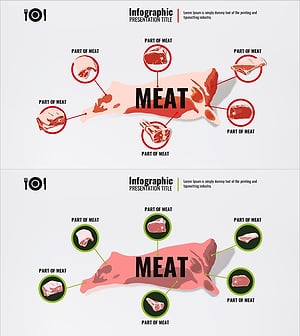
Introduction to Meat Parts Infographic – Diverse Choices of Meat
#Product/Service Introduction #Diagram #Features
