



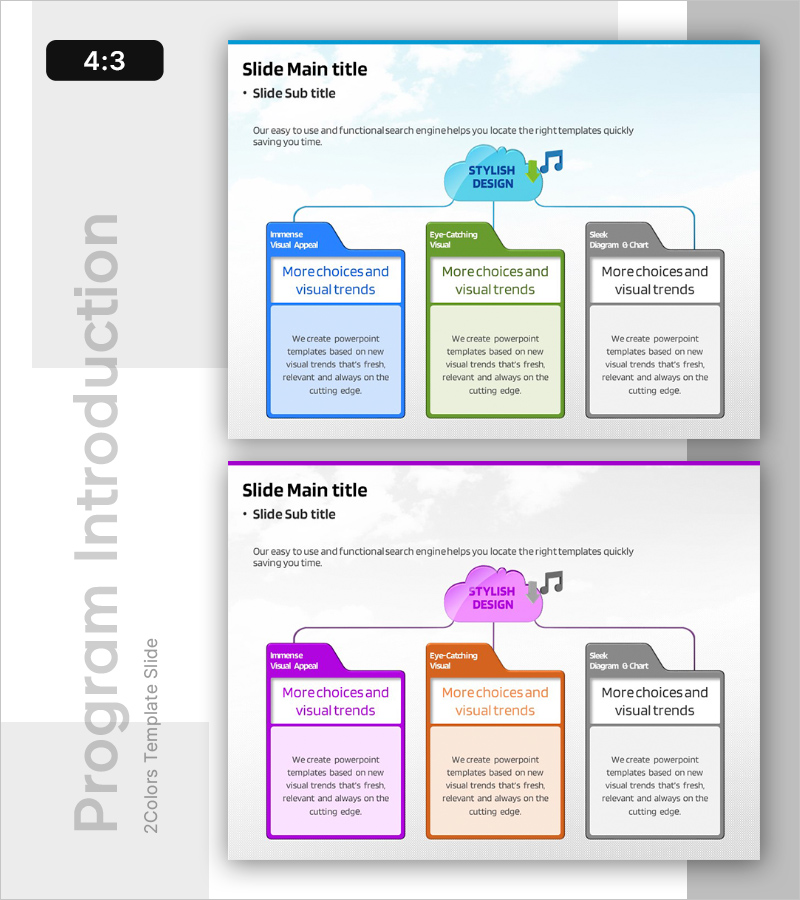
Folder Shape Diagram for Program Introduction – Key to Marketing Strategy
RB0200009_6
- Last Update 03/08/2025
- File Size 1MB
- # of Slides 2
- File Format PPTX
- Slide Ratio 4:3
- Color
Keywords
- #Content-Based Slides
- #Design-Based Slides
- #Product/Service Introduction
- #Marketing Plan and Strategy
- #Diagram
- #Program Introduction
- #Marketing Objectives
- #Structure
- #Spread
- #Tree Diagram
- #Radial Diagram
- #4:3
- #folder diagram PowerPoint
- #3-step diverging diagram
- #program structure slide template
- #marketing strategy visualization
- #diagram PowerPoint slide
About the Product
A PowerPoint diagram slide featuring a central cloud icon with three folder-shaped boxes radiating outward in a diverging structure. The folders are color-coded in blue, green, and gray, each containing a label area and descriptive text section for layered information presentation. This design effectively visualizes program components, strategic initiatives, or organizational divisions in marketing plans, business proposals, and organizational introductions. The 4:3 aspect ratio template includes 2 slides ready for immediate editing and customization.
Usage Points
-
Main Usage
Presents organizational programs, strategic initiatives, or departmental structures in a hierarchical, easy-to-understand format. Ideal for marketing plans, business proposals, and organizational overviews where complex information needs clear visual hierarchy and comparative analysis.
-
How to Use
Replace the central cloud text with your main topic, then update folder labels and descriptions with program names, strategy titles, or department names. Colors can be retained or adjusted to match corporate branding. Folder count can be modified by duplicating or removing elements as needed.
-
Recommended For
Marketing managers, strategic planning teams, organizational development specialists, and business development professionals presenting program structures, strategic directions, or organizational frameworks. Suitable for executive briefings, team meetings, and client pitches.
-
Slide Structure
Slide 1: Title and subtitle area with central cloud icon and 3 folder-shaped text boxes (label + description section each). Slide 2: Identical layout with alternate color scheme (magenta, orange, gray). Each folder is independently editable with connecting lines and icons clarifying hierarchical relationships.
Related Products
-
Clear Visualization of Mobile Marketing Goals with Circular Diagram Slide
#Product/Service Introduction #Marketing Plan and Strategy #Diagram
-
Infographic Slide for Healthy Diet Management
#Product/Service Introduction #Diagram #Differentiation Strategy for Products/Services
-
Introduction to Astronomy's Major Programs Slide
#Product/Service Introduction #Marketing Plan and Strategy #Diagram
-
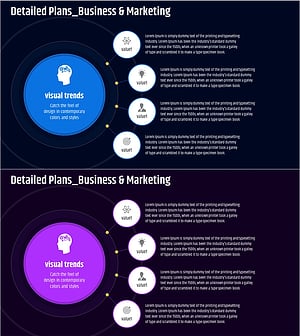
Core Business Goals Diffusion Diagram - Visual Representation of Business Strategy
#Business Introduction #Marketing Plan and Strategy #Diagram
