



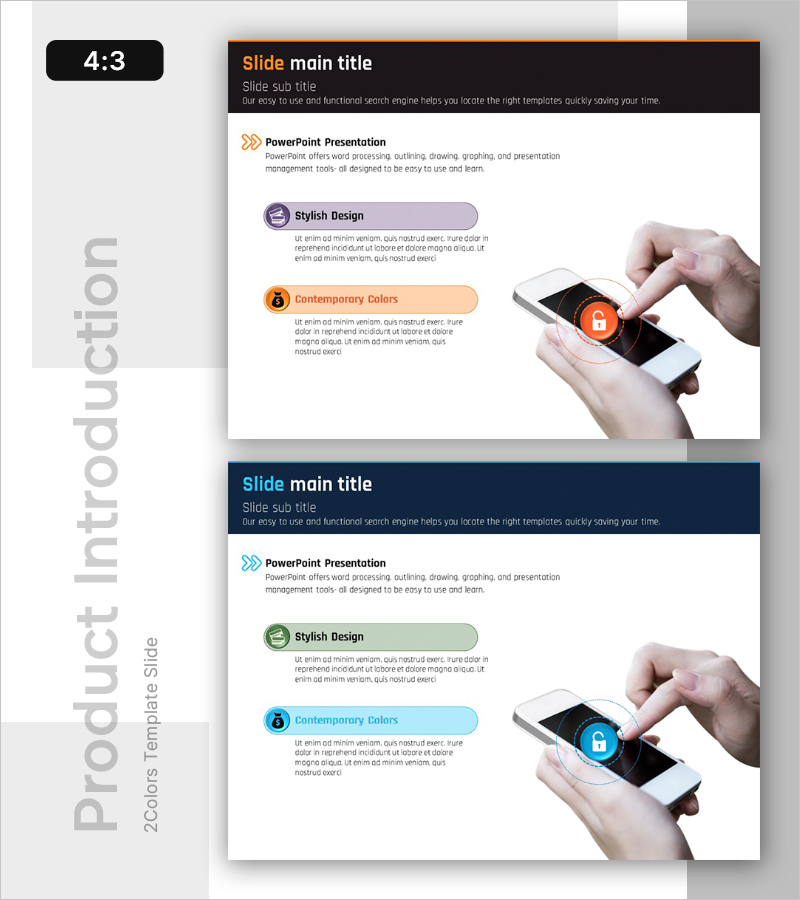
Introduction to Safe Banking Services – Data Protection and Risk Management
RB0100049_7
- Last Update 03/06/2025
- File Size 0.8MB
- # of Slides 2
- File Format PPTX
- Slide Ratio 4:3
- Color
Keywords
About the Product
A PowerPoint slide designed to explain data protection and security strategies in financial services. The slide features a dark header section with title and subtitle, followed by three color-coded icon boxes (purple, orange, blue) that organize key security concepts. Each box includes a title and descriptive text area, with a smartphone image positioned on the right to emphasize mobile security. Provided in 4:3 ratio PPTX format, this slide is ready for immediate use in security policy presentations, customer briefings, and internal training materials for banks, fintech companies, and insurance firms.
Usage Points
-
Main Usage
This slide effectively communicates financial data protection policies and security strategies by breaking down complex security concepts into three core elements. It presents information in an accessible format for both employees and customers, emphasizing trust and stability—critical for financial institutions' security communications.
-
How to Use
Use this slide in security policy briefings, customer-facing presentations, and employee training sessions for banks, insurance companies, and fintech firms. Edit the title and description text in each icon box to customize the slide for your organization's specific security strategies. The layout adapts well to topics such as mobile security, data encryption, and risk management.
-
Recommended For
Financial institution employees, fintech startup founders, insurance company marketing teams, data security officers, and financial service providers who need to build customer trust. Particularly effective when explaining security policies externally or addressing customer security concerns.
-
Slide Structure
The slide consists of a dark header area (title and subtitle) + three color-coded icon boxes (each with title and descriptive text) + a smartphone image on the right. The left text area is optimized for information input, while the right image area visually reinforces security and mobile concepts. The 4:3 aspect ratio ensures compatibility with projectors and screen sharing.
Related Products
-

Product Showcase Visualized with Natural Phenomena and Text Boxes
#Product/Service Introduction #Product/Service Introduction #Program Introduction
-
Fruit Vegetable Connection Diagram – Freshness and Effective Communication
#Product/Service Introduction #Diagram #Product/Service Introduction
-
Introduction to Plant Composition Space – Presentation Using Clustering and Overlapping
#Product/Service Introduction #Product/Service Introduction #Features
-
Travel Destination Setting Presentation Template – Product and Service Introduction
#Product/Service Introduction #Business Vision and Strategy #Product/Service Introduction
