



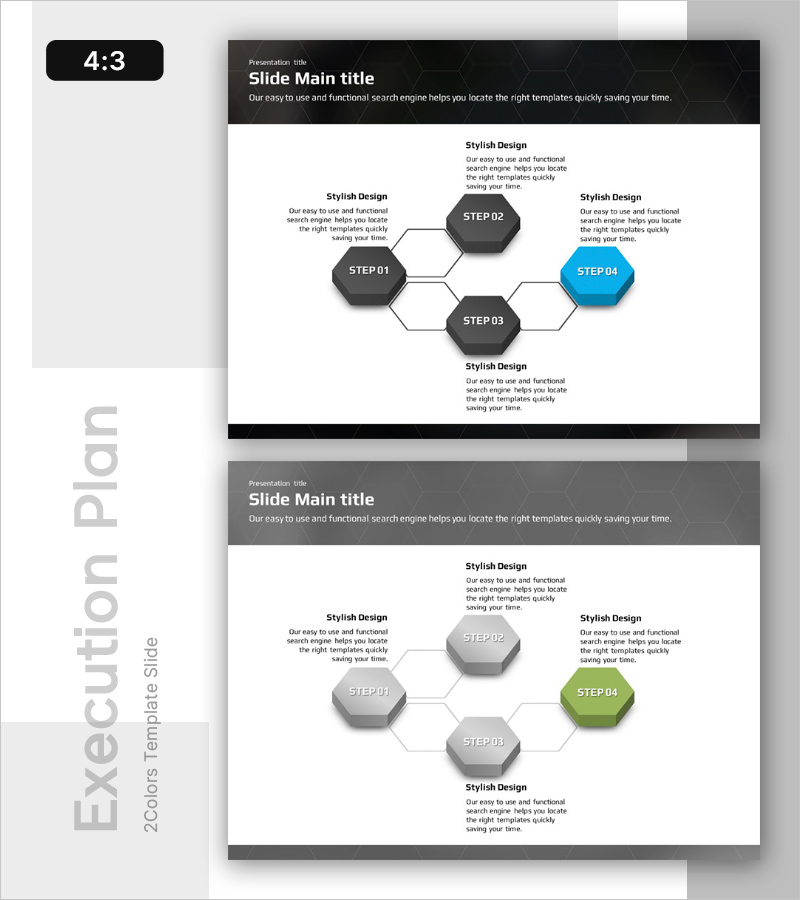
Visualizing 4 Action Plans with a Diverging Diagram Slide
RB0100041_4
- Last Update 03/05/2025
- File Size 0.7MB
- # of Slides 2
- File Format PPTX
- Slide Ratio 4:3
- Color
Keywords
About the Product
A PowerPoint slide featuring a diverging diagram structure with four hexagonal nodes radiating from a central point. Three dark gray nodes and one blue accent node create a clear visual hierarchy for business execution plans, strategic branching, and decision pathways. Text description areas surround each node for detailed explanations. This 4:3 ratio, 2-slide presentation template is ready to use in reports, proposals, and business presentations.
Usage Points
-
Main Usage
Designed to express four or more execution strategies, strategic branches, or decision pathways radiating from a central concept simultaneously. Perfect for business management, project planning, and marketing strategy phases where key action plans need clear visual organization and enhanced audience comprehension.
-
How to Use
Enter action plan names in each hexagonal node and add detailed descriptions in the surrounding text areas. Use the blue accent node to distinguish priority items or key initiatives. During presentations, follow the center-to-outer radiating structure for step-by-step explanations that improve audience understanding.
-
Recommended For
Business managers, strategy planning teams, project leaders, and marketing professionals presenting execution plans, strategic branches, or decision processes in reports and presentations. Suitable for executive briefings, team meetings, and client proposals where complex plans need clear communication.
-
Slide Structure
Two-slide layout with the first slide featuring a dark gray background and four hexagonal nodes (STEP 01–04) arranged radially from center, with the final node (STEP 04) highlighted in blue. Four text description areas labeled 'Stylish Design' surround each node for content input. The second slide uses a gray background with the same diagram structure but features a green accent node, providing color variation options.
Related Products
-
Daily Routine Infographic for Effective Information Delivery
#Business Vision and Strategy #Business Management #Diagram
-
Diffusion Diagram of Overseas Travel Plans
#Business Management #Technical Approach #Diagram
-
Blue Green Sequence Diagram
#Business Management #Operational Plan #Diagram
-
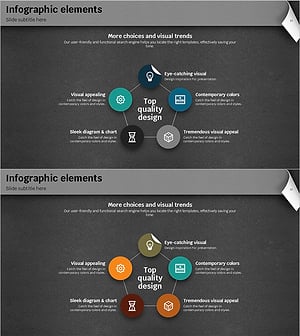
Rainbow Paper Infographic Elements Slide - Business Vision and Strategy
#Business Vision and Strategy #Business Management #Diagram
