



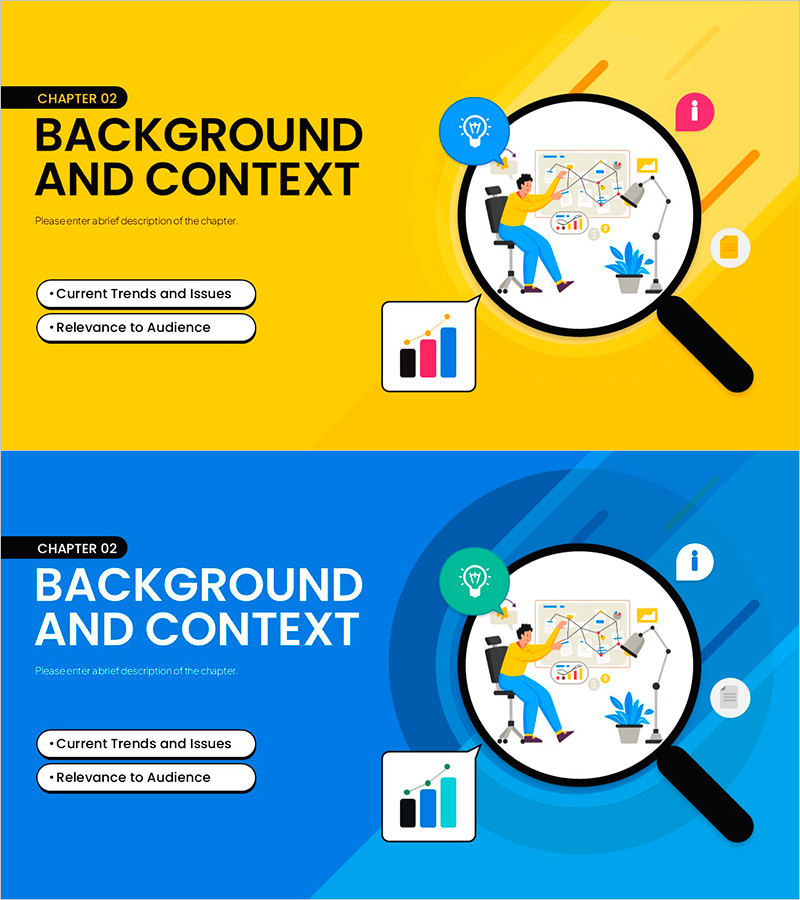
Background and Context Slide for Effective Information Delivery
RM0900003_5
- Last Update 03/03/2025
- File Size 2.8MB
- # of Slides 2
- File Format PPTX
- Slide Ratio 16:9
Keywords
About the Product
A PowerPoint slide designed for presentations requiring background analysis and contextual explanation. The dual-tone yellow and blue background features a magnifying glass, chart icons, and illustrative elements that guide audience attention while clarifying the context of information delivery. The 2-slide set presents the same content in two color variations, allowing you to choose based on your presentation tone. With well-balanced text input areas and visual elements, this slide works effectively in business plans, marketing proposals, and pitch decks as a background explanation section.
Usage Points
-
Main Usage
This slide clearly presents business context, market background, or problem situations to your audience. The magnifying glass and chart icons visualize the 'analysis and research' context, enhancing information credibility. It's particularly effective in the opening background section to increase audience comprehension.
-
How to Use
Place this slide in the 'Current Situation Analysis' or 'Background' section of business plans, proposals, or marketing presentations. Choose the yellow version for a positive, dynamic tone or the blue version for trust and professionalism. Fill the text input areas with concise, key messages that support your main narrative.
-
Recommended For
Ideal for explaining business launch context, market entry rationale, problem definition, and opportunity analysis. Suitable for investor pitches, employee strategy briefings, and partner proposals. Particularly useful when presenting both quantitative data and qualitative insights to diverse audiences.
-
Slide Structure
Each slide features a left text area (1 title + 2-3 body lines) and right visual area (magnifying glass circular frame + chart icon). Chapter labels at the top and bullet points at the bottom create clear information hierarchy for improved readability.
Related Products
-
AI Bottleneck Detection PowerPoint Slide – 3-KPI Layout
#Company Introduction #Business Vision and Strategy #Operational Plan
-
Strategic Mutual Growth PowerPoint Slide – Infinity Synergy
#Business Vision and Strategy #Diagram #Business Strategy
-
Key Objectives Summary PowerPoint Slide – Gauge KPIs
#Company Introduction #Business Vision and Strategy #Key Achievements
-
Service Architecture PowerPoint – Hexagon Hub 6 Modules
#Product/Service Introduction #Technical Approach #Product/Service Introduction
