



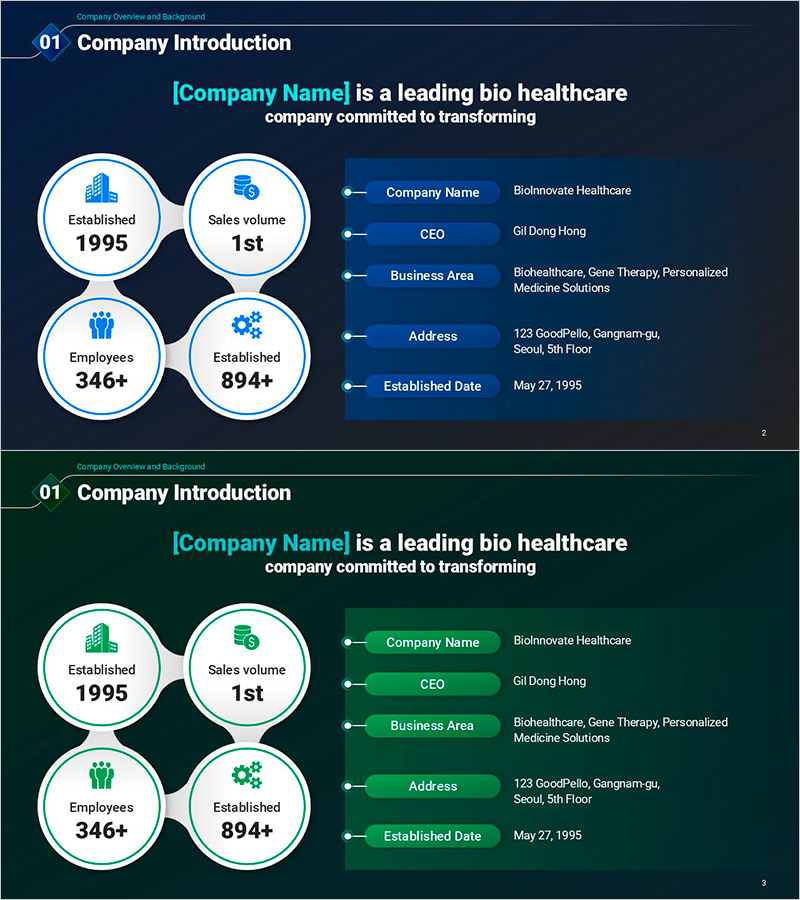
Company Status and Key Info Slide – Business Introduction and Trust
RM0800004_4
- Last Update 02/28/2025
- File Size 0.5MB
- # of Slides 2
- File Format PPTX
- Slide Ratio 16:9
- Color
Keywords
About the Product
A connection diagram PowerPoint slide that visualizes core company information through four circular nodes arranged in a concentric pattern. Displays establishment year, sales volume, employee count, and business area, connected to an information table on the right with directional arrows for clear data flow. Dark blue background with white and cyan icons and typography creates a trustworthy business atmosphere. Two-slide set offers multiple color combinations (blue and green), provided in 16:9 widescreen PPTX format for immediate editing and customization.
Usage Points
-
Main Usage
Effectively present company overview in business introduction presentations by structuring key information (establishment year, sales volume, employee count, business area) through four interconnected nodes. Ideal for investor meetings, recruitment briefings, partnership proposals, and corporate presentations where credibility and professionalism are essential.
-
How to Use
Replace node text and icons with your company information, then update the information table with relevant data and details. Adjust connecting arrows and lines to emphasize relationships between nodes, and customize colors to match your corporate brand identity. Utilize both slides sequentially to showcase different color scheme options for variety.
-
Recommended For
Corporate IR professionals, marketing teams, HR recruitment specialists, and business development managers creating company introduction materials. Suitable for startup pitches, corporate business reports, consulting proposals, partner introductions, and any presentation requiring emphasis on corporate credibility and professional expertise.
-
Slide Structure
Two-slide set featuring identical layouts in blue and green color versions. Each slide combines four circular nodes on the left (establishment, sales, employees, business area) with an information table on the right (company name, CEO, business field, address, establishment date), connected by directional arrows that clarify information flow and relationships.
Related Products
-
Business Overview Connection Diagram – Cluster Format
#Company Introduction #Business Introduction #Diagram
-

Company Overview for Best Business – Business Introduction Diagram
#Company Introduction #Diagram #Company Overview
-
Introduction to Business Core Values and Direction – Cluster and Closed Diagram
#Company Introduction #Business Introduction #Diagram
-
Introduction to the History of the Architectural Company – A Visual Timeline
#Company Introduction #Diagram #Company Overview
