



SNS Service Structure Visualized – Overall Key Summary
RM0700006_7
- Last Update 02/26/2025
- File Size 7.9MB
- # of Slides 2
- File Format PPTX
- Slide Ratio 16:9
- Color
Keywords
- #Content-Based Slides
- #Design-Based Slides
- #Technical Approach
- #Diagram
- #Text Box
- #Service Architecture Diagram
- #Service Operation Plan
- #Flow
- #Rounded Rectangle Text Box
- #16:9
- #service structure diagram PowerPoint
- #5-direction flow chart PPT slide
- #rounded box diagram presentation
- #how to create a service structure in PowerPoint
- #business process visualization slide
About the Product
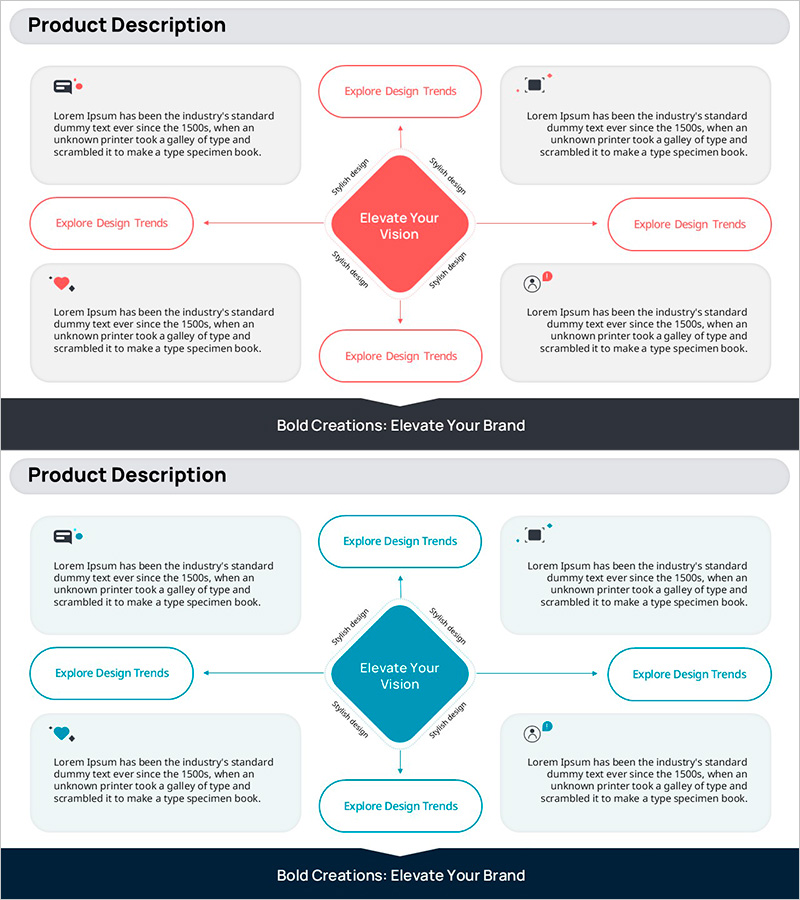
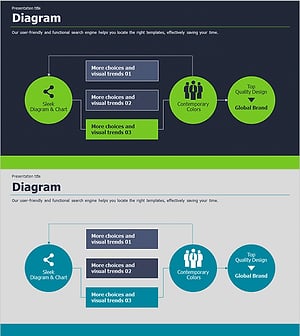
A PowerPoint slide featuring a central concept connected to five rounded rectangular boxes in a radial pattern. The red and teal color contrast clearly distinguishes information hierarchy, with dedicated icon and text input areas in each box. This presentation slide effectively visualizes SNS services, business processes, organizational roles, and product features. The 2-slide set includes both red and teal versions, allowing you to match your document's tone and branding. Each box is fully editable for flexible content adaptation across various business contexts.
Usage Points
-
Main Usage
This slide is designed to present service, product, or organizational structures and their interconnections at a glance. The radial layout with a central concept and five surrounding elements creates visual balance and clarity. Ideal for explaining SNS platform features, business process flows, organizational roles, product lineups, and strategic frameworks.
-
How to Use
Enter your core topic (e.g., service name, strategic goal, organization name) in the central rounded box. Fill the five surrounding boxes with supporting details (features, roles, stages, characteristics). Add relevant icons or images to the designated icon areas within each box to enhance visual clarity. Adjust box sizes or colors based on text length to emphasize key elements.
-
Recommended For
Perfect for IT and startup companies presenting service overviews, marketing teams explaining product features, executives sharing organizational structures, and consulting firms analyzing business models. Especially effective when comparing or explaining five or more equally important elements.
-
Slide Structure
2-slide set with red and teal color versions. Each slide contains one central rounded rectangle (core concept input area) plus five surrounding rounded rectangles (supporting element areas), with dedicated icon spaces and text input regions in each box for organized content placement.
Related Products
-
Efficient Slide for Flight Operation Plan
#Product/Service Introduction #Technical Approach #Diagram
-
Service Operation Strategy – Linear Flow Diagram
#Operational Plan #Technical Approach #Diagram
-
Circular Diagram for Effective Business
#Business Strategy #Technical Approach #Diagram
-
Application PowerPoint Wide Template – Flow Chart Offering
#Technical Approach #Marketing Plan and Strategy #Diagram
