



Idea Strategy Diagram – Innovative Approach and Design
RM0400015_24
- Last Update 02/19/2025
- File Size 0.4MB
- # of Slides 2
- File Format PPTX
- Slide Ratio 16:9
- Color
Keywords
- #Content-Based Slides
- #Design-Based Slides
- #Company Introduction
- #Technical Approach
- #Diagram
- #Business Areas
- #Service Architecture Diagram
- #Spread
- #Centralized Diagram
- #16:9
- #radial diagram PowerPoint
- #center diagram slide template
- #four-value strategy slide
- #business strategy diagram
- #service structure PPT download
About the Product
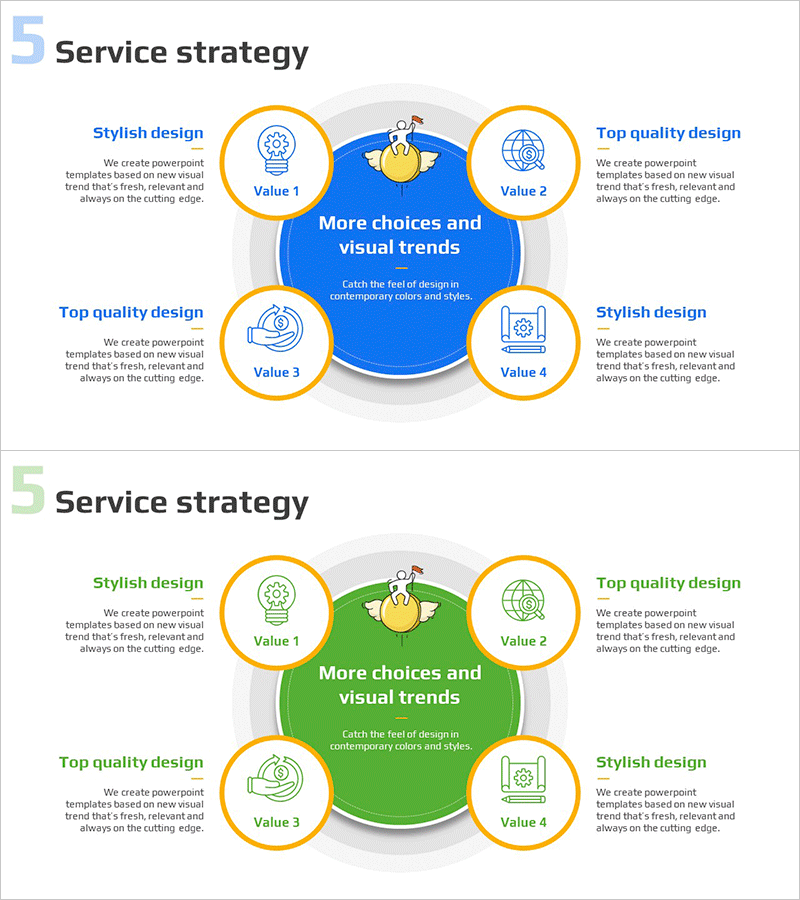
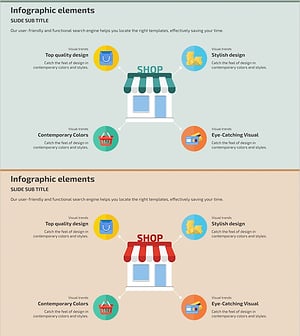
A radial diagram PowerPoint slide that expands four key values from a central concept in four directions. Created with blue and green dual-tone color scheme in a 2-slide set, this presentation template places the core message at the center and expresses detailed values in four circular nodes. Each node includes an icon and text input area, highlighted with an orange border for clear visual hierarchy. Ready to use immediately for corporate strategy presentations, service structure explanations, and innovation idea pitches.
Usage Points
-
Main Usage
Visualizes corporate core values, service strategies, and innovation ideas by expanding from a central point in four directions. Highly effective for executive briefings, strategy presentations, and service introductions to simplify and clarify complex concepts.
-
How to Use
Enter the core message (company name, strategy name, or service name) in the central circular area, then input detailed values, strategies, or features in each of the four nodes. Icons can be customized to match each item's nature, and font sizes can be adjusted based on text length.
-
Recommended For
Recommended for executives, strategy planning teams, marketing managers, and new business development teams presenting corporate strategies, service values, and innovation directions. Suitable for executive briefings, investor pitches, team meetings, and external presentations.
-
Slide Structure
Two-slide set. Each slide features a central circular hub (text input area) with four directional nodes, each containing an icon and text field. Connection lines between nodes and center express relationships. One slide with blue background and one with green background provide color variations.
Related Products
-
Service Area Diagram – Visualizing Business Model Composition
#Company Introduction #Technical Approach #Diagram
-
Business Idea Content and Operating Plan Presentation Slide
#Company Introduction #Technical Approach #Diagram
-
Financial Business Diffusion Diagram
#Company Introduction #Business Introduction #Diagram
-
RShopping Mall Business Area Diagram – Visualization of Business Structure
#Company Introduction #Business Introduction #Diagram
