



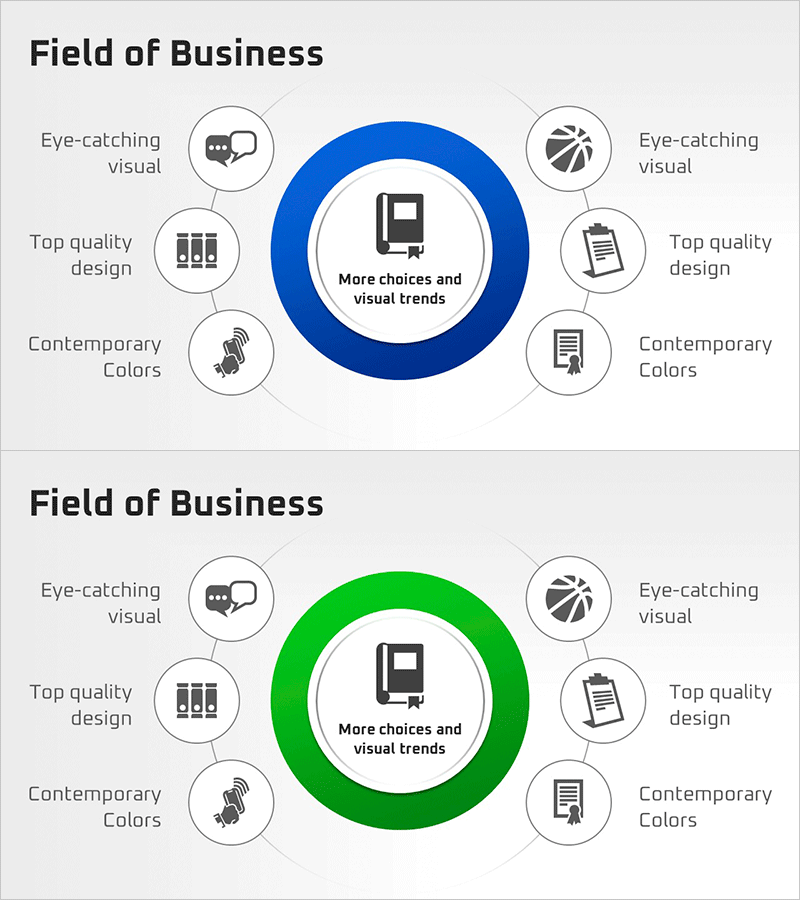
Business Areas that Visualize the Company's Strengths
RM0300021_13
- Last Update 02/12/2025
- File Size 0.2MB
- # of Slides 2
- File Format PPTX
- Slide Ratio 16:9
- Color
Keywords
- #Content-Based Slides
- #Design-Based Slides
- #Company Introduction
- #Business Introduction
- #Diagram
- #Business Areas
- #Business Areas
- #Cluster
- #Spread
- #Chain Diagram
- #Centralized Diagram
- #16:9
- #radial diagram PowerPoint
- #central cluster slide template
- #business areas visualization
- #6-item diagram slide
- #how to create radial chart in PowerPoint
About the Product
A PowerPoint slide featuring a radial cluster diagram that visualizes your company's core business areas and competitive strengths. The central book icon serves as the focal point, with six items arranged symmetrically around it—three on the left and three on the right—each paired with an icon and text label. Two color versions (blue and green) are included to match your presentation theme. This slide template is ideal for presenting business domains, key competencies, and strategic advantages in a clear, visually engaging format.
Usage Points
-
Main Usage
Presents business domains, core strengths, and competitive advantages using a radial structure that expands from a central concept to surrounding details. This visual hierarchy helps audiences quickly grasp the relationship between your company's core offering and its supporting business areas.
-
How to Use
Use in company overview presentations, strategic planning decks, investor pitch materials, and product portfolio introductions. Customize the center text and six surrounding labels to match your business context, then select the color version that aligns with your overall slide design.
-
Recommended For
Business strategists, marketing professionals, business development managers, and investor relations teams. Particularly effective when presenting multi-faceted business portfolios, product lineups, service categories, or organizational competencies to stakeholders.
-
Slide Structure
Central book icon with core message text, surrounded by six symmetrically arranged nodes—three on the left (speech bubble, bar chart, microphone icons) and three on the right (sports, clipboard, document icons). Each node includes independent text input areas. Two color variations (blue and green) are provided for design flexibility.
Related Products
-
Core Value-Centric Circular Strategy – The Future of Business
#Company Introduction #Business Introduction #Diagram
-
Astronomy Business Sector Diffusion Diagram
#Company Introduction #Business Introduction #Diagram
-
Business Area Diffusion Diagram – Connection and Cluster
#Company Introduction #Business Introduction #Diagram
-

Two Strategic Axes Connecting the Plan – Unifying Business Strategies
#Company Introduction #Business Introduction #Diagram
