



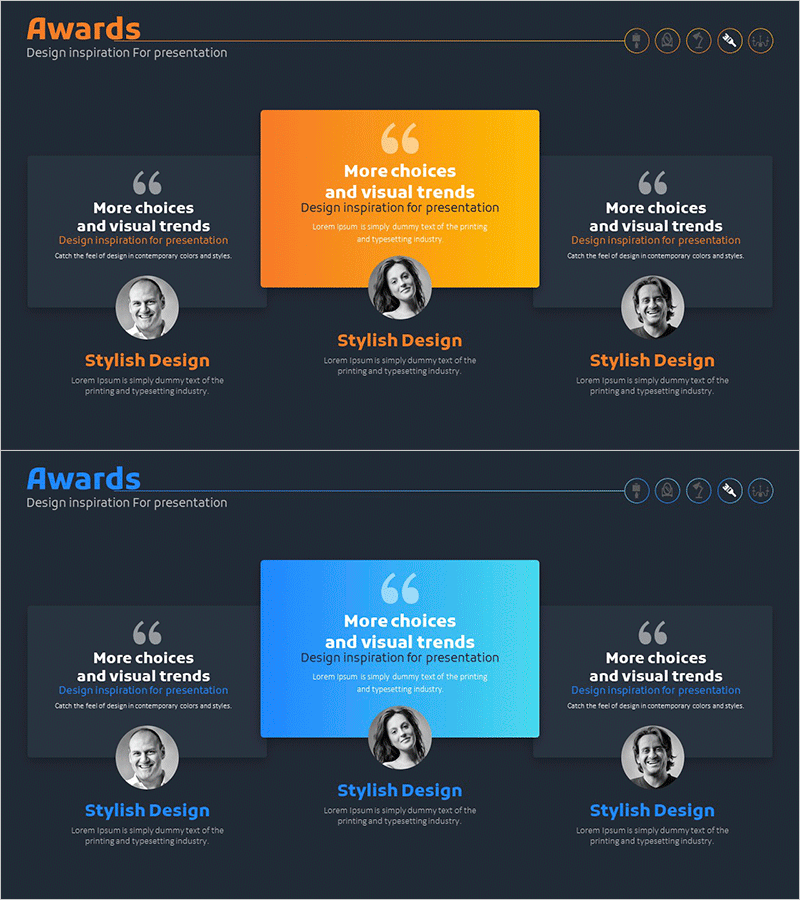
Customer Evaluation Feedback Slide – Design Filled with Trust
RM0300018_21
- Last Update 10/07/2025
- File Size 2MB
- # of Slides 2
- File Format PPTX
- Slide Ratio 16:9
- Color
Keywords
- #Content-Based Slides
- #Design-Based Slides
- #Company Introduction
- #Customer Success Stories
- #Text Box
- #Manpower
- #Customer Testimonials and Feedback
- #Rounded Rectangle Text Box
- #16:9
- #customer feedback PowerPoint slide
- #customer testimonial PPT design
- #customer evaluation slide template
- #trust-building presentation
- #customer success story slide
About the Product
A 2-slide PowerPoint presentation template that visually communicates customer satisfaction and trust. Features rounded rectangular boxes with customer profile photos, quotation marks, and testimonial text on orange-to-blue gradient backgrounds. Ideal for company profiles, proposals, and investor pitch decks to emphasize customer credibility. Each slide displays three customer evaluations in symmetrical or center-focused layouts, ready for immediate editing and presentation delivery.
Usage Points
-
Main Usage
Visually highlight customer satisfaction, trust, and success stories. Perfect for company profile customer sections, proposal case studies, and investor pitch decks to demonstrate business credibility and customer confidence to stakeholders and potential partners.
-
How to Use
Insert actual customer photos into the profile image areas and add customer testimonial text below the quotation marks. Customize the orange and blue gradient backgrounds to match your corporate brand colors. Adjust the 3-profile layout to 2 or 4 profiles based on your customer count and presentation needs.
-
Recommended For
Recommended for sales teams, marketing departments, and executives creating company profiles, proposals, investor presentations, and marketing plans. Particularly effective for B2B business pitches, new client proposals, and investor meetings where customer credibility is critical.
-
Slide Structure
2-slide layout with each slide featuring a center-focused or symmetrical 3-profile arrangement. Each profile box includes a rounded rectangular border, circular profile photo area, quotation icon, and editable text fields for customer name, title, and testimonial.
Related Products
-
Real User Feedback & Reactions – Insights from Real Testimonials
#Market and Competitor Analysis #Customer Success Stories #Text Box
-
Introduction by Team Position – A PowerPoint Template for Collaboration and Innovation
#Company Introduction #Diagram #Text Box
-
Expert Profiles Overview at a Glance
#Market and Competitor Analysis #Customer Success Stories #Diagram
-
Differentiated Corporate Success Story – Customer Success Cases
#Company Introduction #Customer Success Stories #Manpower
