



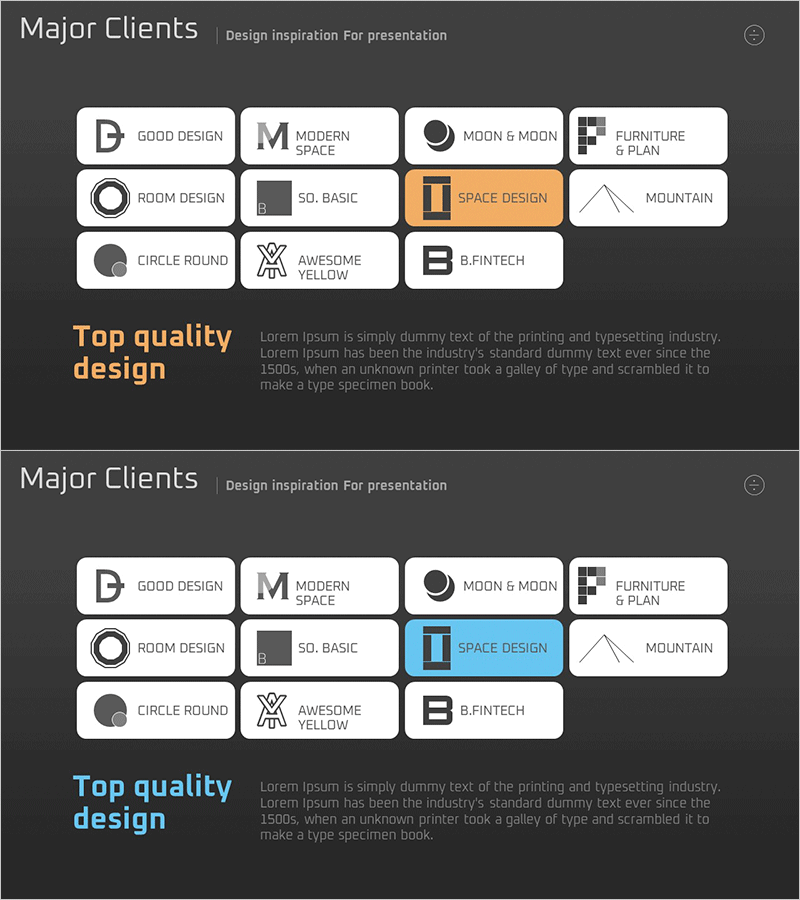
Key Partner Check Diagram – A Tool for Successful Client Relationships
RM0300010_18
- Last Update 02/09/2025
- File Size 0.3MB
- # of Slides 2
- File Format PPTX
- Slide Ratio 16:9
- Color
Keywords
- #Content-Based Slides
- #Design-Based Slides
- #Customer Success Stories
- #Diagram
- #Introduction of Key Customers
- #Cluster
- #Closed Cluster Diagram
- #16:9
- #cluster diagram PowerPoint
- #partner network diagram slide
- #check diagram template
- #collaboration relationship chart
- #business network presentation
- #stakeholder mapping PowerPoint
About the Product
A cluster check diagram PowerPoint slide designed to visualize key partner and collaboration relationships in a structured format. The slide features a central hub with 12 partner nodes arranged in a radial cluster pattern, each equipped with checkbox functionality for status tracking and confirmation. Set against a dark gray background with white typography and orange accent highlights, this presentation slide delivers a professional appearance suitable for corporate business presentations. Ideal for partner evaluation reports, customer success case sharing, network status updates, and strategic partnership discussions—ready to customize and present immediately.
Usage Points
-
Main Usage
Visualize and manage key partner and stakeholder relationships at a glance using a center-focused cluster layout. The diagram clearly expresses the hierarchical relationship between the core entity and surrounding partners, while checkbox elements on each node allow you to track progress status and confirmation status visually.
-
How to Use
Use this slide in business reports, sales presentations, and strategy meetings to communicate partnership network status. Edit the text on each partner node to insert actual company names, contacts, and relationship status. Click checkboxes to mark completion or approval status. Ideal for executive briefings, client meetings, and strategic partnership discussions to emphasize transparency and trust in collaboration.
-
Recommended For
Sales managers, partnership directors, and business development teams presenting partner relationship status and network expansion strategies. Also suitable for customer success case presentations, stakeholder alignment meetings, and partnership evaluation sessions where clear relationship mapping is essential.
-
Slide Structure
Two-slide set featuring a 12-node cluster diagram with radial center arrangement on the first slide. Each node includes a checkbox icon and editable text field for partner information. The second slide provides a color variation of the same structure, offering flexibility for different presentation contexts and visual emphasis needs.
Related Products
-
A Collection of External Business Partners – The Power of Connection
#Company Introduction #Customer Success Stories #Diagram
-
Successful Quit Smoking Profile – Customer Success Stories
#Company Introduction #Customer Success Stories #Diagram
-

Introduction of Student Representatives Slide – Eye-catching Design
#Company Introduction #Customer Success Stories #Diagram
-

Introduction to Club Members Slide – Stylish Design
#Company Introduction #Customer Success Stories #Diagram
