



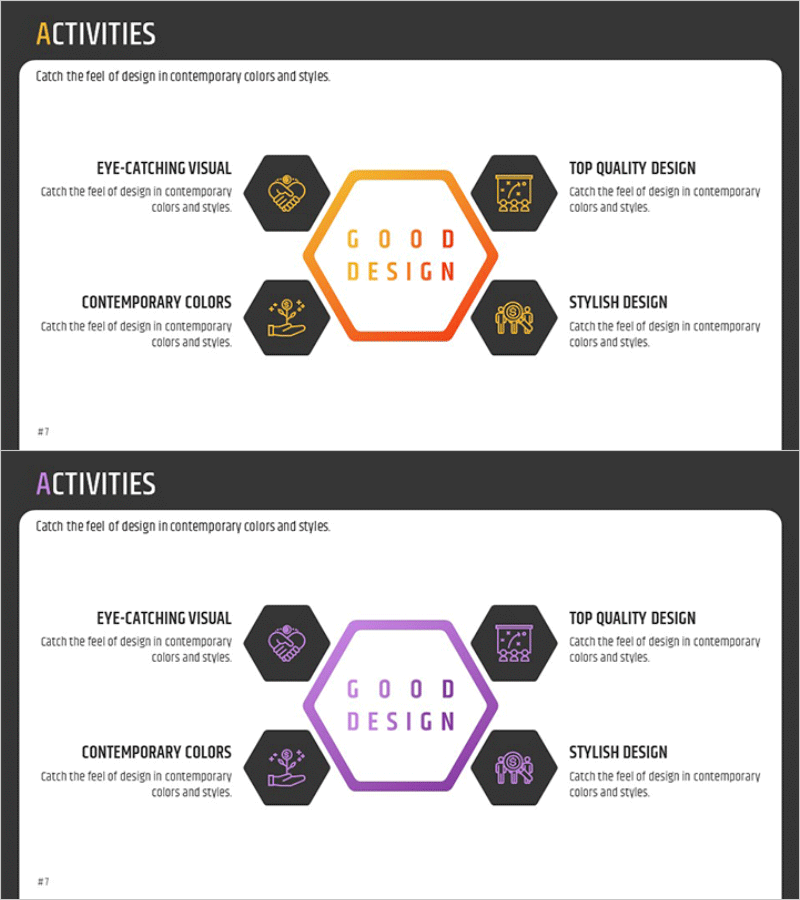
Hexagonal Diffusion Diagram – Business Area Introduction
RM0300009_6
- Last Update 02/09/2025
- File Size 0.3MB
- # of Slides 2
- File Format PPTX
- Slide Ratio 16:9
- Color
Keywords
- #Content-Based Slides
- #Design-Based Slides
- #Product/Service Introduction
- #Business Introduction
- #Diagram
- #Features
- #Business Areas
- #Spread
- #Decentralized Diagram
- #16:9
- #hexagonal diagram PowerPoint
- #radial diagram slide template
- #5-item expansion diagram
- #business area introduction PPT
- #business structure diagram PowerPoint
About the Product
A PowerPoint slide featuring a central hexagon surrounded by five hexagonal nodes arranged in a radial expansion pattern. The design uses orange and black contrast to create strong visual emphasis, with each hexagon containing dedicated icon and text areas for business domains, core values, service categories, and strategic functions. The 16:9 widescreen format with 2-slide composition enables immediate use in presentations and planning documents, while each element remains fully editable for customization across diverse business scenarios.
Usage Points
-
Main Usage
Visualizes business domains, core values, service portfolios, and organizational functions through a radial expansion structure from a central concept. Ideal for strategy presentations, company introductions, and business explanation materials. The balanced 5-item arrangement effectively communicates diverse business information.
-
How to Use
Enter the core concept (company name, core value, main strategy) in the central hexagon, then populate the five surrounding hexagons with detailed items (business divisions, services, functions, objectives). Edit icons and text to match presentation content, and adjust colors to reflect brand identity and visual preferences.
-
Recommended For
Executive reports, strategy presentations, company introduction decks, business plans, marketing proposals, organizational structure explanations, product portfolio showcases, investor pitch decks, and other business decision-making and external communication scenarios.
-
Slide Structure
Radial expansion layout with one central hexagon (core message) surrounded by five hexagonal nodes positioned in cardinal and diagonal directions. Each node includes dedicated icon and text input areas, with orange borders and black background creating clear information hierarchy and visual distinction.
Related Products
-
Rhombus Infographic Template for Business Area Introduction – Efficient Flow
#Product/Service Introduction #Business Introduction #Diagram
-
Product Feature Area Diagram - Highlighting Characteristics Through Non-Central Layout
#Product/Service Introduction #Business Introduction #Diagram
-
Flower Shape Connection Diagram – Product/Service Introduction
#Product/Service Introduction #Business Introduction #Diagram
-
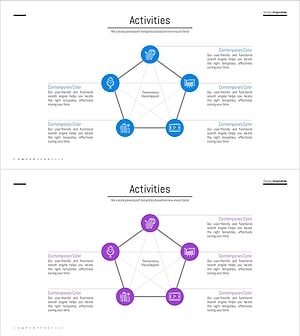
Pentagon Connection Star Diagram - Cluster and Performance Introduction
#Product/Service Introduction #Business Introduction #Diagram
