



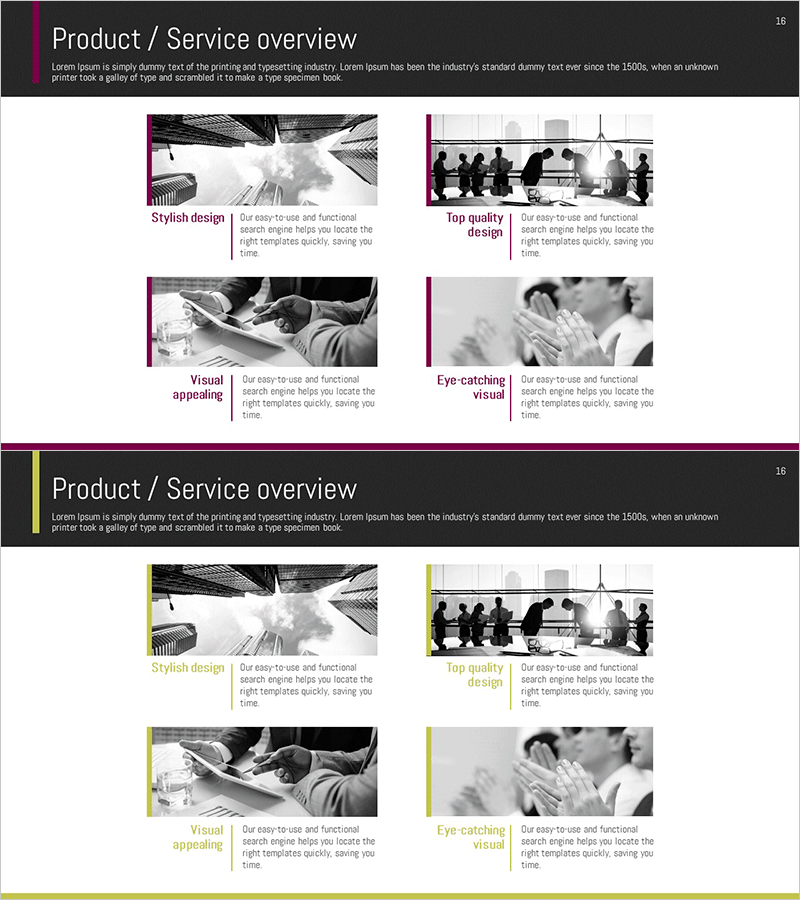
Introducing an Innovative Program with Cluster Diagram
RM0300007_15
- Last Update 02/08/2025
- File Size 2.9MB
- # of Slides 2
- File Format PPTX
- Slide Ratio 16:9
- Color
Keywords
- #Content-Based Slides
- #Design-Based Slides
- #Product/Service Introduction
- #Diagram
- #Product/Service Introduction
- #Program Introduction
- #Cluster
- #Closed Cluster Diagram
- #16:9
- #closed cluster diagram PowerPoint
- #program introduction slide template
- #overlapping diagram PPT
- #cluster diagram PowerPoint template
- #program structure diagram slide
About the Product
A closed-form cluster diagram PowerPoint slide designed to introduce new programs or services with systematic clarity. The structure features a central core concept surrounded by four overlapping interconnected areas, visually expressing mutual relationships and integration. The high-contrast design combines magenta accent lines with black-and-white background imagery to enhance presentation impact. With 2 slides included, this template is ready to use for program introductions, product and service descriptions, and business presentations.
Usage Points
-
Main Usage
Introduce new programs, integrated services, or multi-component solutions by emphasizing the interconnectedness and overall integration of each area. The central core concept clearly expresses the relationships among four surrounding areas, enhancing audience comprehension.
-
How to Use
Enter the program name or core concept in the central text box, then fill the four overlapping areas with respective components, features, or benefits. Maintain the magenta accent lines for visual consistency and ensure information readability through contrast with the background image.
-
Recommended For
Recommended for new business managers, product marketing teams, consulting firms, and educational institutions presenting integrated programs or multi-layered services. Particularly effective for proposals, business briefings, and product launch presentations where multiple interconnected elements require simultaneous emphasis.
-
Slide Structure
2-slide format. Each slide features a central circular core area surrounded by four overlapping closed-form areas (elliptical or circular shapes). Magenta border lines distinguish each area, with black-and-white background imagery and text input zones strategically positioned.
Related Products
-

Cluster Diagram Slide for VR Education Kids Program
#Product/Service Introduction #Diagram #Product/Service Introduction
-
Travel Outside Activities Plan Diagram Slide – A New Experience and Adventure
#Product/Service Introduction #Diagram #Product/Service Introduction
-
Introduction to Business Key Programs – Impactful Cluster Diagram
#Product/Service Introduction #Diagram #Product/Service Introduction
-
Daily Diagrams with Exercise – Healthy Lifestyle
#Product/Service Introduction #Diagram #Product/Service Introduction
