



Medical Business Area Circular Diagram – Understanding Organizational Structure
RM0300003_8
- Last Update 02/07/2025
- File Size 0.2MB
- # of Slides 2
- File Format PPTX
- Slide Ratio 16:9
- Color
Keywords
- #Content-Based Slides
- #Design-Based Slides
- #Company Introduction
- #Technical Approach
- #Diagram
- #Organizational Chart
- #Service Components
- #Structure
- #Cluster
- #Tree Diagram
- #Chain Diagram
- #16:9
- #organizational chart diagram PowerPoint
- #tree structure slide template
- #medical organizational diagram
- #hierarchical org chart
- #organizational chart PPT slide
- #diagram PowerPoint template
About the Product
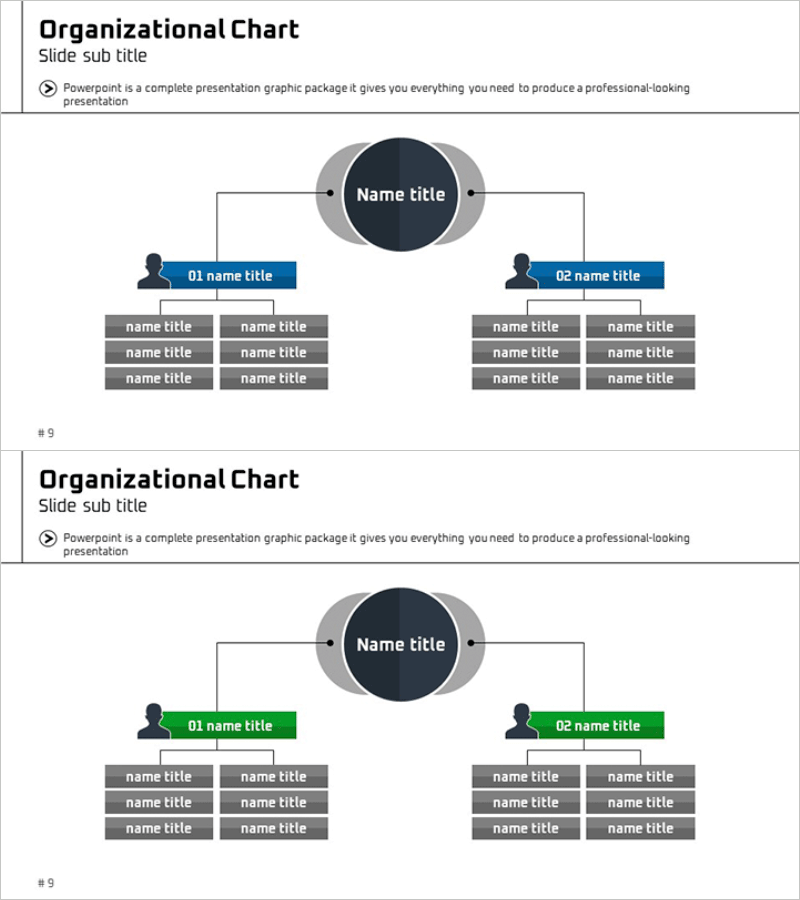
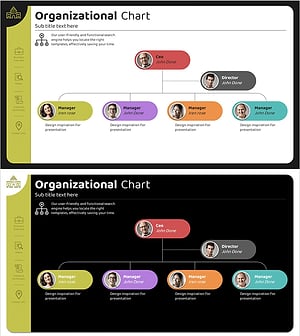
A PowerPoint slide presenting the organizational structure of a medical business area using a three-level tree diagram. The central circular node branches into two departments on the left and right, with three detailed items positioned beneath each department. The contrast between dark blue and gray colors clearly distinguishes information hierarchy, while icons and text boxes enable quick comprehension of positions and roles. Formatted in 16:9 ratio with 2 slides, this template is ready for immediate use in organizational restructuring announcements, personnel presentations, and management reports.
Usage Points
-
Main Usage
Visually express organizational hierarchy and reporting relationships with clarity. The central top-level node branches into two departments on both sides, with three sub-items beneath each department, enabling comprehensive organizational structure comprehension at a glance.
-
How to Use
Apply to organizational restructuring announcements, personnel movement notifications, executive introductions, and business division structure explanations. Simply replace the 'Name title' text boxes with actual department names, job titles, and personnel names for immediate deployment.
-
Recommended For
Recommended for medical institution executives, HR personnel, managers explaining organizational changes, and hospital or medical center staff introducing organizational structures. Ideal for situations requiring clear organizational information delivery while emphasizing medical industry professionalism.
-
Slide Structure
Two-slide composition. Both slides feature identical three-level tree structure with a central dark blue circular node (top level) branching into two departments (blue background text boxes) on both sides, and six sub-items total in gray background table format (three per department). Color variations (Slide 1: blue emphasis / Slide 2: green emphasis) accommodate diverse presentation scenarios.
Related Products
-
Man Silhouette Organization Chart – Visual Organization Structure Overview
#Company Introduction #Technical Approach #Diagram
-
Computer Company Introduction Slides - Organizational Chart Diagram
#Company Introduction #Diagram #Organizational Chart
-
Classic Tree Structure Template – Visualizing Organizational Chart
#Company Introduction #Diagram #Organizational Chart
-
Round Organization Chart Slide – Perfect Representation for Company Overview
#Company Introduction #Technical Approach #Diagram
