



List of Key Partners – Building Trust Through Client Success Stories
RM0300002_18
- Last Update 02/07/2025
- File Size 4.2MB
- # of Slides 2
- File Format PPTX
- Slide Ratio 16:9
- Color
Keywords
- #Content-Based Slides
- #Design-Based Slides
- #Company Introduction
- #Customer Success Stories
- #Diagram
- #Customers and Partners
- #Introduction of Key Customers
- #Cluster
- #Closed Cluster Diagram
- #16:9
- #closed cluster diagram PowerPoint
- #partner list slide template
- #customer success case study
- #icon grid PPT slide
- #company profile diagram
About the Product
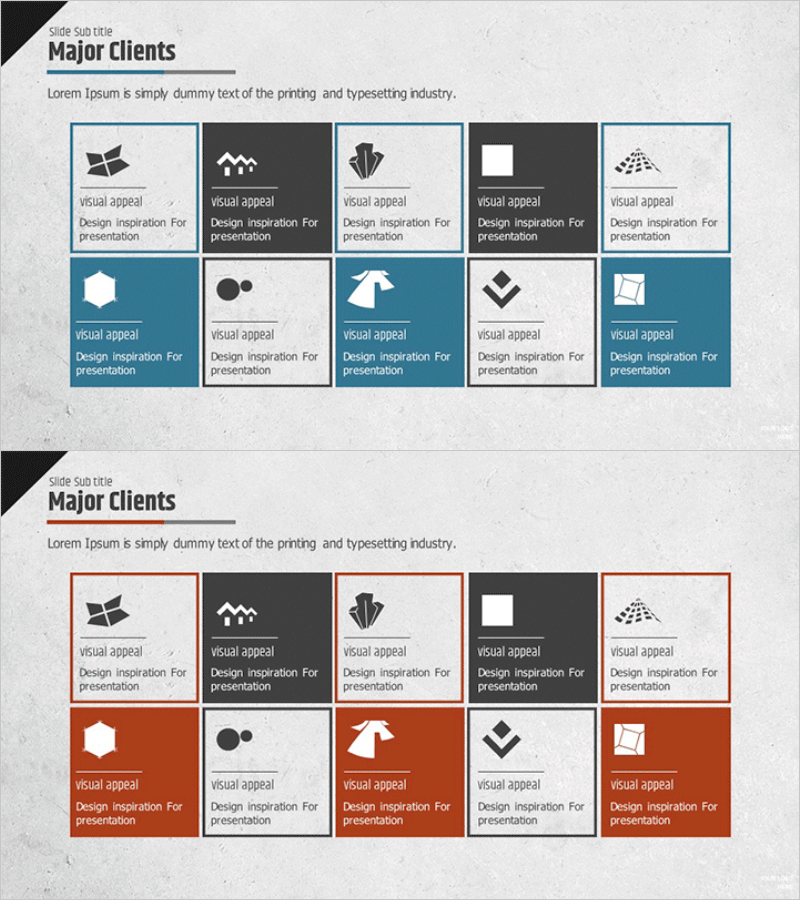
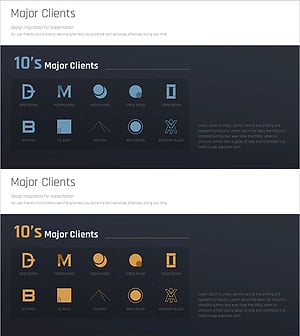
A closed cluster diagram PowerPoint slide designed to visually organize key business partners and customer success stories. This 2-slide set features a neutral design with blue borders and white backgrounds on the first slide, and a bold design with red borders and colored backgrounds on the second slide for emphasis. Each slide displays 10 identically-sized icon boxes arranged in a 2×5 grid layout, perfect for showcasing company logos, brand symbols, and business icons in balanced proportion. Text areas positioned below each box allow clear documentation of partner names, collaboration fields, and success metrics. Optimized for 16:9 widescreen format and delivered as fully editable PPTX files.
Usage Points
-
Main Usage
Ideal for visualizing key business partners, customer portfolios, and professional networks at a glance. The closed cluster structure presents each partner as independent yet integrated within a unified ecosystem, emphasizing corporate credibility and extensive business relationships.
-
How to Use
Apply to company profile presentations in the 'Key Partners' section, investment pitch decks in the 'Customer Success Cases' page, and marketing strategy documents in the 'Partnership Status' slide. Customize by inserting partner logos, company names, and collaboration fields into each box, then adjust colors to match your brand identity.
-
Recommended For
Ideal for B2B company executives, sales teams, and marketing professionals presenting at client meetings, shareholder assemblies, and partnership announcements. Particularly effective for platform companies, distribution, logistics, and technology service providers seeking to establish trust and credibility.
-
Slide Structure
2-slide composition: Slide 1 features blue borders with white background (neutral tone); Slide 2 features red borders with colored background (emphasis tone). Both slides display a 2×5 grid of 10 equally-sized icon boxes, each divided into an upper icon area and lower text area for partner information.
Related Products
-
A Collection of External Business Partners – The Power of Connection
#Company Introduction #Customer Success Stories #Diagram
-
Round Square Closure Diagram - Showcasing Client Success Stories
#Company Introduction #Customer Success Stories #Diagram
-
Company Key Personnel Introduction Slide – Customer Success Stories
#Company Introduction #Customer Success Stories #Diagram
-
Slide Visualizing Major Clients Information – Professionalism and Trust
#Company Introduction #Customer Success Stories #Customers and Partners
