



Feature Diffusion Diagram – Characteristics and Advantages
RM0200002_10
- Last Update 02/01/2025
- File Size 0.6MB
- # of Slides 2
- File Format PPTX
- Slide Ratio 16:9
- Color
Keywords
- #Content-Based Slides
- #Design-Based Slides
- #Product/Service Introduction
- #Diagram
- #Features
- #Benefits and Advantages
- #Cluster
- #Spread
- #Chain Diagram
- #Centralized Diagram
- #16:9
- #radial diagram PowerPoint
- #diffusion diagram slide template
- #central hub connection
- #product characteristics diagram
- #6-item radial PPT
- #features and advantages slide
About the Product
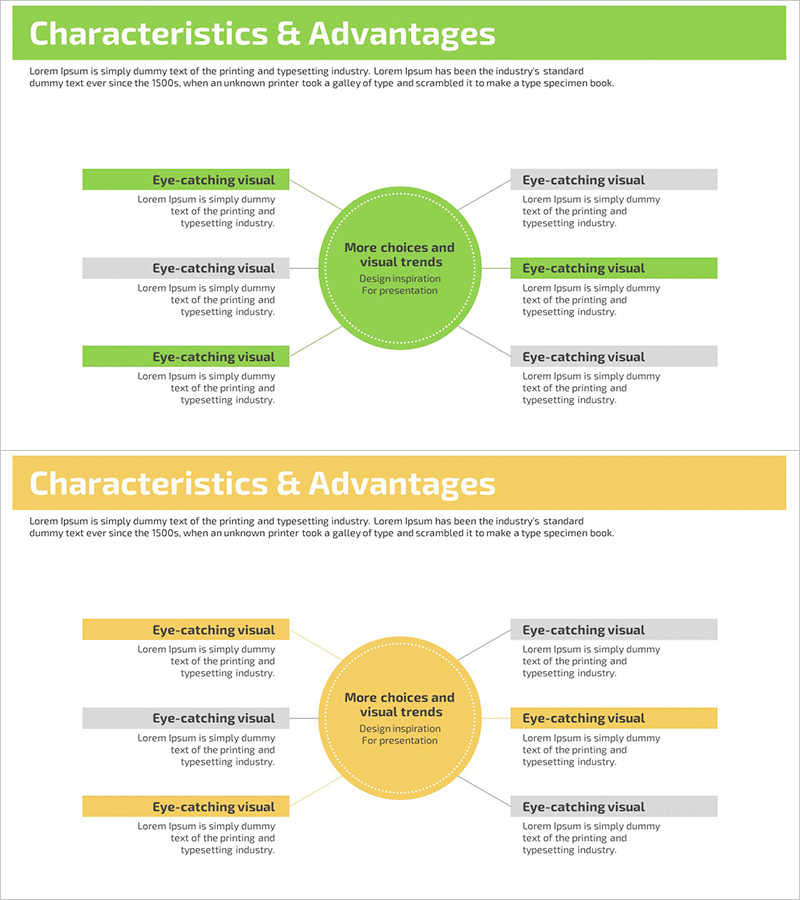
A radial diffusion diagram PowerPoint slide featuring a central hub connected to six surrounding items. This design effectively visualizes product characteristics and advantages with a lime-green accent color contrasting against gray supporting elements. Each item is clearly positioned with dedicated text areas, making it ideal for presentations, product introductions, marketing proposals, and business documents. The slide set includes 2 slides in 16:9 widescreen format, ready for immediate use in professional presentations.
Usage Points
-
Main Usage
This diagram structure presents a core concept at the center with multiple related items radiating outward. It's designed to communicate product features, service advantages, and key characteristics in a visually organized manner. Perfect for product launches, marketing presentations, business proposals, and strategic communications where clarity and visual impact are essential.
-
How to Use
Enter your core message (product name or key value proposition) in the central circle. Fill the six surrounding items with specific features, advantages, or functions. Use the lime-green accent boxes for primary information and gray boxes for supporting details. Apply directly to presentation slides, product catalogs, or proposal documents without additional formatting.
-
Recommended For
Product marketing managers, sales teams, business development professionals, consultants, and educators presenting product information. Particularly effective for new product launches, client proposals, internal training materials, and strategic business communications where visual clarity is critical.
-
Slide Structure
Two-slide set featuring a primary radial diagram with lime-green central hub and six connected items, plus a variant with yellow central hub. Each item connects to the center via directional lines, with clearly defined text input areas for easy customization and professional appearance.
Related Products
-
Key Ingredients and Benefits Content Slide for Cosmetic Presentation
#Product/Service Introduction #Diagram #Features
-
Service Characteristics Diagram – Highlighting Benefits and Visibility
#Product/Service Introduction #Diagram #Features
-
Eco-farming Agricultural Service Structure – Innovation and Sustainability
#Product/Service Introduction #Diagram #Features
-
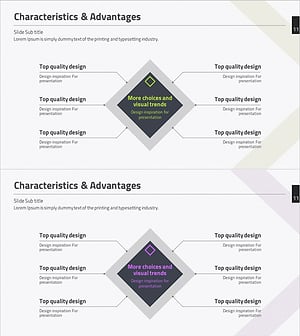
Characteristics & Advantages Slide – Effective Information Delivery Through Connection Diagram
#Product/Service Introduction #Diagram #Features
