



Payment Service by Grade Presentation Template - Pricing Strategy Focus
RM0100019_28
- Last Update 01/31/2025
- File Size 0.9MB
- # of Slides 2
- File Format PPTX
- Slide Ratio 16:9
- Color
Keywords
- #Content-Based Slides
- #Design-Based Slides
- #Product/Service Introduction
- #Marketing Plan and Strategy
- #Diagram
- #Composition
- #Pricing Strategy
- #Cluster
- #Closed Cluster Diagram
- #16:9
- #pricing comparison diagram PowerPoint
- #tiered pricing table slide
- #service grade pricing presentation
- #how to create pricing comparison in PowerPoint
- #3-tier pricing slide template
About the Product
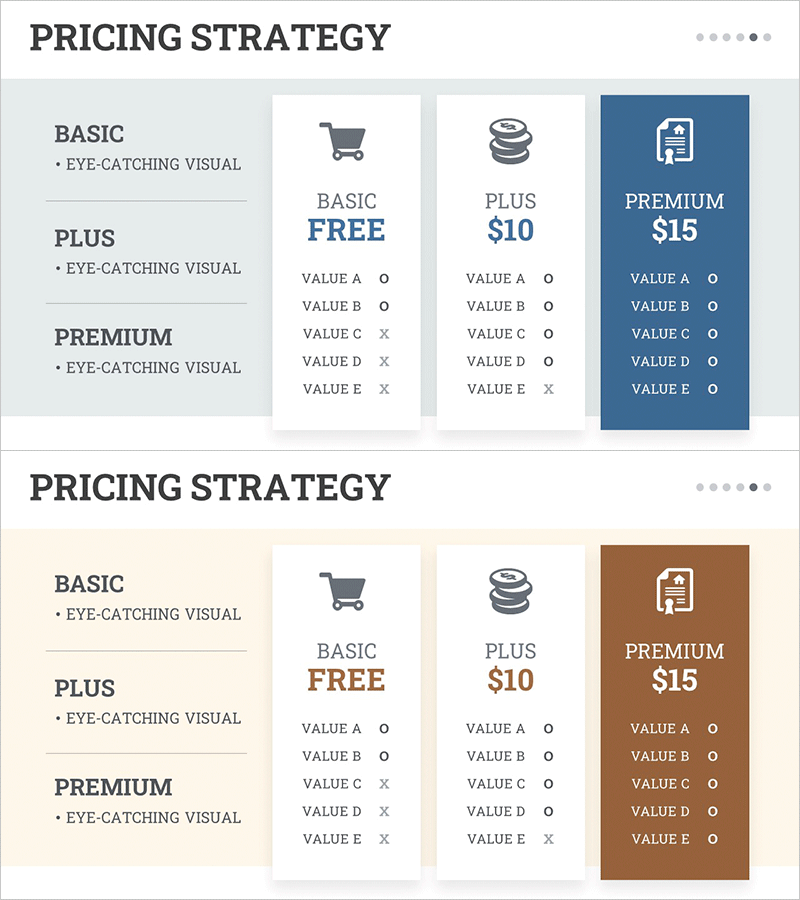
A PowerPoint slide that visually compares pricing strategies across three service tiers: Basic, Plus, and Premium. The left side displays category descriptions while the right side features a three-column card layout clearly distinguishing each tier's features, pricing, and value proposition. A gray, white, and dark blue color hierarchy emphasizes the Premium tier, with checkmarks and X icons intuitively showing feature inclusion. This presentation slide is ready to use for SaaS, subscription service, and payment platform pitches.
Usage Points
-
Main Usage
Clearly presents pricing strategies for SaaS, subscription services, and payment platforms across three tiers. The card-based layout enables stakeholders to instantly grasp each tier's features, pricing, and value, accelerating decision-making.
-
How to Use
Use this slide in marketing presentations, investor pitches, and product introduction decks as your pricing strategy section. Edit the card text, prices, and feature items to match your service, and leverage color and icons to emphasize tier differentiation.
-
Recommended For
SaaS companies, subscription service managers, marketing strategists, and sales teams presenting pricing options to customers. Ideal for investor presentations, product launch announcements, and B2B sales pitches where pricing competitiveness must be visualized.
-
Slide Structure
Left side contains category descriptions; right side features three card-format comparison areas. Each card includes tier name, price, and five feature items (marked with checkmarks or X icons). The Premium card uses a dark blue background to establish visual priority.
Related Products
-
Application Service Contents Slide - Product/Service Introduction
#Product/Service Introduction #Diagram #Product/Service Introduction
-
Application Service Content and Differentiation Strategy – Infographic Design
#Product/Service Introduction #Diagram #Composition
-
Body Organ Disease Analysis Diagram – Clear Information Delivery
#Product/Service Introduction #Diagram #Other
-
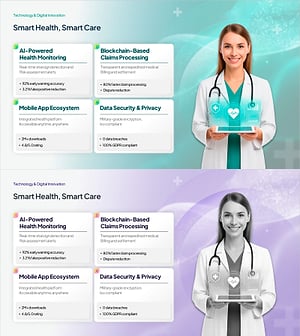
Healthcare Technology PowerPoint – 4 Feature Cards with KPI
#Product/Service Introduction #Technical Approach #Diagram
