



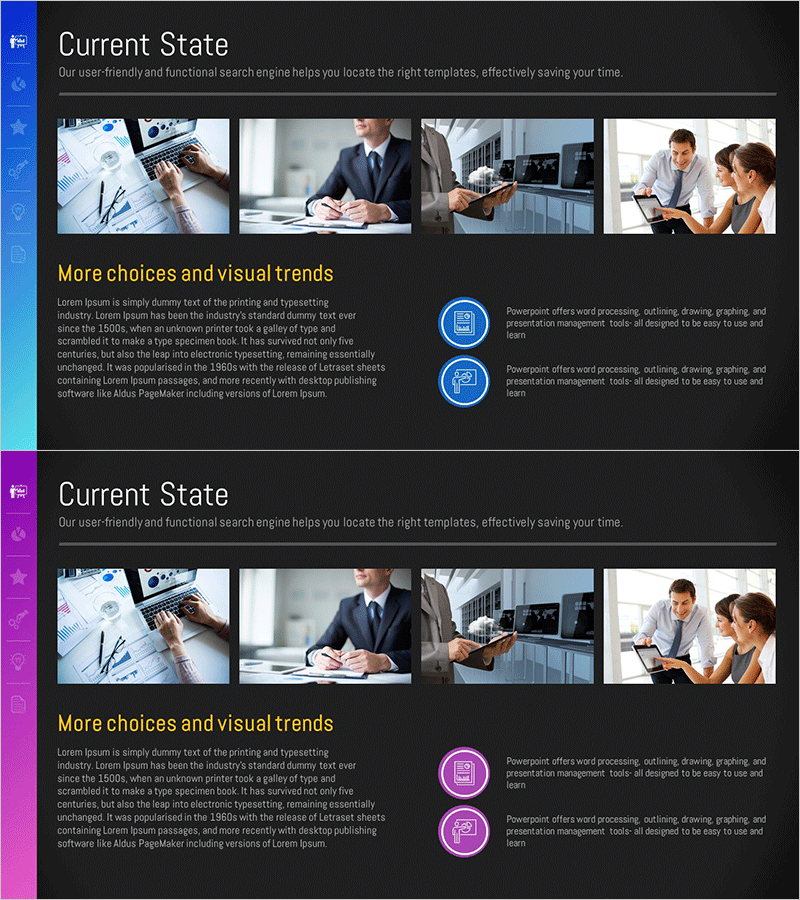
Asset Management Company Business Overview – Structure and Insights
RM0100017_4
- Last Update 01/30/2025
- File Size 1.6MB
- # of Slides 2
- File Format PPTX
- Slide Ratio 16:9
- Color
Keywords
- #Content-Based Slides
- #Design-Based Slides
- #Company Introduction
- #Business Introduction
- #Diagram
- #Company Overview
- #Business Overview
- #Cluster
- #Closed Cluster Diagram
- #16:9
- #closed cluster diagram PowerPoint
- #information structure slide template
- #business overview presentation
- #4-section diagram slide
- #how to create cluster diagram in PowerPoint
About the Product
A 2-slide PowerPoint presentation designed to explain an asset management company's business overview. The closed cluster diagram positions a central core concept surrounded by four distinct information sections, creating a hierarchical visual structure. Dark background with blue and purple accent icons clearly differentiate each section, while text areas and image spaces are balanced throughout. This slide deck effectively presents multi-layered information such as company profile, business strategy, and organizational structure in a single comprehensive view.
Usage Points
-
Main Usage
A closed cluster diagram that positions a central concept with four surrounding information sections, ideal for expressing hierarchical relationships. Perfect for presenting asset management company structures, organizational frameworks, and multi-faceted business domains in a cohesive visual format.
-
How to Use
Enter your core topic in the central circular area and distribute detailed content across the four surrounding sections. Edit text and images in each area to customize for various presentation scenarios including company introductions, business overviews, and strategic explanations.
-
Recommended For
Ideal for asset management, financial services, and consulting firms presenting company profiles and business overviews. Recommended for executive presentations, investor pitches, and partner communications where clear organizational and business domain visualization is essential.
-
Slide Structure
2-slide layout with each slide featuring a central circular core area surrounded by four closed-form sections. Blue and purple accent icons distinguish each section, with balanced text input areas and image insertion spaces throughout the design.
Related Products
-
Pastel Gradient Business Overview – A New Perspective on Business
#Company Introduction #Business Introduction #Diagram
-
Innovative Technology Proposal Slide with Diagram – Business Insights
#Company Introduction #Business Introduction #Diagram
-
Mobile Service Business Overview – Utilizing Modern Diagrams
#Company Introduction #Business Introduction #Diagram
-
Laptop Mockup for Company Overview Slide
#Company Introduction #Business Introduction #Diagram
