



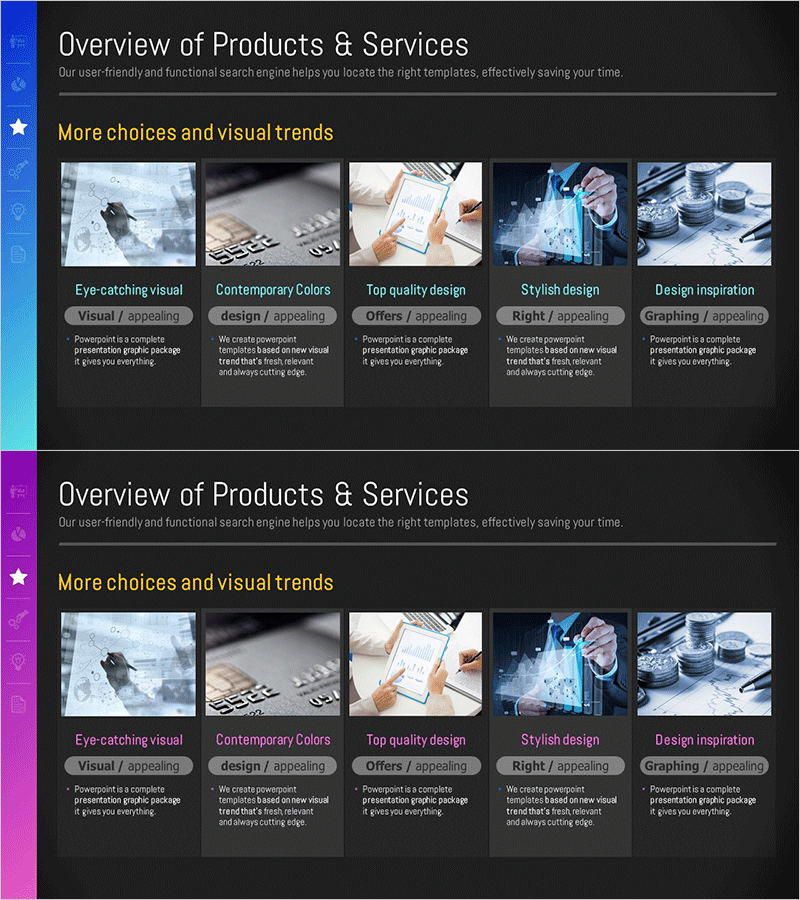
Introduction to Asset Management Business Program Slide – Cluster Diagram
RM0100017_15
- Last Update 01/30/2025
- File Size 1.9MB
- # of Slides 2
- File Format PPTX
- Slide Ratio 16:9
- Color
Keywords
- #Content-Based Slides
- #Design-Based Slides
- #Product/Service Introduction
- #Diagram
- #Product/Service Introduction
- #Product and Service Overview
- #Cluster
- #Closed Cluster Diagram
- #16:9
- #cluster diagram PowerPoint
- #nested structure slide template
- #closed cluster diagram
- #asset management presentation
- #relationship diagram PPT slide
About the Product
A closed cluster diagram PowerPoint slide optimized for asset management and business program presentations. The design features three nested areas that intuitively express inclusion relationships and interconnections between related items. Against a dark background, distinct color coding (blue, orange, gray) emphasizes each area to effectively convey information hierarchy. The 2-slide set in 16:9 widescreen format is ready for immediate use in modern presentation environments. All text and shapes are fully editable, allowing you to customize the content to match your specific business needs and messaging.
Usage Points
-
Main Usage
Visualizes inclusion relationships and interconnections between departments, teams, and projects within an organization. Effectively expresses multi-layered structures in asset management businesses, program component hierarchies, portfolio classification systems, and organizational frameworks.
-
How to Use
Use at the beginning of presentations to explain organizational structure or program overview, or in middle sections to establish overall context before detailing each area. Simply edit the text in each area to customize the diagram for your specific business model and organizational needs.
-
Recommended For
Ideal for asset management firms and fund managers presenting program introductions, corporate strategy sessions explaining organizational structures, consulting proposals depicting solution components, and educational institutions presenting curriculum frameworks.
-
Slide Structure
Two-slide set featuring a title area with three nested closed-form areas on the first slide, and the same diagram structure on the second slide. Each area is distinguished by clear color coding, with designated text input zones inside for easy information addition and customization.
Related Products
-
Beef Cooking Introduction Slide – Product and Service Overview
#Product/Service Introduction #Diagram #Product/Service Introduction
-
Overview of Interior Business Services - Stylish Diagram Slide
#Product/Service Introduction #Diagram #Product/Service Introduction
-

Rounded Rectangle Diagram Slide for Offered Services Overview
#Product/Service Introduction #Diagram #Text Box
-
AI-Powered Drug Product Overview – Innovative Healthcare Solution
#Product/Service Introduction #Diagram #Product/Service Introduction
