



Business Development Area Diagram – Business Area Guide
RM0100009_27
- Last Update 01/27/2025
- File Size 0.8MB
- # of Slides 2
- File Format PPTX
- Slide Ratio 16:9
- Color
Keywords
- #Content-Based Slides
- #Design-Based Slides
- #Company Introduction
- #Business Introduction
- #Diagram
- #Business Areas
- #Business Areas
- #Spread
- #Radial Diagram
- #16:9
- #radial diagram PowerPoint
- #expansion diagram slide
- #5-node business diagram
- #how to create radial diagram in PowerPoint
- #business area presentation template
About the Product
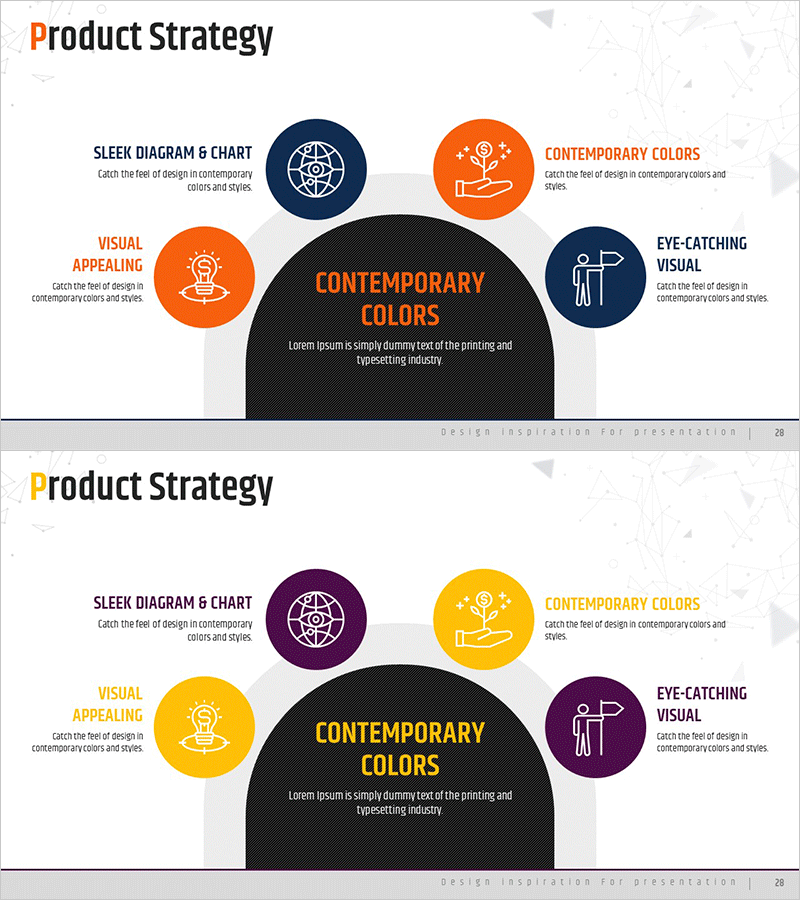
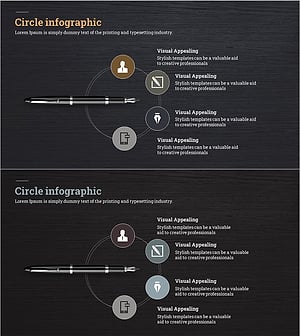
A radial diagram PowerPoint slide that expands from a central concept to five directional nodes, representing business development areas and strategic elements. The design uses contrasting color combinations—orange with navy blue on the first slide, and yellow with purple on the second—to emphasize each node with circular icons and text labels. This two-slide set clearly distinguishes five key components: business areas, strategic approach, visual appeal, chart representation, and color utilization. The matching layout with multiple color options allows you to select combinations that align with your presentation context and brand guidelines. Ideal for business development, product introduction, and strategic planning presentations to visually communicate how core concepts expand into multiple dimensions.
Usage Points
-
Main Usage
Visually represent how a central business concept expands into five key dimensions or areas, making it ideal for business development, market analysis, product positioning, and strategic planning presentations where multi-element expansion relationships need clear communication.
-
How to Use
Enter your core concept (e.g., business strategy, product positioning) in the central black area. Fill each of the five circular nodes with corresponding sub-areas (e.g., market, technology, marketing, operations, finance). Select the color combination that matches your presentation tone and brand identity.
-
Recommended For
Business development managers, strategy planning teams, product managers, marketing strategists, and executives presenting business expansion plans. Best suited for situations requiring simultaneous explanation of multiple elements radiating from a central concept.
-
Slide Structure
Two-slide set. Each slide features a central black semicircular area (core concept input space) + five circular nodes (uniform height with icon and text label) + connecting lines from center to each node. Color schemes: Slide 1 (orange-navy), Slide 2 (yellow-purple). 16:9 aspect ratio, fully editable PPTX format.
Related Products
-
Global Transportation Network Structure – Cluster Diagram
#Company Introduction #Business Introduction #Diagram
-
Diagram Introducing Business Activity Areas – Visualizing Business Areas
#Company Introduction #Business Introduction #Diagram
-
Business Exploration Area Diagram – Visualizing Business Fields and Opportunities
#Company Introduction #Business Introduction #Diagram
-
Fountain Pen Business Area Diagram – Visualized Cluster Structure
#Company Introduction #Business Introduction #Diagram
