



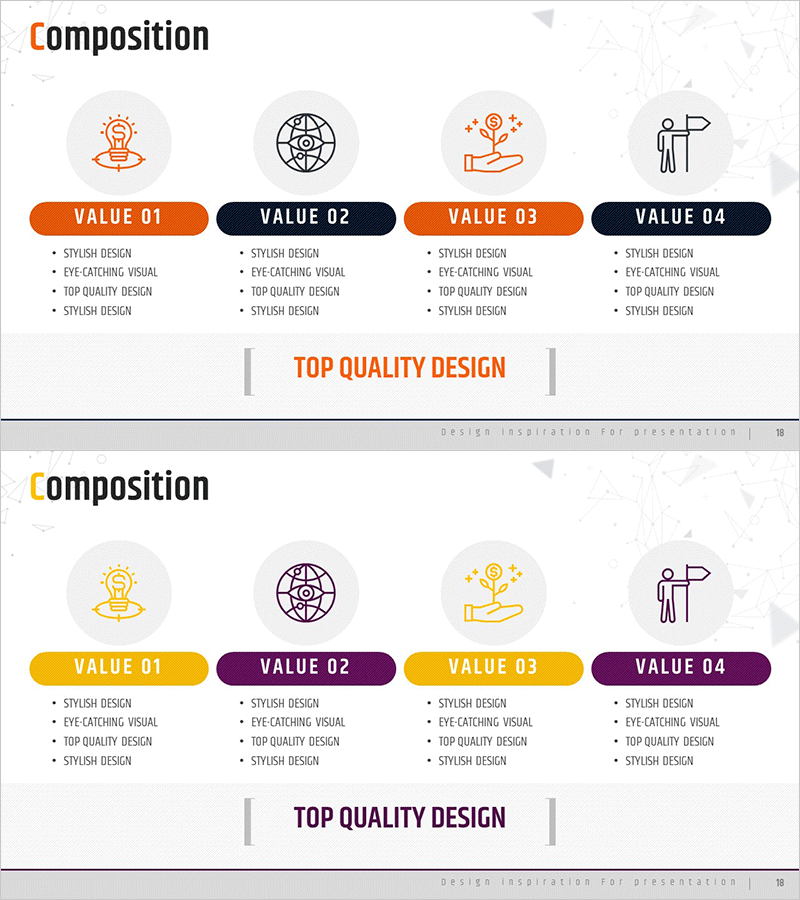
Idea Development Composition – Cluster Diagram
RM0100009_17
- Last Update 01/27/2025
- File Size 0.8MB
- # of Slides 2
- File Format PPTX
- Slide Ratio 16:9
- Color
Keywords
- #Content-Based Slides
- #Design-Based Slides
- #Product/Service Introduction
- #Diagram
- #Features
- #Composition
- #Cluster
- #Closed Cluster Diagram
- #16:9
- #cluster diagram PowerPoint
- #4-node diagram template
- #idea development slide
- #relationship diagram PPT
- #composition structure slide
- #central concept diagram PowerPoint
About the Product
A 4-node cluster diagram PowerPoint slide designed to visualize idea development and composition structure. The central core concept is surrounded by four related elements arranged in a circular layout, clearly expressing interconnections and relationships. Each node is distinguished using orange and navy dual-tone colors, with circular icons and text areas balanced throughout. The structure accommodates four detail items below each node, making it immediately applicable to strategy presentations, value propositions, organizational structures, and project compositions. 16:9 widescreen format, PPTX file type, 2-slide set.
Usage Points
-
Main Usage
Visualizes the interconnections between a central core concept and four surrounding elements. Ideal for idea development phases to simultaneously express core values and supporting factors, or to clearly communicate hierarchical relationships in organizational structures, project compositions, and strategic frameworks.
-
How to Use
Enter the core concept name in the central circular icon area, then populate each of the four nodes with element names and four detail description items. Use the orange and navy color distinction to represent priorities or categories, and customize icons to match industry or topic-specific needs.
-
Recommended For
Strategic planning team vision and value proposition presentations, new business development project component explanations, organizational restructuring relationship diagrams, marketing strategy 4P/4C framework visualization, product development team core functions and supporting elements documentation.
-
Slide Structure
Central circular icon + core concept text area / Four nodes (top, right, bottom, left) each with circular icon + title + four detail lines / Orange and navy dual-tone color differentiation / Connection lines between nodes / 2-slide set with color variation version
Related Products
-
Supplement and Diet Product Introduction Slide - Linear Flow Diagram
#Product/Service Introduction #Diagram #Features
-
Pegboard Illustration Diagram – Product Characteristics and Composition Introduction
#Product/Service Introduction #Diagram #Features
-
Diagram Slide for Cell Phone Service Configuration Details
#Product/Service Introduction #Diagram #Features
-
Different Food Diagrams – Visualizing the Flavor World
#Product/Service Introduction #Diagram #Features
