



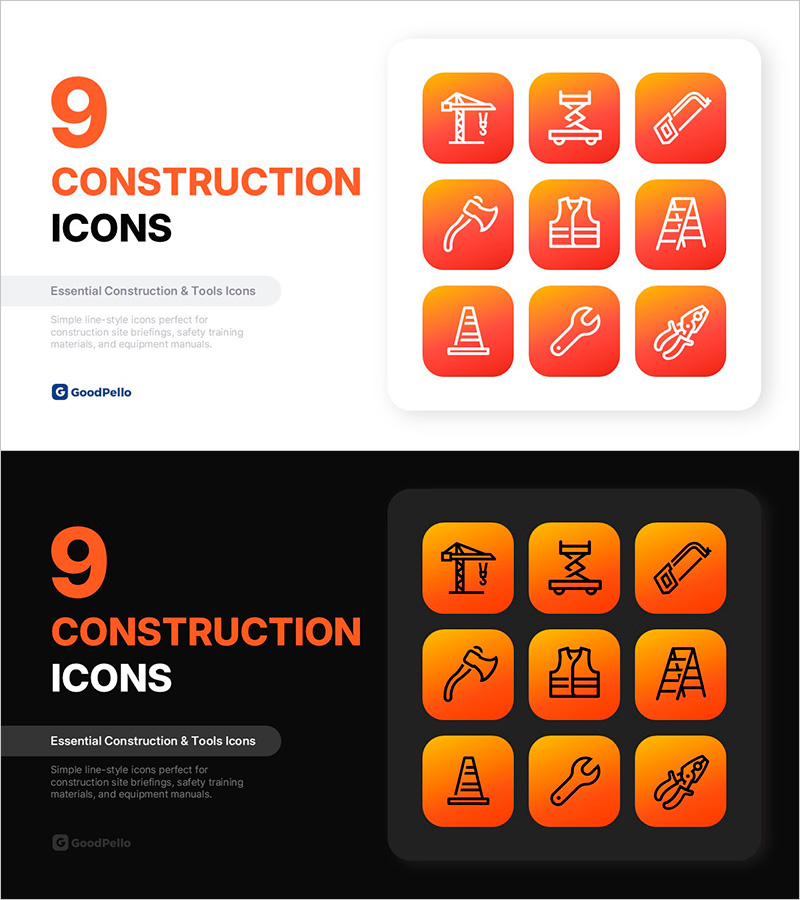
Construction Icon Set (9) – Professional PPT Icons for Safety Training, Tools & Building Sites
RIC0100010
- Last Update 09/12/2025
- File Size 0.8MB
- # of Slides 2
- File Format PPTX
- Slide Ratio 16:9
- Color
Keywords
About the Product
A professional 9-icon construction set PowerPoint slide optimized for job site briefings, safety training, and equipment presentations. Features crane, scissor lift, saw, pickaxe, safety vest, ladder, traffic cone, wrench, and pliers icons in a clean line-style design. Each icon is placed in a rounded square button with orange-to-red gradient background, ensuring excellent readability across construction reports, safety manuals, equipment catalogs, and project presentations. The 16:9 widescreen format includes 2 fully editable slides—one with light background and one with dark background—allowing seamless integration into any presentation theme.
Usage Points
-
Main Usage
Visually communicate construction equipment, safety gear, and tools in job site briefings, safety training materials, equipment catalogs, and project presentations. Each line-style icon clearly represents a specific construction element, making complex safety concepts and equipment lists easy to understand at a glance.
-
How to Use
Insert icons into slides when listing construction equipment, safety items, or tools. In safety sections, pair each icon with hazard warnings or safety procedures. In equipment catalogs, match icons with product names and specifications. Resize and recolor icons to emphasize key items or match your corporate color scheme.
-
Recommended For
Construction managers, safety officers, equipment supervisors, training coordinators, construction consultants, equipment manufacturers, and site engineers presenting safety protocols, equipment inventories, project overviews, and compliance training to teams and stakeholders.
-
Slide Structure
2-slide set with identical 3×3 grid layout: first slide features icons on light background for standard presentations, second slide shows the same icons on dark background for high-contrast viewing. All 9 icons are individually selectable and editable, with gradient colors and line weights fully customizable in PowerPoint.
Related Products
-
Innovative Visualization Through Technology Equipment Icons – Reflecting the Digital Age
#Other #Icon
-
Icon Design Template – Modern Approach to Information Delivery
#Other #Icon
-
Presentation with Icon Set – Business Example
#Other #Icon
-

Icon Slide for Business and Data Analysis – Practical Design
#Other #Icon
