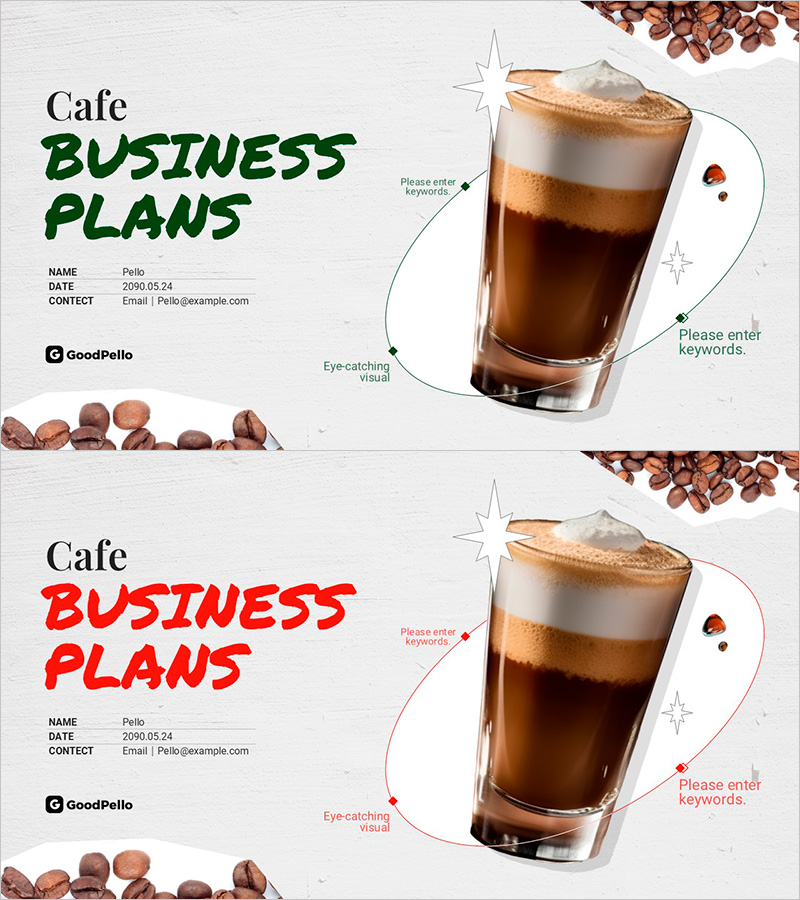
Premium Cafe Brand Business Plan Cover – Start Your Business with an Eye-Catching Visual
RM0100021
- Last Update 04/30/2025
- File Size 9MB
- # of Slides 2
- File Format PPTX
- Slide Ratio 16:9
- Color
Keywords
About the Product
A professional cover slide for cafe business plan presentations featuring a realistic coffee beverage image and coffee bean decorative elements. The left side provides input areas for title, date, and contact information, while the right side showcases the coffee visual with accent decorations. Available in two color versions—green and red—allowing you to match your brand identity. Formatted in 16:9 widescreen PPTX, fully editable in PowerPoint for immediate use in cafe startup pitches, franchise proposals, and investor presentations.
Usage Points
-
Main Usage
Serves as the opening slide for cafe business plan presentations, establishing a strong first impression with coffee imagery and brand identity. The coffee beverage photo and bean decorations immediately communicate the cafe concept, while the structured text areas clearly present presenter information and presentation title.
-
How to Use
Enter your business plan title, presentation date, and contact details in the text input areas on the left side. Select either the green or red color version to match your company's brand colors. The coffee image and decorative elements are fixed, requiring no additional editing for immediate deployment.
-
Recommended For
Ideal for cafe startup business plans, coffee shop franchise proposals, investor pitch decks, cafe brand introductions, and coffee business consulting presentations. Suitable for any business presentation where you need to pitch a cafe or coffee-related venture to stakeholders or investors.
-
Slide Structure
Two-slide set with consistent layout: coffee beverage photo and decorative coffee beans positioned on the right, with three text input areas on the left (title, date, contact information). The simple yet functional structure accommodates all essential cover slide information without visual clutter.