Laptop Internet Lecture Template Cover
RJ0500016
- Last Update 06/11/2025
- File Size 2.9MB
- # of Slides 2
- File Format PPTX
- Slide Ratio 16:9
- Color
Keywords
About the Product
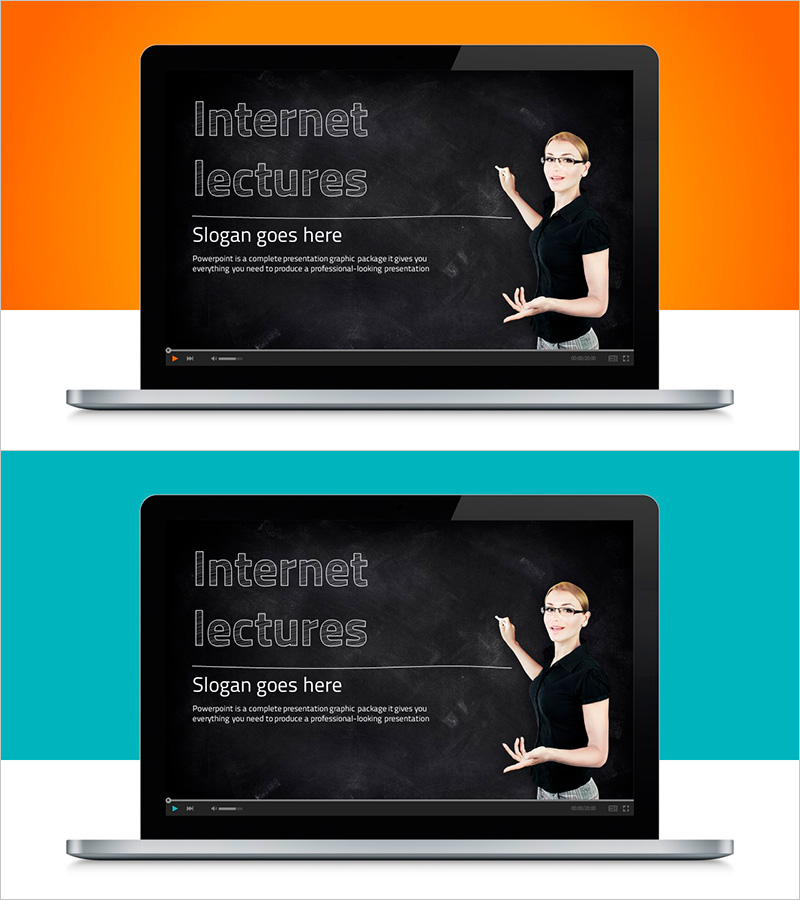
A professional cover slide designed for online lectures, webinars, and educational presentations. The slide features a black chalkboard background with an instructor illustration and laptop imagery, visually representing the essence of internet-based learning. It includes three text input areas for title, slogan, and description, complemented by orange and teal accent bars that brighten the overall design. This PowerPoint slide is created in 16:9 widescreen format, optimized for modern presentation environments. Perfect for introducing educational content, online courses, training seminars, and webinars with a strong visual first impression.
Usage Points
-
Main Usage
Serves as the opening slide for online lectures, webinars, and educational seminars to introduce the course topic and instructor. The blackboard background evokes an educational environment, while the instructor illustration emphasizes the human connection in internet-based learning. The title and slogan areas clearly communicate the core message of the lecture.
-
How to Use
Place as the cover slide of your presentation and input the lecture title, instructor name, date, and course details. The orange and teal accent bars can be customized to match your corporate brand colors, and the instructor illustration and laptop image can be replaced with your own photos. Also suitable for use as a thumbnail on online learning platforms.
-
Recommended For
Ideal for online educators, course creators, corporate training managers, university instructors, and webinar hosts. Particularly effective for IT, business, language, and technical training materials. Can also be used for student recruitment and course promotion materials.
-
Slide Structure
Two-slide layout with the first slide containing three text input areas: title, slogan, and description. The second slide mirrors the same layout for additional course information. The black chalkboard background with white-outlined text ensures high readability, while the instructor illustration on the right and laptop image on the left create a balanced composition.