



PowerPoint Slide for Idea Strategy Leading to Victory
RJ0800020_7
- Last Update 08/29/2025
- File Size 0.2MB
- # of Slides 2
- File Format PPTX
- Slide Ratio 16:9
- Color
Keywords
- #Content-Based Slides
- #Design-Based Slides
- #Product/Service Introduction
- #Business Strategy
- #Diagram
- #Program Introduction
- #Cluster
- #Closed Cluster Diagram
- #16:9
- #closed diagram PowerPoint
- #4-element icon diagram
- #strategic elements slide template
- #circular layout diagram
- #business strategy presentation slide
About the Product
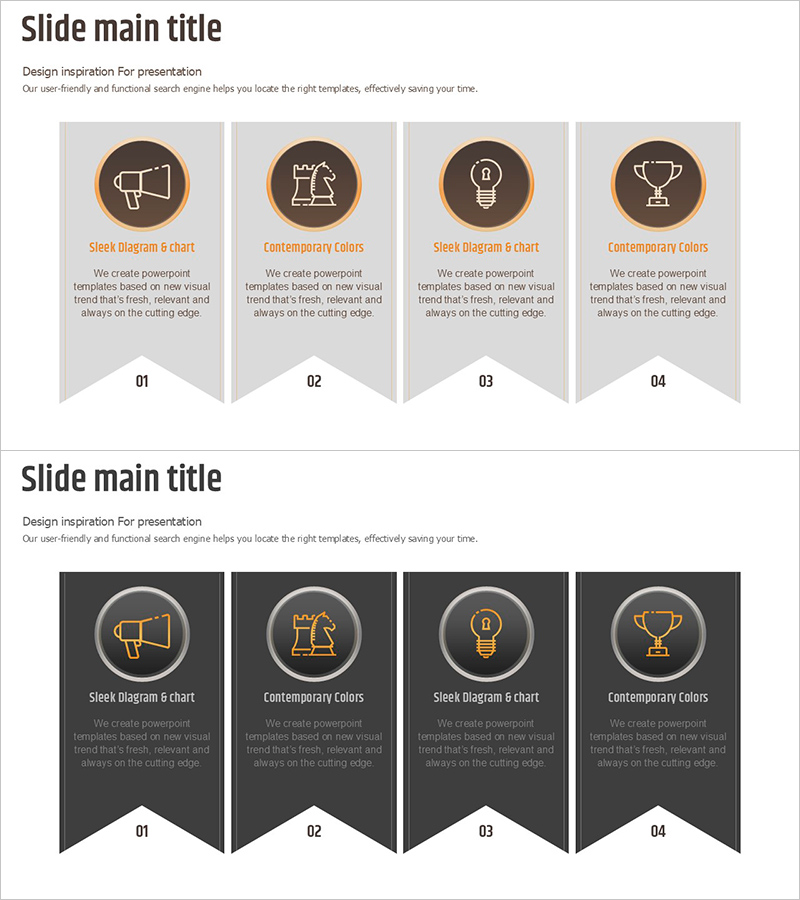
A closed-form diagram PowerPoint slide that integrates idea and strategy into four core elements. Each element is represented by a distinct icon (megaphone, tool, lightbulb, trophy) arranged in a circular layout at the center, visualizing the interconnectedness of your overall strategy. Two design versions are provided: a light tone (light gray background) and a dark tone (charcoal background), allowing you to match your presentation's aesthetic. Each slide includes descriptive text areas below the icons for adding detailed information about each strategic element. Delivered in 16:9 widescreen PPTX format, fully editable and ready to customize.
Usage Points
-
Main Usage
Designed to visually integrate four core elements of a business strategy and emphasize their interconnectedness. Ideal for presenting business strategy, marketing strategy, innovation strategy, or organizational strategy with clear component representation.
-
How to Use
Enter strategy element names in each icon area and add descriptions, implementation plans, or expected outcomes in the text boxes below. Modify colors to indicate priority levels or add arrows to show cause-and-effect relationships between elements. Light tone conveys innovation and positivity; dark tone emphasizes trust and professionalism.
-
Recommended For
Executives, strategy managers, marketing leaders, and project managers presenting strategic plans, execution roadmaps, or organizational strategy alignment. Particularly effective when structuring strategy into four key components.
-
Slide Structure
Two-slide set. Each slide features a central circular arrangement of four icons (megaphone, tool, lightbulb, trophy) with text input areas beneath each icon. Title area at the top and comprehensive description text area at the bottom for additional context.
Related Products
-
Diagram Slide Visualizing Idea Development Stage
#Product/Service Introduction #Business Strategy #Diagram
-

Business Step-by-Step Schedule Planning Slide – Share Structured Strategy
#Product/Service Introduction #Business Strategy #Diagram
-
4-Stage Food Ingredient Management Method - Effective Cluster Diagram
#Product/Service Introduction #Business Strategy #Diagram
-

Introducing the Business Partner Project – Impressive Diagram Layout
#Product/Service Introduction #Business Strategy #Diagram
